







Question: Please answer 1c, use MATLAB, and paste your entire script in your answer so that I can copy and paste to see if it works.
Please answer 1c, use MATLAB, and paste your entire script in your answer so that I can copy and paste to see if it works.
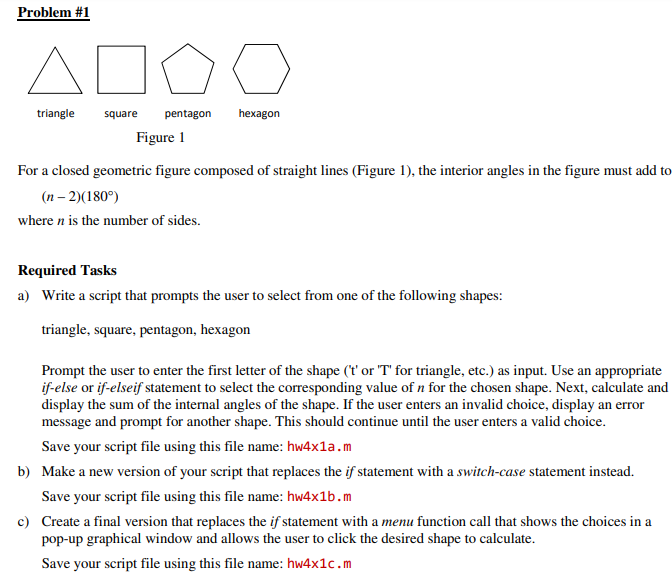
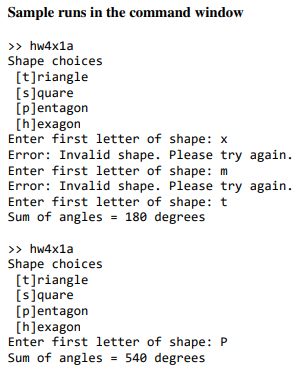
Problem #1 400g triangle square pentagon hexagon Figure 1 For a closed geometric figure composed of straight lines (Figure 1), the interior angles in the figure must add to (n-2)(180) where n is the number of sides. Required Tasks a) Write a script that prompts the user to select from one of the following shapes: triangle, square, pentagon, hexagon Prompt the user to enter the first letter of the shape (t' or 'T' for triangle, etc.) as input. Use an appropriate if-else or if-elseif statement to select the corresponding value of n for the chosen shape. Next, calculate and display the sum of the internal angles of the shape. If the user enters an invalid choice, display an error message and prompt for another shape. This should continue until the user enters a valid choice. Save your script file using this file name: hw4x1a.m b) Make a new version of your script that replaces the if statement with a switch-case statement instead. Save your script file using this file name: hw4x1b.m c) Create a final version that replaces the if statement with a menu function call that shows the choices in a pop-up graphical window and allows the user to click the desired shape to calculate. Save your script file using this file name: hw4x1c.m Sample runs in the command window >> hw4xla Shape choices [t]riangle [s] quare [P]entagon [h]exagon Enter first letter of shape: x Error: Invalid shape. Please try again. Enter first letter of shape: m Error: Invalid shape. Please try again. Enter first letter of shape: t Sum of angles = 180 degrees >> hw4xla Shape choices [t]riangle [s] quare [P]entagon [h]exagon Enter first letter of shape: P Sum of angles = 540 degrees
Step by Step Solution
There are 3 Steps involved in it

Get step-by-step solutions from verified subject matter experts
 Study Help