







Question: Please answer all data attached at the end!! Thank you!! Pl Interpretation: We want to look at the reactivity of the different positions on the
Please answer all data attached at the end!! Thank you!!
Pl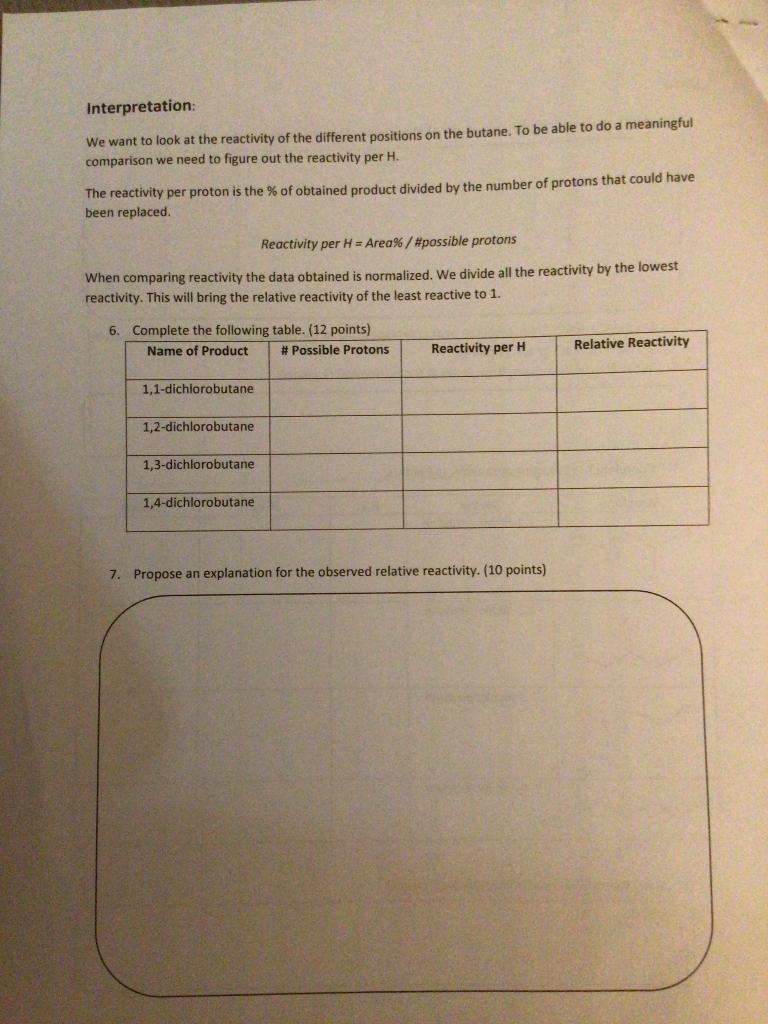
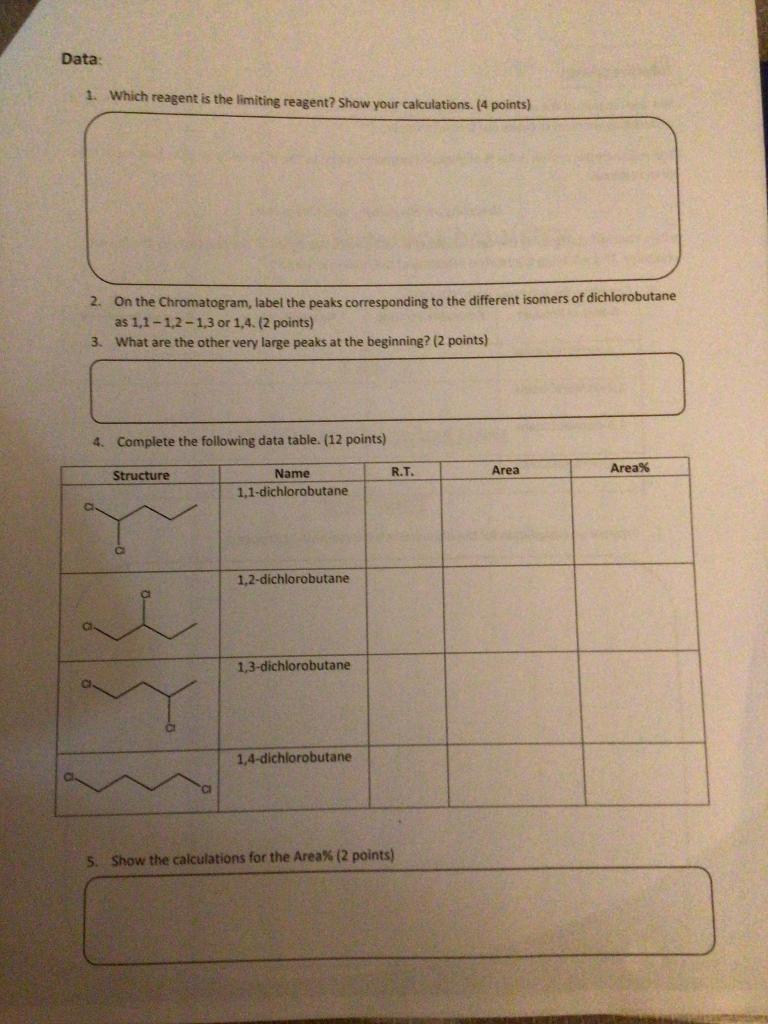
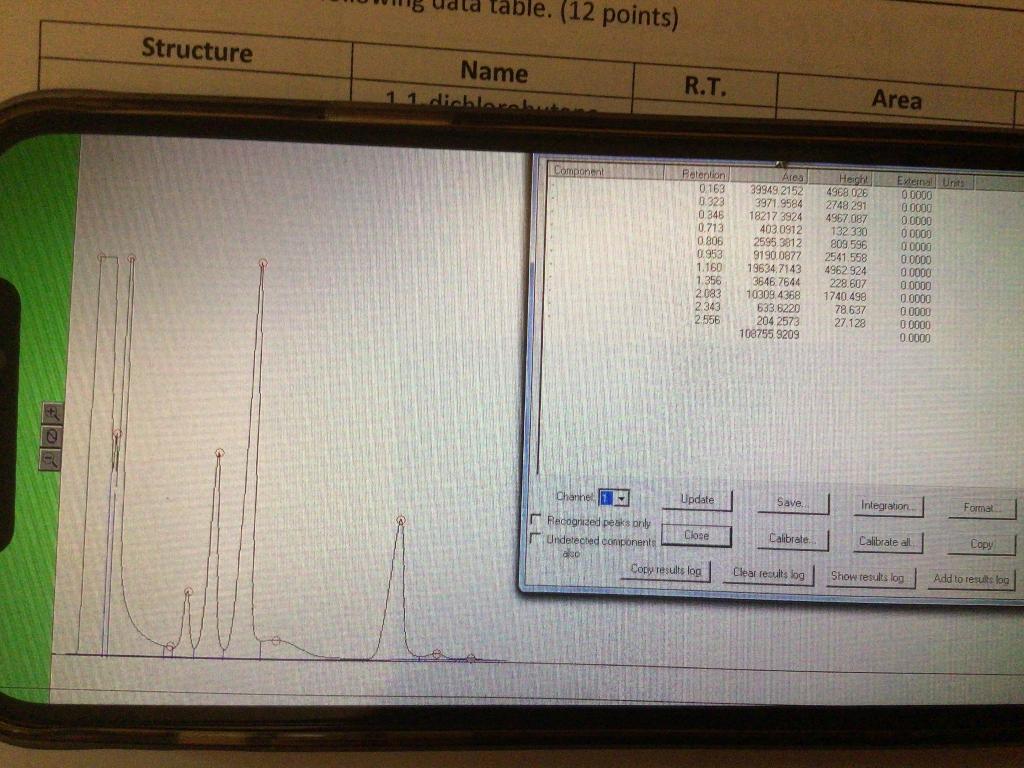
Interpretation: We want to look at the reactivity of the different positions on the butane. To be able to do a meaningful comparison we need to figure out the reactivity per H. The reactivity per proton is the % of obtained product divided by the number of protons that could have been replaced. Reactivity per H = Area%/#possible protons When comparing reactivity the data obtained is normalized. We divide all the reactivity by the lowest reactivity. This will bring the relative reactivity of the least reactive to 1. 6. Complete the following table. (12 points) Name of Product # Possible Protons Reactivity per H Relative Reactivity 1,1-dichlorobutane 1,2-dichlorobutane 1,3-dichlorobutane 1,4-dichlorobutane 7. Propose an explanation for the observed relative reactivity. (10 points) Data 1. Which reagent is the limiting reagent? Show your calculations. (4 points) 2. On the Chromatogram, label the peaks corresponding to the different isomers of dichlorobutane as 1,1-1,2-1,3 or 1,4. (2 points) 3. What are the other very large peaks at the beginning? (2 points) 4. Complete the following data table. (12 points) R.T. Area Area% Structure Name 1,1-dichlorobutane 1,2-dichlorobutane 1,3-dichlorobutane 1,4-dichlorobutane 5. Show the calculations for the Area% (2 points) table. (12 points) Structure Name 11 dichlorel R.T. Area Componen! Retention 0.163 0.323 0.346 0.713 0.806 0.953 1.160 1356 2083 2343 2.556 Area 39949 2152 3971 9584 18217 3924 403. 0912 2595 3812 9190 0877 19634,7143 3646.7644 10309.4368 633.6220 204 2573 108755 9209 4968 026 2748 291 4967 087 132330 803 596 2541.558 4962924 228.607 1740498 78.637 27.129 Exten Unte 0 0000 0000 0.0000 0 0000 00000 0.0000 00000 00000 00000 0.0000 0 0000 0.0000 N Channel Update Save Integration Format Recognized peaks Only Close Undetected components ais Copy results log Calibrate. Calibrate all Copy Clear results log Show results log Add to results log
Step by Step Solution
There are 3 Steps involved in it

Get step-by-step solutions from verified subject matter experts
 Study Help