





Question: Please answer the question thoroughly and DO NOT POST A COPIED ANSWER. I would like all the steps and information in which you found the

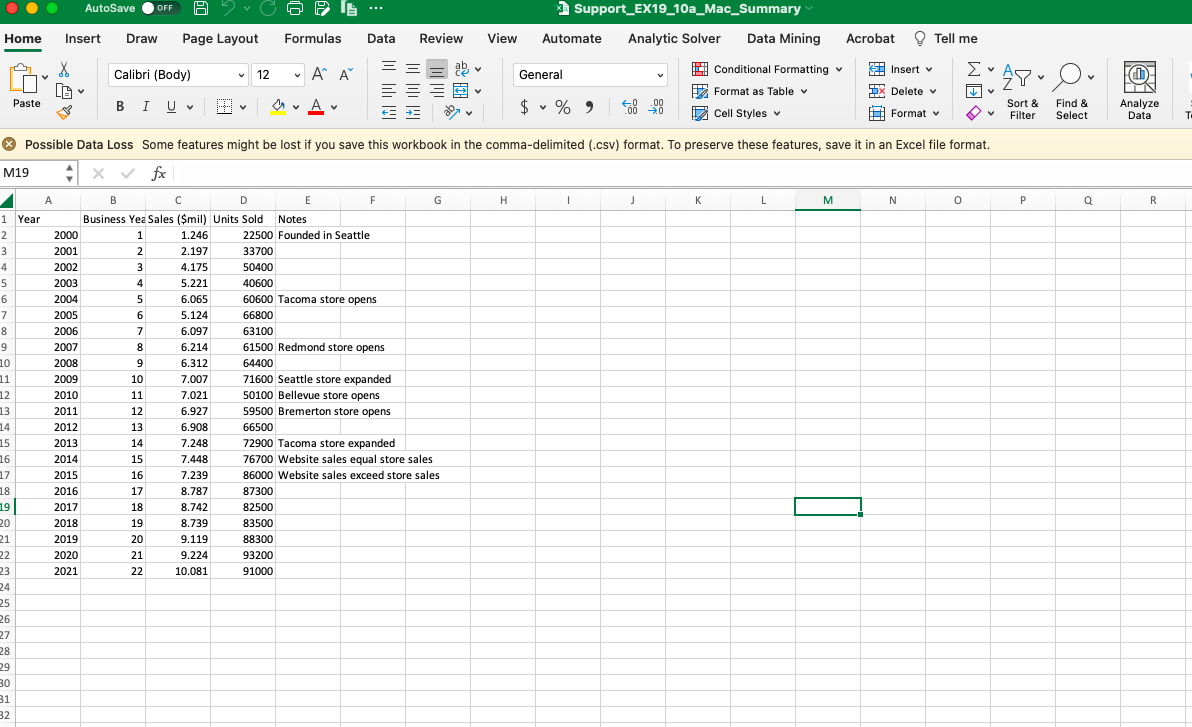
Please answer the question thoroughly and DO NOT POST A COPIED ANSWER. I would like all the steps and information in which you found the answer/concluded the answer. A screenshot of the csv file is given; I am stuck on how to load the data and import it following the instructions.
Please answer the question thoroughly and DO NOTPlease answer the question thoroughly and DO NOT

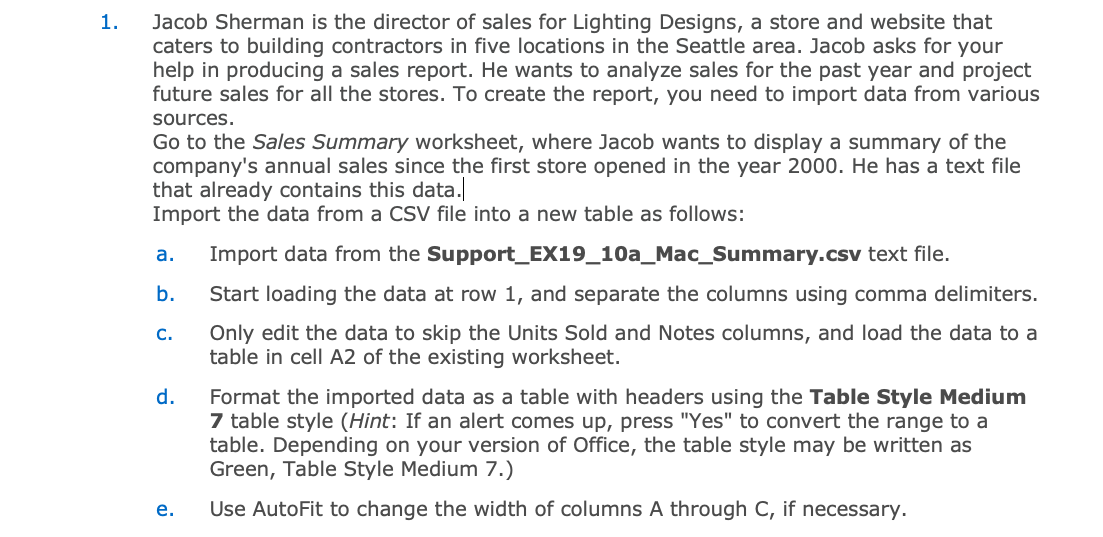
1. Jacob Sherman is the director of sales for Lighting Designs, a store and website that caters to building contractors in five locations in the Seattle area. Jacob asks for your help in producing a sales report. He wants to analyze sales for the past year and project future sales for all the stores. To create the report, you need to import data from various sources. Go to the Sales Summary worksheet, where Jacob wants to display a summary of the company's annual sales since the first store opened in the year 2000 . He has a text file that already contains this data.| Import the data from a CSV file into a new table as follows: a. Import data from the Support_EX19_10a_Mac_Summary.csv text file. b. Start loading the data at row 1 , and separate the columns using comma delimiters. c. Only edit the data to skip the Units Sold and Notes columns, and load the data to a table in cell A2 of the existing worksheet. d. Format the imported data as a table with headers using the Table Style Medium 7 table style (Hint: If an alert comes up, press "Yes" to convert the range to a table. Depending on your version of Office, the table style may be written as Green, Table Style Medium 7.) e. Use AutoFit to change the width of columns A through C, if necessary. Home Insert Draw Page Layout Formulas Data Review View Automate Analytic Solver Data Mining Acrobat & Tell me (x) Possible Data Loss Some features might be lost if you save this workbook in the comma-delimited (.csv) format. To preserve these features, save it in an Excel file format. M19 fx

Step by Step Solution

There are 3 Steps involved in it

1 Expert Approved Answer
Step: 1 Unlock blur-text-image

Question Has Been Solved by an Expert!

Get step-by-step solutions from verified subject matter experts

Step: 2 Unlock
Step: 3 Unlock

Students Have Also Explored These Related General Management Questions!