







Question: Please develop the flowchart and the ENERGIA code to do this. Thank you Develop an algorithm which allows the user to select one active indicator
 Please develop the flowchart and the ENERGIA code to do this. Thank you
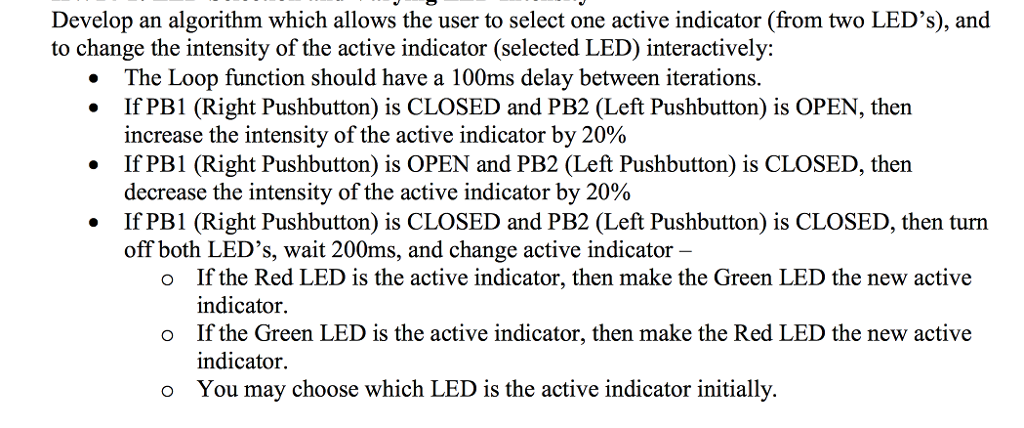
Develop an algorithm which allows the user to select one active indicator (from two LED's), and to change the intensity of the active indicator (selected LED) interactively: The Loop function should have a 100ms delay between iterations. If PB1 (Right Pushbutton) is CLOSED and PB2 (Left Pushbutton) is OPEN, then increase the intensity of the active indicator by 20% . . If PB1 (Right Pushbutton) is OPEN and PB2 (Left Pushbutton) is CLOSED, then decrease the intensity of the active indicator by 20% If PB1 (Right Pushbutton) is CLOSED and PB2 (Left Pushbutton) is CLOSED, then turn off both LED's, wait 200ms, and change active indicator If the Red LED is the active indicator, then make the Green LED the new active indicator If the Green LED is the active indicator, then make the Red LED the new active indicator You may choose which LED is the active indicator initially. o o o Develop an algorithm which allows the user to select one active indicator (from two LED's), and to change the intensity of the active indicator (selected LED) interactively: The Loop function should have a 100ms delay between iterations. If PB1 (Right Pushbutton) is CLOSED and PB2 (Left Pushbutton) is OPEN, then increase the intensity of the active indicator by 20% . . If PB1 (Right Pushbutton) is OPEN and PB2 (Left Pushbutton) is CLOSED, then decrease the intensity of the active indicator by 20% If PB1 (Right Pushbutton) is CLOSED and PB2 (Left Pushbutton) is CLOSED, then turn off both LED's, wait 200ms, and change active indicator If the Red LED is the active indicator, then make the Green LED the new active indicator If the Green LED is the active indicator, then make the Red LED the new active indicator You may choose which LED is the active indicator initially. o o o
Step by Step Solution
There are 3 Steps involved in it

Get step-by-step solutions from verified subject matter experts
 Study Help