







Question: Create a Entity Relationship Diagram for the following, An example ERD is created below but please draw example out as I am unable to
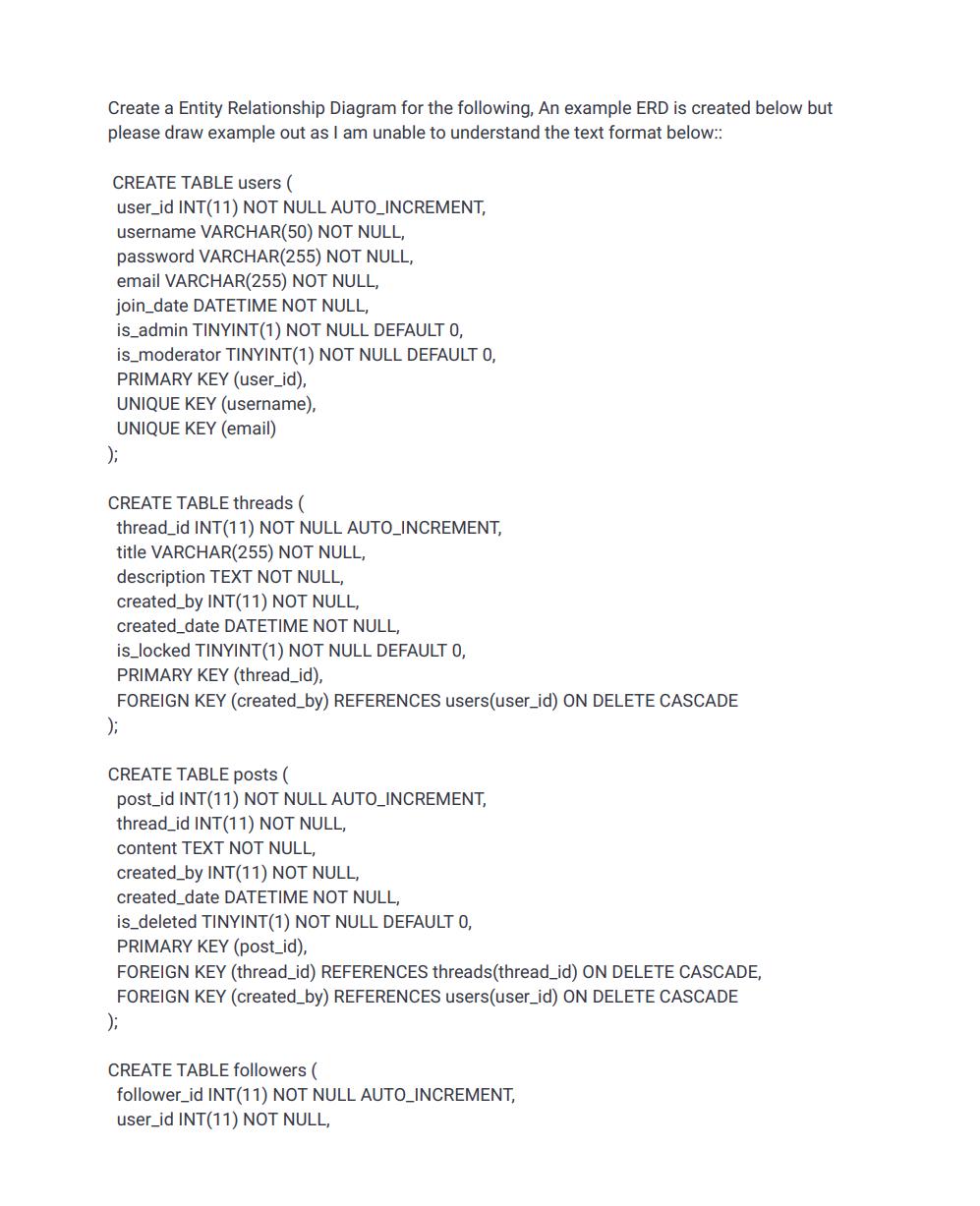
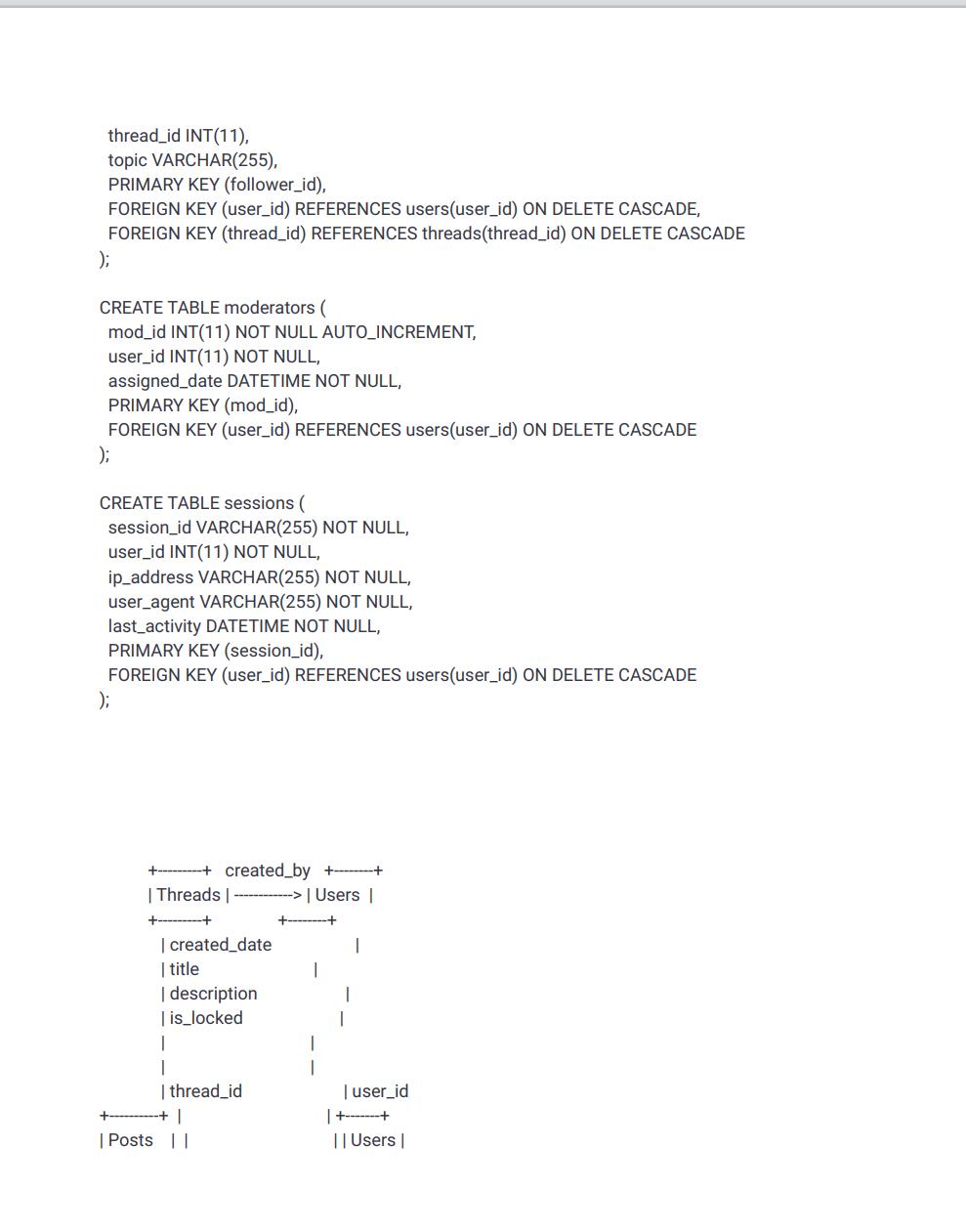
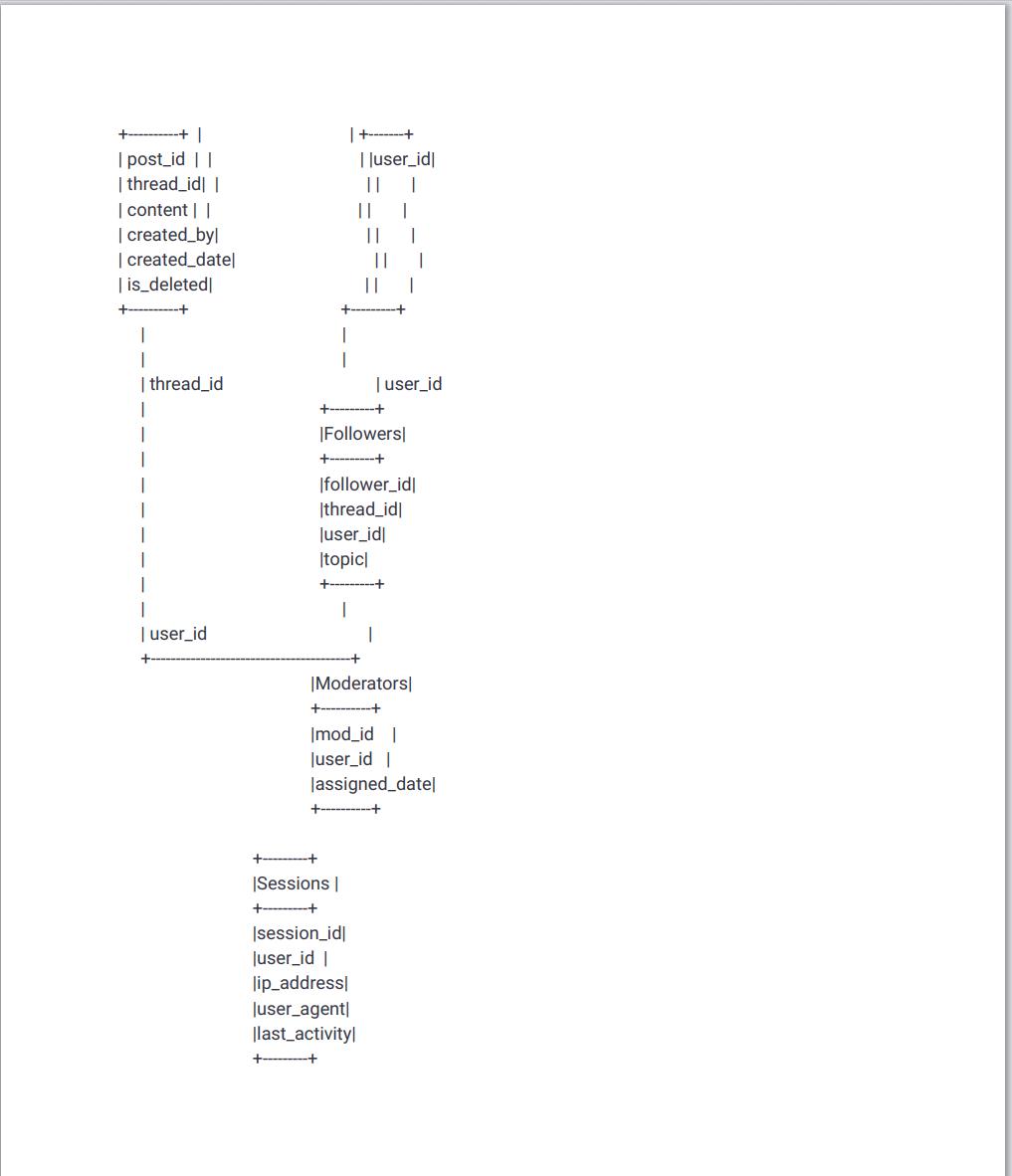
Create a Entity Relationship Diagram for the following, An example ERD is created below but please draw example out as I am unable to understand the text format below:: CREATE TABLE users ( user_id INT(11) NOT NULL AUTO_INCREMENT, username VARCHAR(50) NOT NULL, password VARCHAR(255) NOT NULL, email VARCHAR(255) NOT NULL, join_date DATETIME NOT NULL, is_admin TINYINT (1) NOT NULL DEFAULT 0, is_moderator TINYINT(1) NOT NULL DEFAULT 0, PRIMARY KEY (user_id), UNIQUE KEY (username), UNIQUE KEY (email) ); CREATE TABLE threads ( thread_id INT(11) NOT NULL AUTO_INCREMENT, title VARCHAR(255) NOT NULL, description TEXT NOT NULL, created by INT(11) NOT NULL, created_date DATETIME NOT NULL, is_locked TINYINT(1) NOT NULL DEFAULT 0, PRIMARY KEY (thread_id), FOREIGN KEY (created_by) REFERENCES users(user_id) ON DELETE CASCADE ); CREATE TABLE posts ( post_id INT(11) NOT NULL AUTO_INCREMENT, thread_id INT(11) NOT NULL, content TEXT NOT NULL, created by INT(11) NOT NULL, created_date DATETIME NOT NULL, is_deleted TINYINT(1) NOT NULL DEFAULT 0, PRIMARY KEY (post_id), FOREIGN KEY (thread_id) REFERENCES threads(thread_id) ON DELETE CASCADE, FOREIGN KEY (created_by) REFERENCES users(user_id) ON DELETE CASCADE ); CREATE TABLE followers ( follower_id INT(11) NOT NULL AUTO_INCREMENT, user_id INT(11) NOT NULL,
Step by Step Solution
3.45 Rating (152 Votes )
There are 3 Steps involved in it
I see youve provided a piece of SQL code for creating database tables and their relationships as well as an example of an Entity Relationship Diagram ERD Unfortunately my capabilities do not include g... View full answer

Get step-by-step solutions from verified subject matter experts
 Study Help