







Question: Please do in Python 3 IDE( if you need more information tell me) Using the coffee program in-class lecture. Modify each of the 5 functions
Please do in Python 3 IDE( if you need more information tell me)
Using the coffee program in-class lecture. Modify each of the 5 functions to make it into a module. Write a program to import all five of the modules you have created. In this program you will create a menu so that the user can choose what the user wants to do. For example user can choose to add a new coffee record, delete a coffee record, modify a coffee record, search a coffee record or show coffee records. You must use the same file names for the functions that were given to you when you save a modules. For example, add_coffee_record.py, delete_coffee_record.py, modify_coffee_records.py, search_coffee_records.py, and show_coffee_records.py. Upload only the menu program you have created.
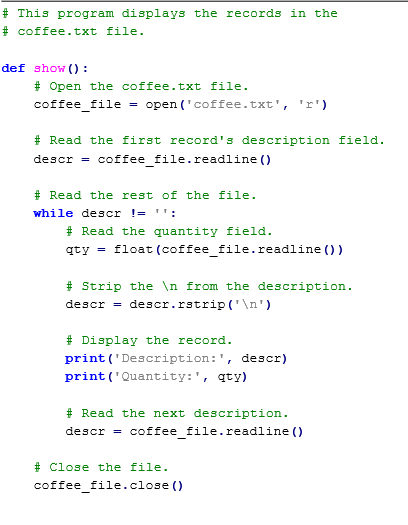
# This program displays the records in the
# coffee.txt file.
def show():
# Open the coffee.txt file.
coffee_file = open('coffee.txt', 'r')
# Read the first record's description field.
descr = coffee_file.readline()
# Read the rest of the file.
while descr != '':
# Read the quantity field.
qty = float(coffee_file.readline())
# Strip the from the description.
descr = descr.rstrip(' ')
# Display the record.
print('Description:', descr)
print('Quantity:', qty)
# Read the next description.
descr = coffee_file.readline()
# Close the file.
coffee_file.close()
---------------------------------------------------------------------
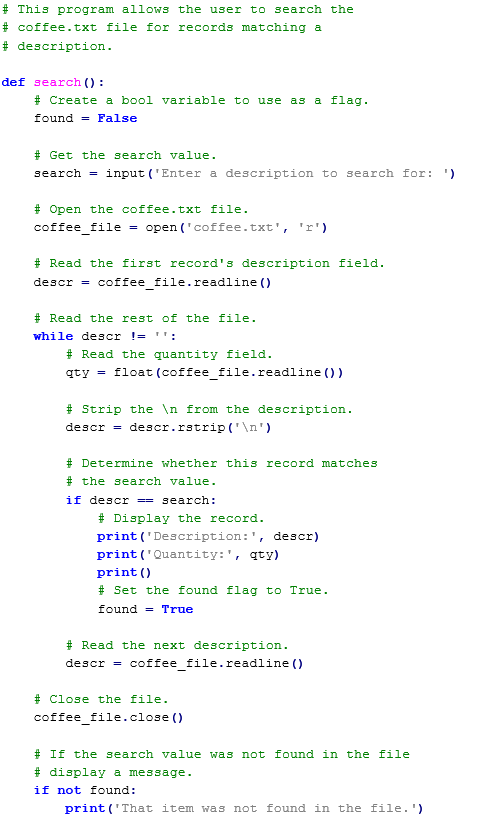
# This program allows the user to search the
# coffee.txt file for records matching a
# description.
def search():
# Create a bool variable to use as a flag.
found = False
# Get the search value.
search = input('Enter a description to search for: ')
# Open the coffee.txt file.
coffee_file = open('coffee.txt', 'r')
# Read the first record's description field.
descr = coffee_file.readline()
# Read the rest of the file.
while descr != '':
# Read the quantity field.
qty = float(coffee_file.readline())
# Strip the from the description.
descr = descr.rstrip(' ')
# Determine whether this record matches
# the search value.
if descr == search:
# Display the record.
print('Description:', descr)
print('Quantity:', qty)
print()
# Set the found flag to True.
found = True
# Read the next description.
descr = coffee_file.readline()
# Close the file. coffee_file.close()
# If the search value was not found in the file
# display a message.
if not found:
print('That item was not found in the file.')
----------
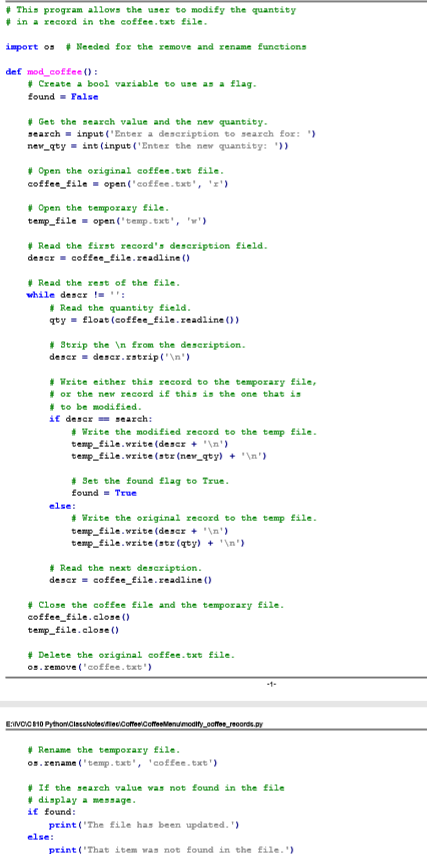
# This program allows the user to modify the quantity
# in a record in the coffee.txt file.
import os # Needed for the remove and rename functions
def mod_coffee():
# Create a bool variable to use as a flag.
found = False
# Get the search value and the new quantity.
search = input('Enter a description to search for: ')
new_qty = int(input('Enter the new quantity: '))
# Open the original coffee.txt file.
coffee_file = open('coffee.txt', 'r')
# Open the temporary file.
temp_file = open('temp.txt', 'w')
# Read the first record's description field.
descr = coffee_file.readline()
# Read the rest of the file.
while descr != '':
# Read the quantity field.
qty = float(coffee_file.readline())
# Strip the from the description.
descr = descr.rstrip(' ')
# Write either this record to the temporary file,
# or the new record if this is the one that is
# to be modified.
if descr == search:
# Write the modified record to the temp file.
temp_file.write(descr + ' ')
temp_file.write(str(new_qty) + ' ')
# Set the found flag to True.
found = True
else:
# Write the original record to the temp file.
temp_file.write(descr + ' ')
temp_file.write(str(qty) + ' ')
# Read the next description.
descr = coffee_file.readline()
# Close the coffee file and the temporary file.
coffee_file.close() temp_file.close()
# Delete the original coffee.txt file.
os.remove('coffee.txt') -1
# Rename the temporary file.
os.rename('temp.txt', 'coffee.txt')
# If the search value was not found in the file
# display a message.
if found:
print('The file has been updated.')
else:
print('That item was not found in the file.')
------
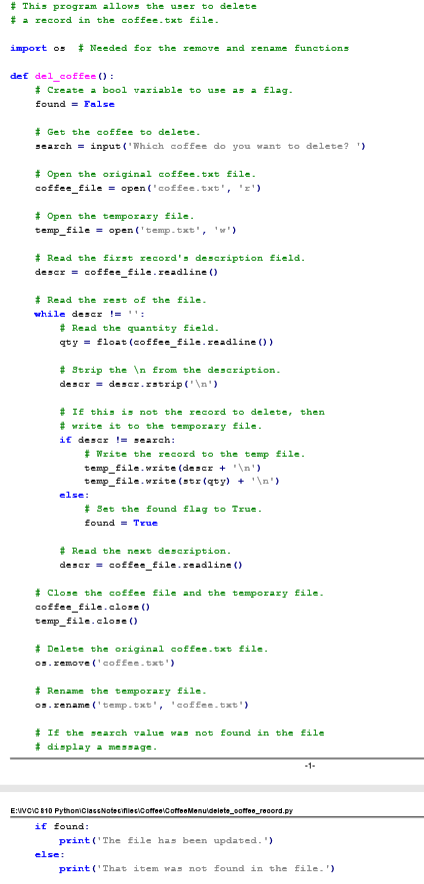
# This program allows the user to delete
# a record in the coffee.txt file.
import os # Needed for the remove and rename functions
def del_coffee():
# Create a bool variable to use as a flag.
found = False
# Get the coffee to delete.
search = input('Which coffee do you want to delete? ')
# Open the original coffee.txt file.
coffee_file = open('coffee.txt', 'r')
# Open the temporary file.
temp_file = open('temp.txt', 'w')
# Read the first record's description field.
descr = coffee_file.readline()
# Read the rest of the file.
while descr != '':
# Read the quantity field.
qty = float(coffee_file.readline())
# Strip the from the description.
descr = descr.rstrip(' ')
# If this is not the record to delete, then
# write it to the temporary file.
if descr != search:
# Write the record to the temp file.
temp_file.write(descr + ' ')
temp_file.write(str(qty) + ' ')
else: #
Set the found flag to True.
found = True
# Read the next description.
descr = coffee_file.readline()
# Close the coffee file and the temporary file.
coffee_file.close()
temp_file.close()
# Delete the original coffee.txt file.
os.remove('coffee.txt')
# Rename the temporary file.
os.rename('temp.txt', 'coffee.txt')
# If the search value was not found in the file
# display a message.
if found:
print('The file has been updated.')
else:
print('That item was not found in the file.')
---------
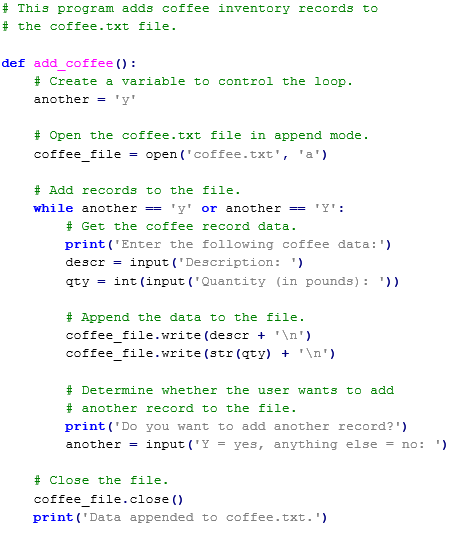
# This program adds coffee inventory records to
# the coffee.txt file.
def add_coffee():
# Create a variable to control the loop.
another = 'y'
# Open the coffee.txt file in append mode.
coffee_file = open('coffee.txt', 'a')
# Add records to the file.
while another == 'y' or another == 'Y':
# Get the coffee record data.
print('Enter the following coffee data:')
descr = input('Description: ')
qty = int(input('Quantity (in pounds): '))
# Append the data to the file.
coffee_file.write(descr + ' ') coffee_file.write(str(qty) + ' ')
# Determine whether the user wants to add
# another record to the file.
print('Do you want to add another record?')
another = input('Y = yes, anything else = no: ')
# Close the file.
coffee_file.close()
print('Data appended to coffee.txt.')
# This program displays the records in the # coffee.txt file. def show ) # Open the coffee.txt file. coffee file -open (coffee.txt'r # Read the first record's description field. descr = coffeefile. readline() - # Read the rest f the file. while descr '= '': # Read the quantity field. qtyfloat (coffee file.readline )) # Strip the from the description. descr- descr.rstrip('n' # Display the record. print('Description:', descr) print('Quantity:', qty) # Read the next description. descr = coffeefile. readline() - # C1 se the file. coffee_file.close )
Step by Step Solution
There are 3 Steps involved in it

Get step-by-step solutions from verified subject matter experts
 Study Help