







Question: please do the full question. Create a class MyRectang le. MyRectang le class has 3 attributes: The first two are length and width, each of
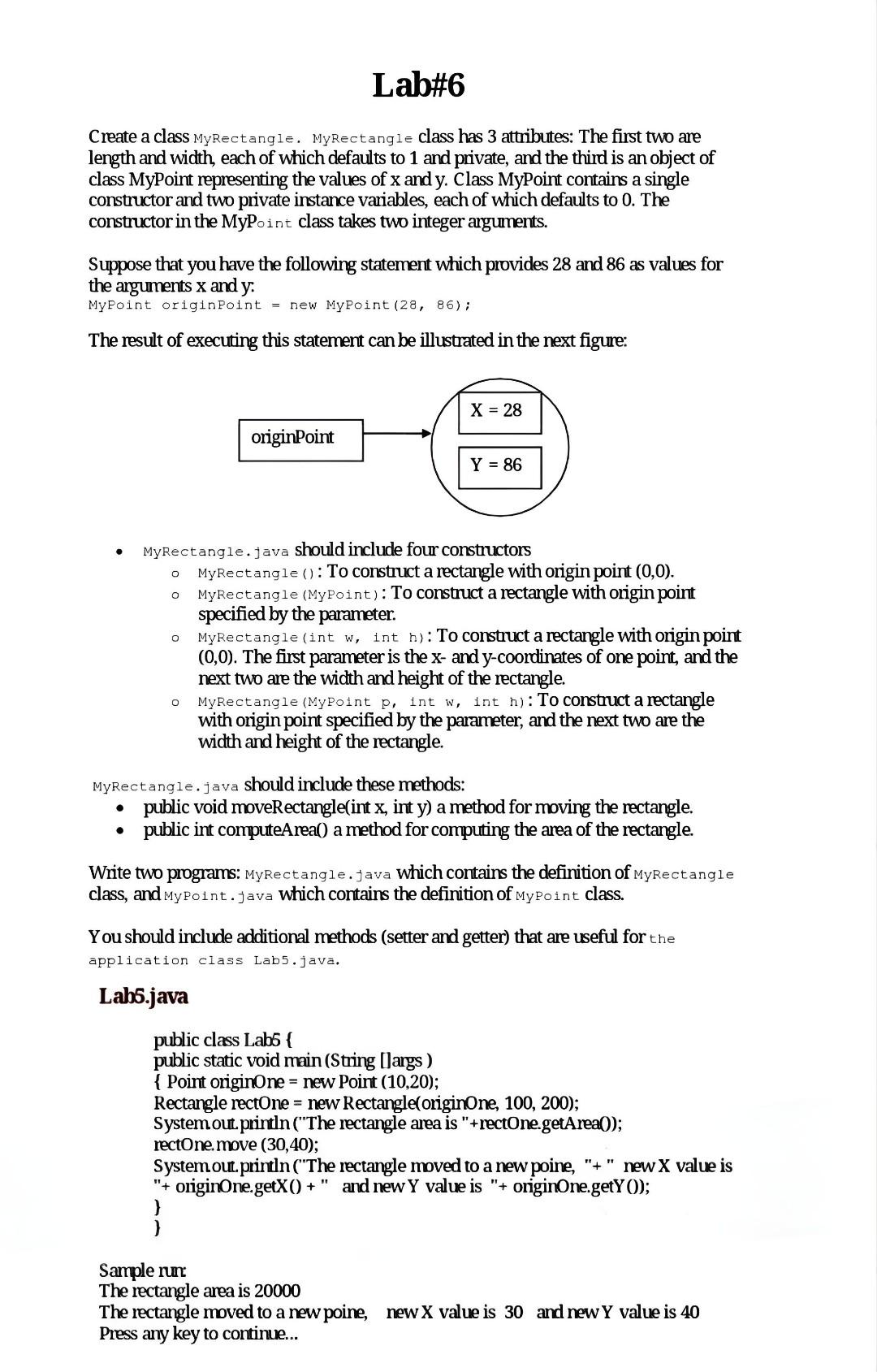
please do the full question.
Create a class MyRectang le. MyRectang le class has 3 attributes: The first two are length and width, each of which defaults to 1 and private, and the third is an object of class MyPoint representing the values of x and y. Class MyPoint contains a single constructor and two private instance variables, each of which defaults to 0 . The constructor in the MyP int class takes two integer arguments. Suppose that you have the following statement which provides 28 and 86 as values for the arguments x and y. MyPoint originPoint = new MyPoint (28,86); The result of executing this statement can be illustrated in the next figure: - MyRectangle.java should include four constructors - MyRectang 1 e ( ): To construct a rectangle with origin point (0,0). - MyRectangle (MyPo int): To construct a rectangle with origin point specified by the parameter. - MyRectangle (int w, int h ): To construct a rectangle with origin point (0,0). The first parameter is the x - and y-coordinates of one point, and the next two are the width and height of the rectangle. - MyRectangle (MyPoint p, int w, int h ): To construct a rectangle with origin point specified by the parameter, and the next two are the width and height of the rectangle. MyRectang le. java should include these methods: - public void moveRectangle(int x, int y ) a method for moving the rectangle. - public int computeArea() a method for computing the area of the rectangle. Write two programs: MyRectangle.java which contains the definition of MyRectangle class, and MyPoint. java which contains the definition of MyPoint class. You should include additional methods (setter and getter) that are useful for the application class Lab5.java. Lab6.java public class Lab6 \{ public static void main (String [largs ) { Point originone = new Point (10,20); Rectangle rectone = new Rectangle(originone, 100,200 ); System out println ("The rectangle area is "+ rectOne.getArea0); rectone. move (30,40); Systemout println ("The rectangle moved to a new poine, "+ " new X value is "+ originOne.get X()+ " and new Y value is "+ originOne.get Y()); \} ) Sample rur The rectangle area is 20000 The rectangle moved to a new poine, new X value is 30 and new Y value is 40
Step by Step Solution
There are 3 Steps involved in it

Get step-by-step solutions from verified subject matter experts
 Study Help