







Question: Please explain step by step along with the python code using tkinter import. Submit the following Python assignment to the eCampus dropbox Tkinter Assignment 1
Please explain step by step along with the python code using tkinter import. Submit the following Python assignment to the eCampus dropbox "Tkinter Assignment
You will create a popup window that contains the following:
Your name
Your major
Your intended fouryear school
The window must have the following:
Use one of the following fonts: Ariel, Courier, Times New Roman
Make the font size between and
Make the window title your name
Readability is important! Choose the font and background colors wisely. Don't make both light
colors or both dark colors.
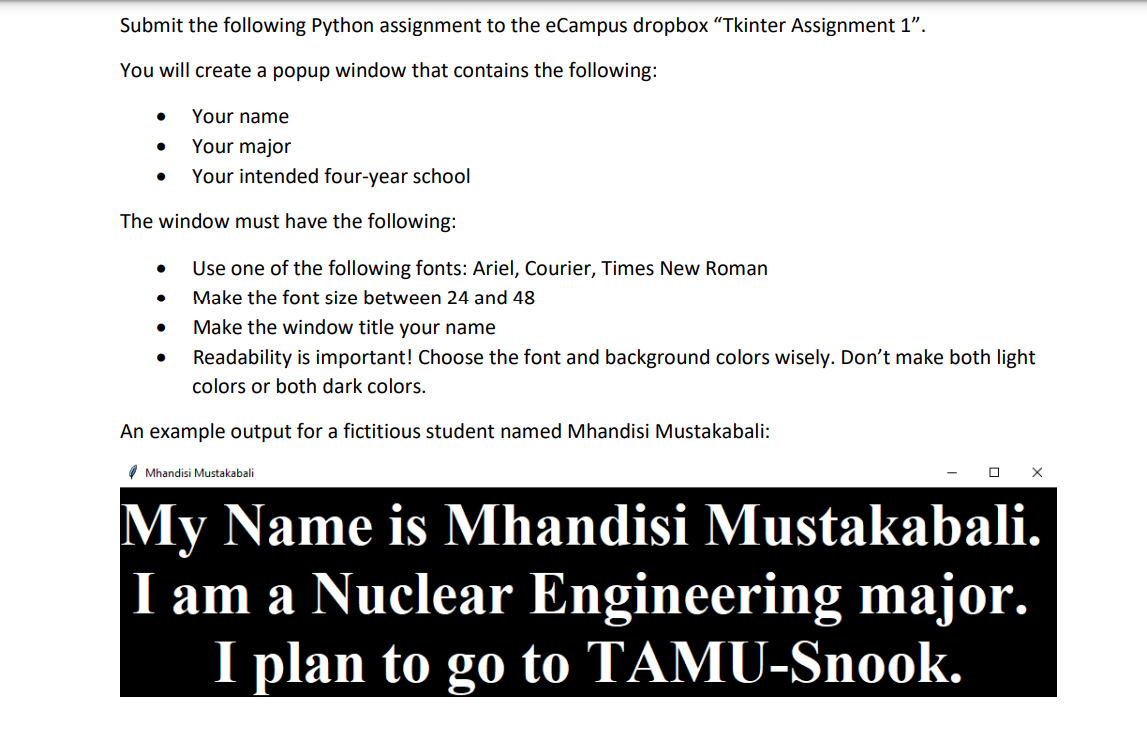
An example output for a fictitious student named Mhandisi Mustakabali:
Mhandisi Mustakabali
My Name is Mhandisi Mustakabali.
I am a Nuclear Engineering major.
I plan to go to TAMUSnook.
Step by Step Solution
There are 3 Steps involved in it
1 Expert Approved Answer
Step: 1 Unlock

Question Has Been Solved by an Expert!
Get step-by-step solutions from verified subject matter experts
Step: 2 Unlock
Step: 3 Unlock
 Study Help