







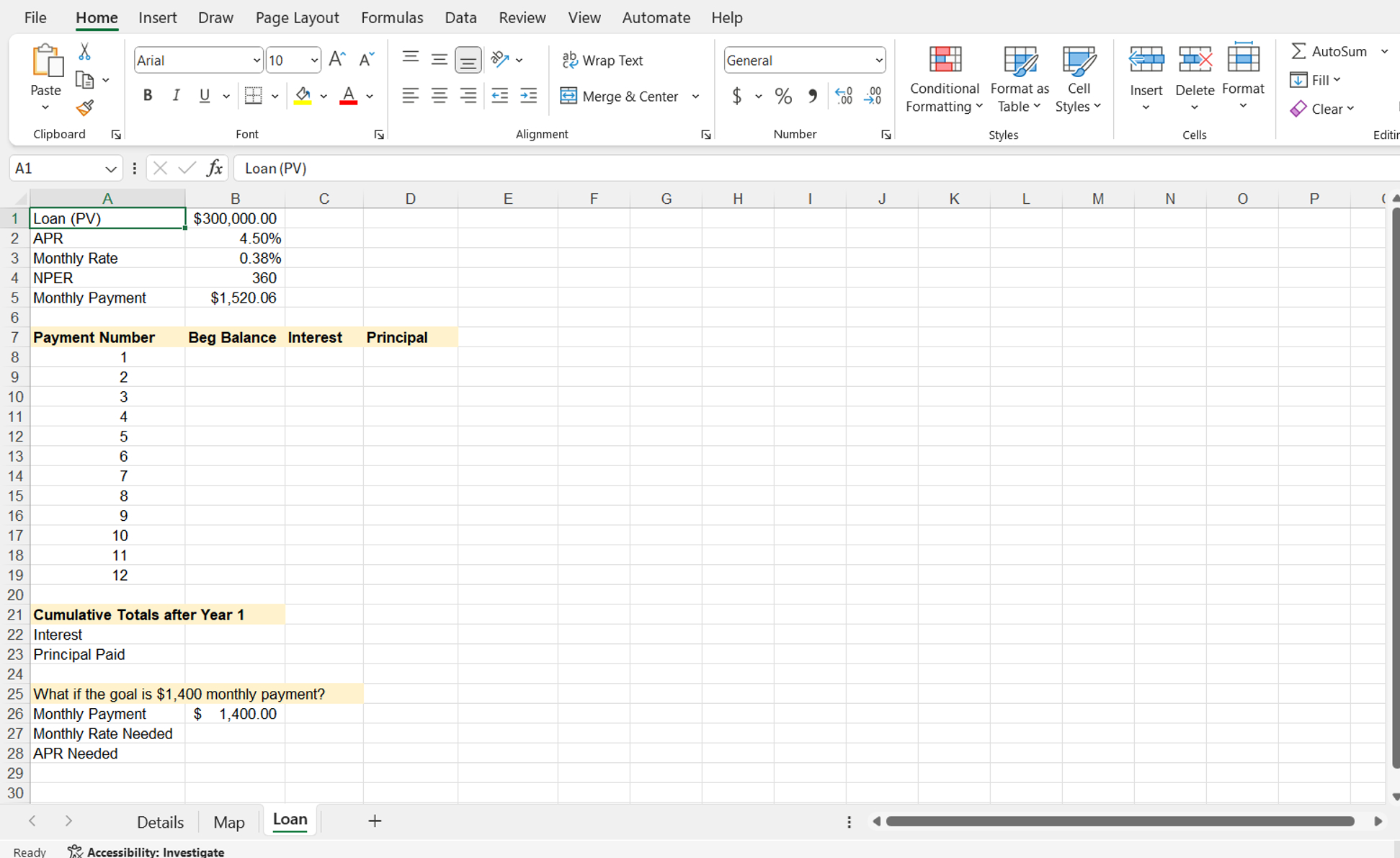
Question: please give me step by step for these Display the Loan worksheet. In cell B 8 , type a reference formula to cell B 1
please give me step by step for these
Display the Loan worksheet. In cell B type a reference formula to cell B The balance before the first payment is identical to the loan amount. Do not type the value; use the cell reference instead. In cell B subtract the principal from the beginning balance on the previous row. Copy the formula to the range B:B
Now, you will calculate the interest for the first payment.
In cell C calculate the interest for the first payment using the IPMT function. Copy the function to the range C:C
Next, you will calculate the principal paid.
In cell D calculate the principal paid for the first payment using the PPMT function. Copy the function to the range D:D
Rows contain a summary section for cumulative totals after the first year.
In cell B insert the CUMIPMT function that calculates the cumulative interest after the first year. Use references to cells A and A for the period arguments.
The next summary statistic will calculate the principal paid after the first year.
In cell B insert the CUMPRINC function that calculates the cumulative principal paid after the first year. Use references to cells A and A for the period arguments.
Rows contain a section for whatif analysis.
In cell B use the RATE financial function to calculate the periodic rate using $ as the monthly payment cell B the NPER, and loan amount in the original input section.
In cell B calculate the APR by multiplying the monthly rate cell B by
Step by Step Solution
There are 3 Steps involved in it
1 Expert Approved Answer
Step: 1 Unlock

Question Has Been Solved by an Expert!
Get step-by-step solutions from verified subject matter experts
Step: 2 Unlock
Step: 3 Unlock
 Study Help