







Question: PLEASE HELP Creating a flask application to generate a QR code based on form input. All you need is to type the code into main.py
PLEASE HELP Creating a flask application to generate a QR code based on form input. All you need is to type the code into main.py that is in the photos
Command Reference - No Particular Order
docker build -t kaw393939/python312 .
docker run -it kaw393939/python312
docker run -it kaw393939/python312
docker run -it kaw393939/python312 app.py
docker compose up --build
docker compose up
docker run --volume /Users/keithwilliams/Desktop/fall2022/qrprog/qr_generator_service/images:/home/myuser/images Note:
You need to build each time you change your dockerfile
docker exec -it bash allows you to login to the running container
docker tag local-image:tagname new-repo:tagname docker push new-repo:tagname docker login PART 1 PART 2 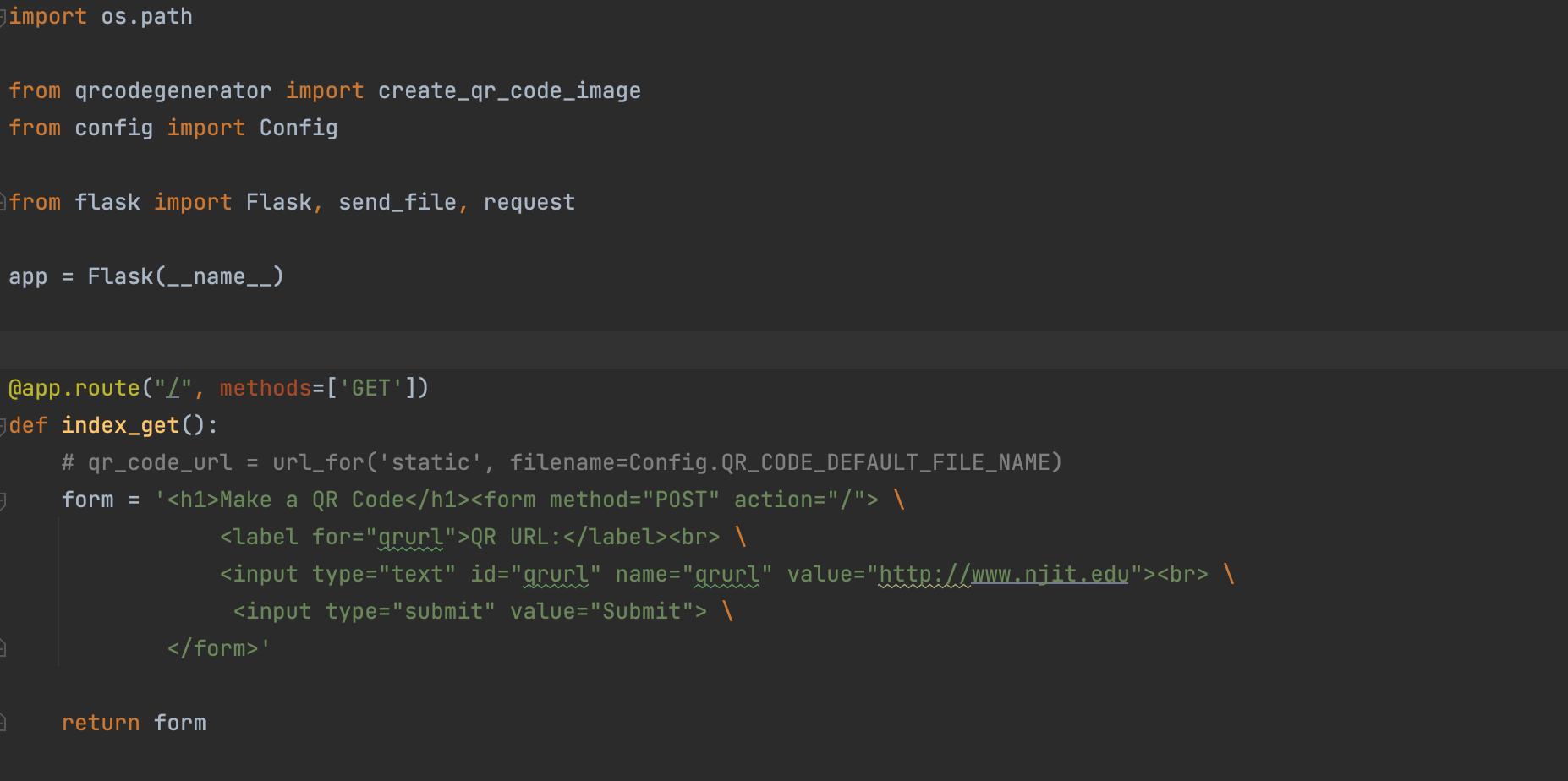
![import Flask, send_file, request app = Flask (__name__) @app.route("/", methods=['GET']) def index_get():](https://dsd5zvtm8ll6.cloudfront.net/questions/2024/04/660d4a2af2f7a_1712146862262.jpg)
import os.path from qrcodegenerator import create_qr_code_image from config import Config from flask import Flask, send_file, request app = Flask (__name__) @app.route("/", methods=['GET']) def index_get(): # qr_code_url = url_for('static', filename=Config.QR_CODE_DEFAULT_FILE_NAME) form = ' Make a QR Code \ QR URL: \ \ \ ' return form
Step by Step Solution
There are 3 Steps involved in it

Get step-by-step solutions from verified subject matter experts
 Study Help