







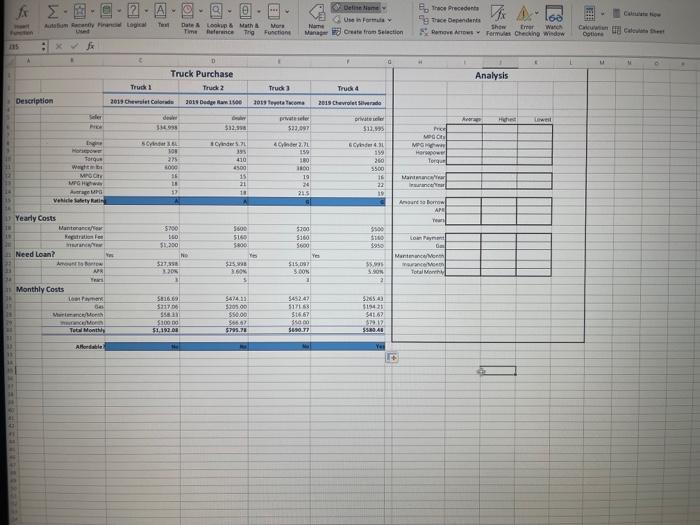
Question: Please help me complete the analysis section using the data. I am unsure on how to formulate the analysis section with the data using excel.
- Please help me complete the analysis section using the data. I am unsure on how to formulate the analysis section with the data using excel.
- Complete the Analysis section using formulas with statistical functions. Use named ranges instead of cell references in the formulas.
- Price
- MPG City
- MPG Highway
- Horsepower
- Torque
- Maintenance/Year
- Insurance/Year
- Amount to Borrow
- APR
- Years
- Loan Payment
- Gas
- Maintenance/Month
- Insurance/Month
- Total Monthly
- Hint: Select cells B6:F30 and use Excels Create from Selection command to create named ranges for each row using the labels at the left side of the range as the names.
- Hint: Open the Name Manager and review the names Excel created. Notice that any spaces or special characters in the label names are converted to _ characters in the names.
- Hint: To avoid typos as you create each formula, try using Formula AutoComplete to select the correct range name.
Step by Step Solution
There are 3 Steps involved in it
1 Expert Approved Answer
Step: 1 Unlock

Question Has Been Solved by an Expert!
Get step-by-step solutions from verified subject matter experts
Step: 2 Unlock
Step: 3 Unlock
 Study Help