







Question: please help. Step Instructions 1 Complete the steps below using cell references to given data or previous calculations. In some cases, a simple cell reference
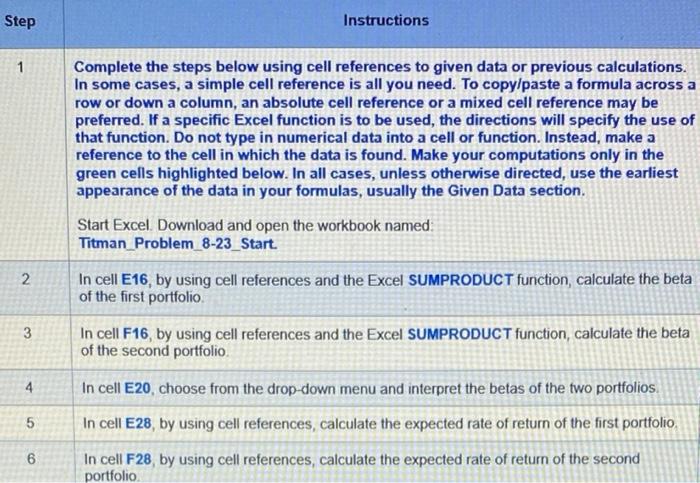
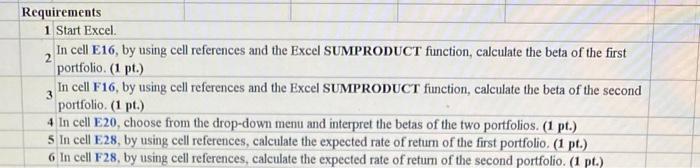

Step Instructions 1 Complete the steps below using cell references to given data or previous calculations. In some cases, a simple cell reference is all you need. To copy/paste a formula across a row or down a column, an absolute cell reference or a mixed cell reference may be preferred. If a specific Excel function is to be used, the directions will specify the use of that function. Do not type in numerical data into a cell or function. Instead, make a reference to the cell in which the data is found. Make your computations only in the green cells highlighted below. In all cases, unless otherwise directed, use the earliest appearance of the data in your formulas, usually the Given Data section. N 2 Start Excel. Download and open the workbook named Titman Problem_8-23_Start. In cell E16, by using cell references and the Excel SUMPRODUCT function calculate the beta of the first portfolio In cell F16, by using cell references and the Excel SUMPRODUCT function, calculate the beta of the second portfolio 3 4 5 In cell E20, choose from the drop-down menu and interpret the betas of the two portfolios. In cell E28, by using cell references, calculate the expected rate of return of the first portfolio, In cell F28, by using cell references, calculate the expected rate of return of the second portfolio 6 Requirements 1 Start Excel In cell E16, by using cell references and the Excel SUMPRODUCT function, calculate the beta of the first 2 portfolio. (1 pt.) In cell F16, by using cell references and the Excel SUMPRODUCT function, calculate the beta of the second 3 portfolio. (1 pt.) 4 In cell E20, choose from the drop-down menu and interpret the betas of the two portfolios. (1 pt.) 5 In cell E28, by using cell references, calculate the expected rate of return of the first portfolio. (1 pr.) 6 In cell F28, by using cell references, calculate the expected rate of return of the second portfolio. (1 pt.) A D G 6 F You are putting together a portfolio made up of four different stocks. However, you are considering two possible weightings 5 Complete the steps below using cell references to given data or previous calculations. In some cases, a simple cell reference is all you need. To copy/paste a formula across a row or down a column, an absolute cell reference or a mixed cell reference may be preferred. If a specific Excel function is to be used, the directions will specify the use of that function. Do not type in numerical data into a cell or function. Instead, make a reference to the cell in which the data is found. Make your computations only in the green cells highlighted below. In all cases, unless otherwise directed, use the earliest appearance of the data in your formulas, usually the Given Data section. Given Data: Portfolio Weightings First Portfolio Second Portfolio 2.5 10% 1.0 40% 0.5 40% 10% D -1.5 10% 6 7 Beta 40% Asset A B 9 10% 40% 10 11 12 13 14 a. What is the beta on each portfolio? 15 First Portfolio Second Portfolio 16 17 18 19 20 21 Portfolio beta b. Which portfolio is riskier? According to the portfolios' betas, is riskier c. If the risk-free rate of interest were 4 percent and the market risk premhm were 5 percent, what rate of return would you expect to earn from each of the portfolios? Risk-free rate Risk premium 5% 4% 22 23 24 25 26 27 First Portfolio Second Portfolio 28 Expected rate of return of the portfolio 29
Step by Step Solution
There are 3 Steps involved in it

Get step-by-step solutions from verified subject matter experts
 Study Help