





Question: Please highlight the errors! Thank you in advance. Instructions: Within the body of the e-mail below, highlight the sentences that contain errors. (Click once to
Please highlight the errors! Thank you inPlease highlight the errors! Thank you in advance.Please highlight the errors! Thank you in
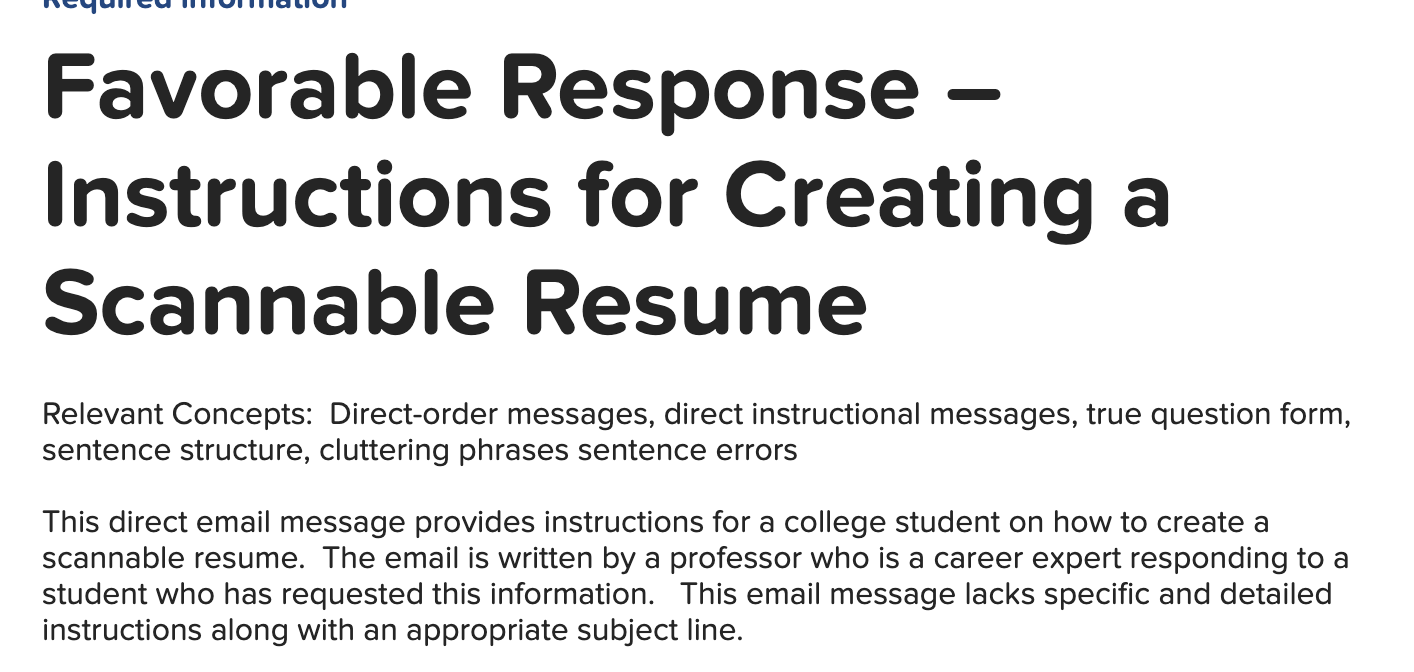
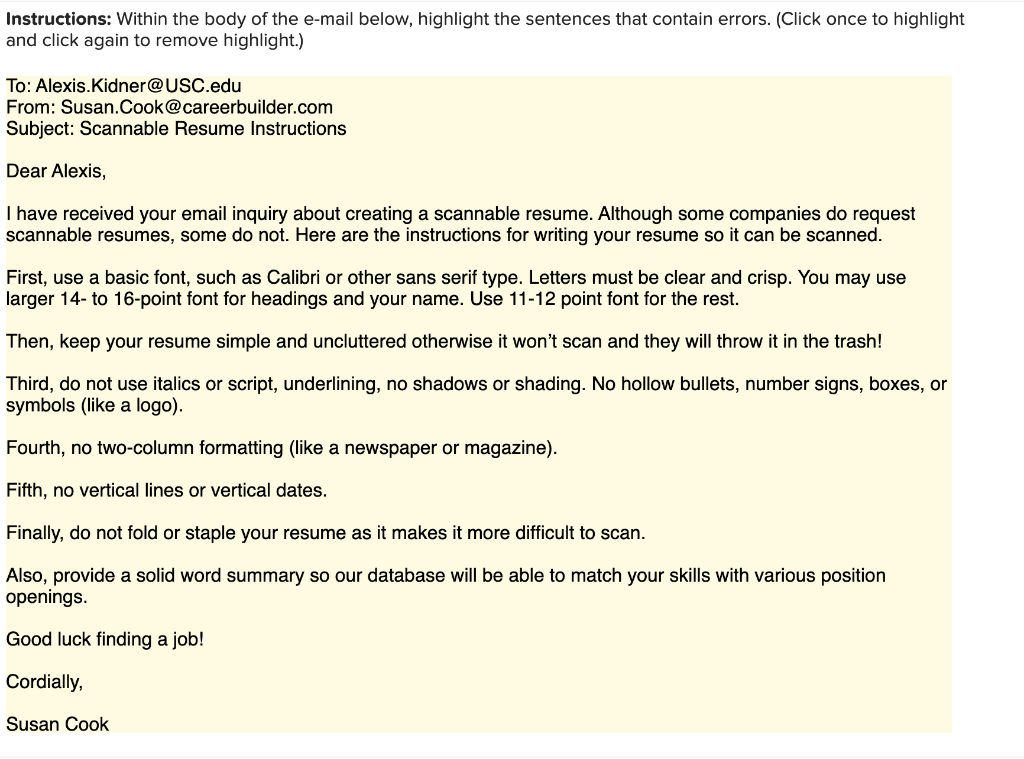
Instructions: Within the body of the e-mail below, highlight the sentences that contain errors. (Click once to highlight and click again to remove highlight.) To: Alexis.Kidner@USC.edu From: Susan. Cook@careerbuilder.com Subject: Scannable Resume Instructions Dear Alexis, I have received your email inquiry about creating a scannable resume. Although some companies do request scannable resumes, some do not. Here are the instructions for writing your resume so it can be scanned. First, use a basic font, such as Calibri or other sans serif type. Letters must be clear and crisp. You may use larger 14- to 16-point font for headings and your name. Use 11-12 point font for the rest. Then, keep your resume simple and uncluttered otherwise it won't scan and they will throw it in the trash! Third, do not use italics or script, underlining, no shadows or shading. No hollow bullets, number signs, boxes, or symbols (like a logo). Fourth, no two-column formatting (like a newspaper or magazine). Fifth, no vertical lines or vertical dates. Finally, do not fold or staple your resume as it makes it more difficult to scan. Also, provide a solid word summary so our database will be able to match your skills with various position openings. Good luck finding a job! Cordially, Susan Cook C Favorable Response - Instructions for Creating a Scannable Resume Relevant Concepts: Direct-order messages, direct instructional messages, true question form, sentence structure, cluttering phrases sentence errors This direct email message provides instructions for a college student on how to create a scannable resume. The email is written by a professor who is a career expert responding to a student who has requested this information. This email message lacks specific and detailed instructions along with an appropriate subject line

Step by Step Solution

There are 3 Steps involved in it

1 Expert Approved Answer
Step: 1 Unlock blur-text-image

Question Has Been Solved by an Expert!

Get step-by-step solutions from verified subject matter experts

Step: 2 Unlock
Step: 3 Unlock

Students Have Also Explored These Related General Management Questions!