







Question: Please make an ERD to this (Enlistment System) **Please do edit the flowchart and use case if it is wrong System Features: Students can: -
Please make an ERD to this (Enlistment System)
**Please do edit the flowchart and use case if it is wrong
System Features:
Students can:
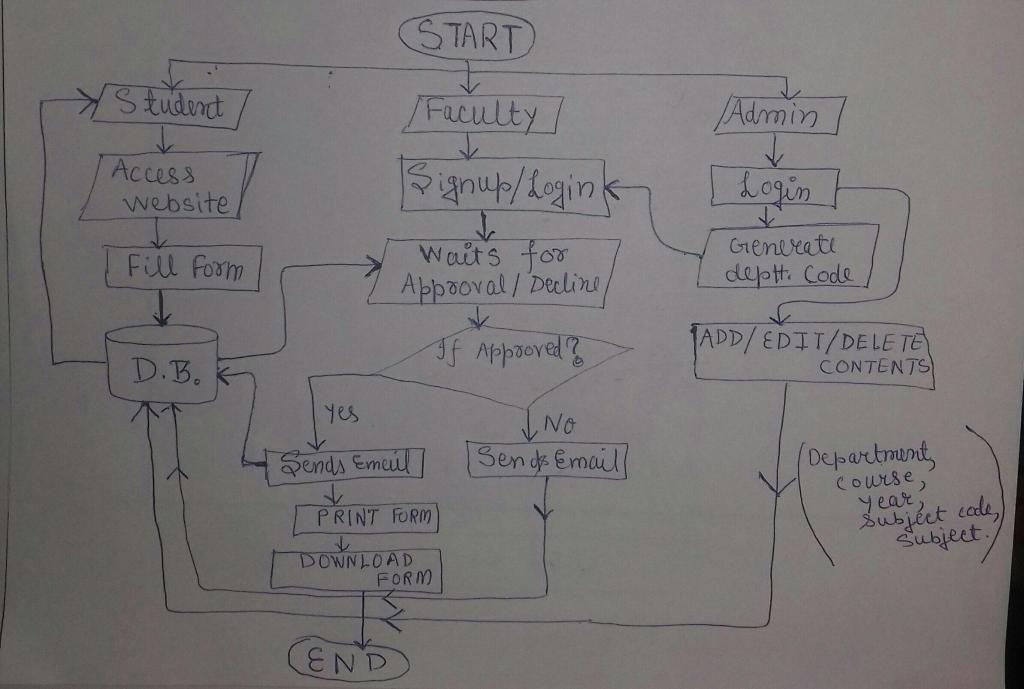
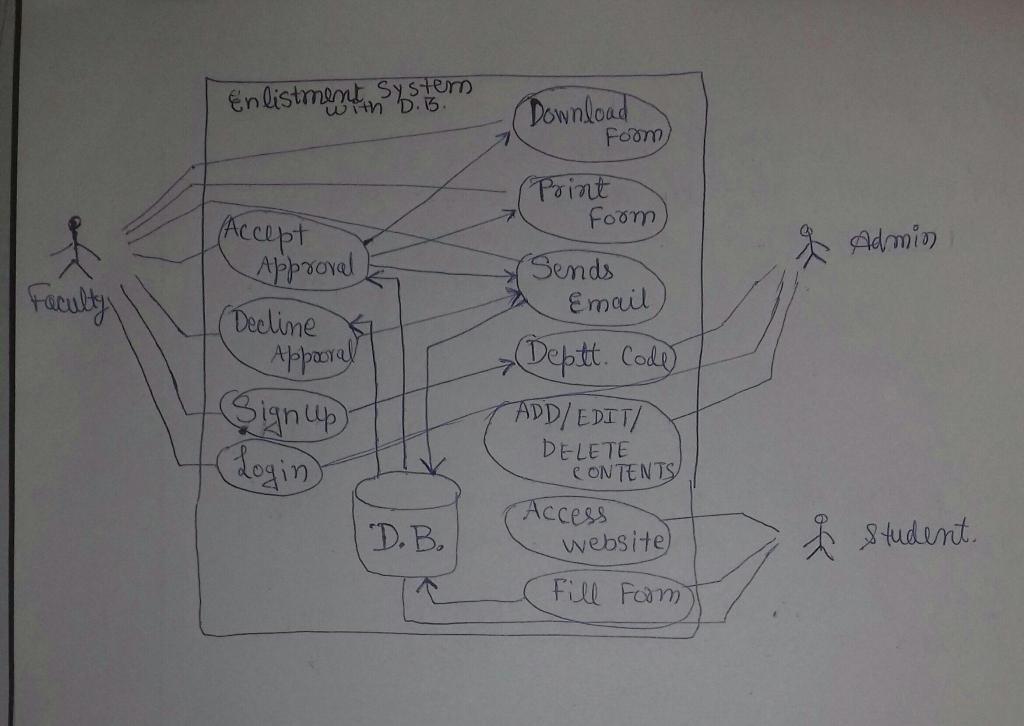
- go to the online enlistment website and fill up an enlistment form
- wait for approval from the faculty
- once approved the enlistment form will be sent thru email from the faculty
- once declined an email will be sent from the faculty
Faculty can:
- login
- sign up (need department code from admin)
- approve or decline a enlistment form
- once approved the faculty can either send the form to student thru email; or directly print it; or download the form as pdf file
- once declined the faculty will send an email to the student
Admin can:
- login
- generate department code
- add, edit, delete the contents in the enlistment form to the ff: Department, course, year, subject code, subject
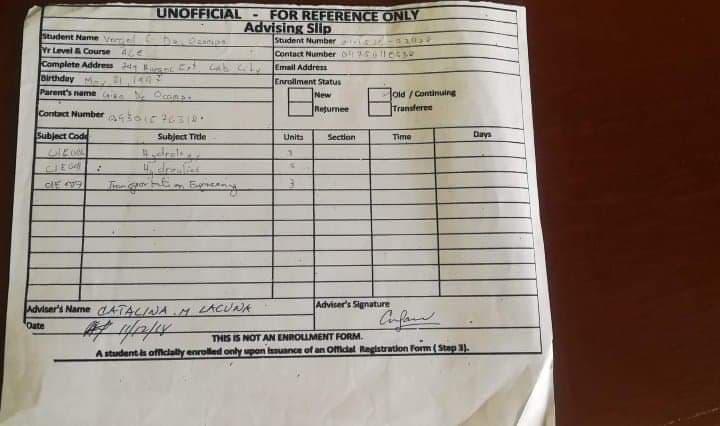
ENLISTMENT FORM
FLOWCHART FOR ADDITIONAL INFO
USE CASE DIAGRAM FOR ADDITIONAL INFO
- UNOFFICIAL FOR REFERENCE ONLY Advising Slip student Name student Number fr Level Course 4.0 Contact Number Sets Complete Address : ELER ZA Email Address Birthday Enrollment Status Parents name.com New old/Continuing Returnee Transfer Contra Number auto Subject Code Subject Tide Units Section Time Durys CE 3 Adviser's Signature Date Adviser's Name CATALANA M ZACURA A day THIS IS NOT AN ENROLLMENT FORM. A students officially enrolled only upon lance of an Official Registration Form (Step). year code START Student Faculty Admin ( Access Signup/ Logink [ Login Website Generate Fill form waits for dept. Code Approval Decline If Approved? ADD/EDIT/DELE TE CONTENTS D.B. Yes I No Sends Email Send Email Department PRINT FORM course > subject DOWNLOAD FORM END Enlistment System Download Foom Print Form) Admin ( Accept Approval (Decline Faculty Appooral Sign up (Login Sends Email Deptt. Code ADD/EDIT/ DELETE CONTENTS Access website) D. B. & student, Fill Fom
Step by Step Solution
There are 3 Steps involved in it

Get step-by-step solutions from verified subject matter experts
 Study Help