







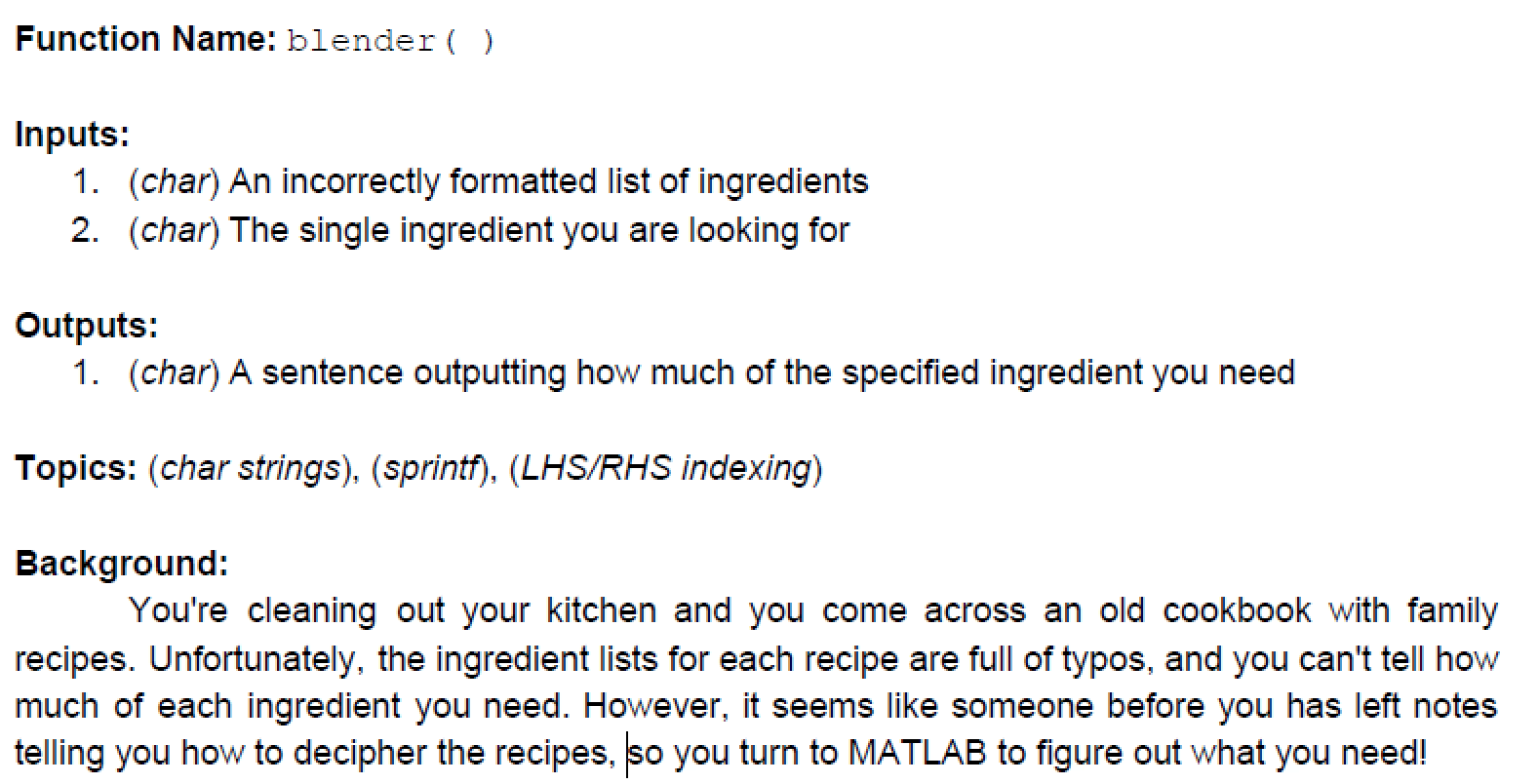
Question: Please solve using Matlab . Please Do not use conditional statements or iterations on this problem to receive a thumbs ups!!!! Function Name: blender() Inputs:
 Please solve using Matlab. Please Do not use conditional statements or iterations on this problem to receive a thumbs ups!!!!
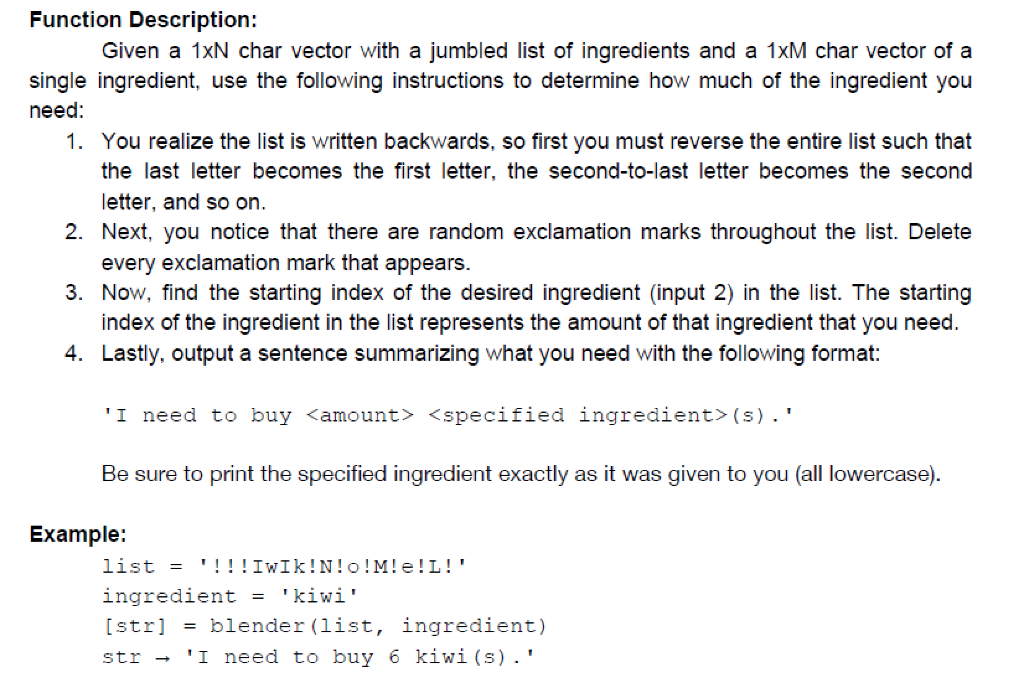
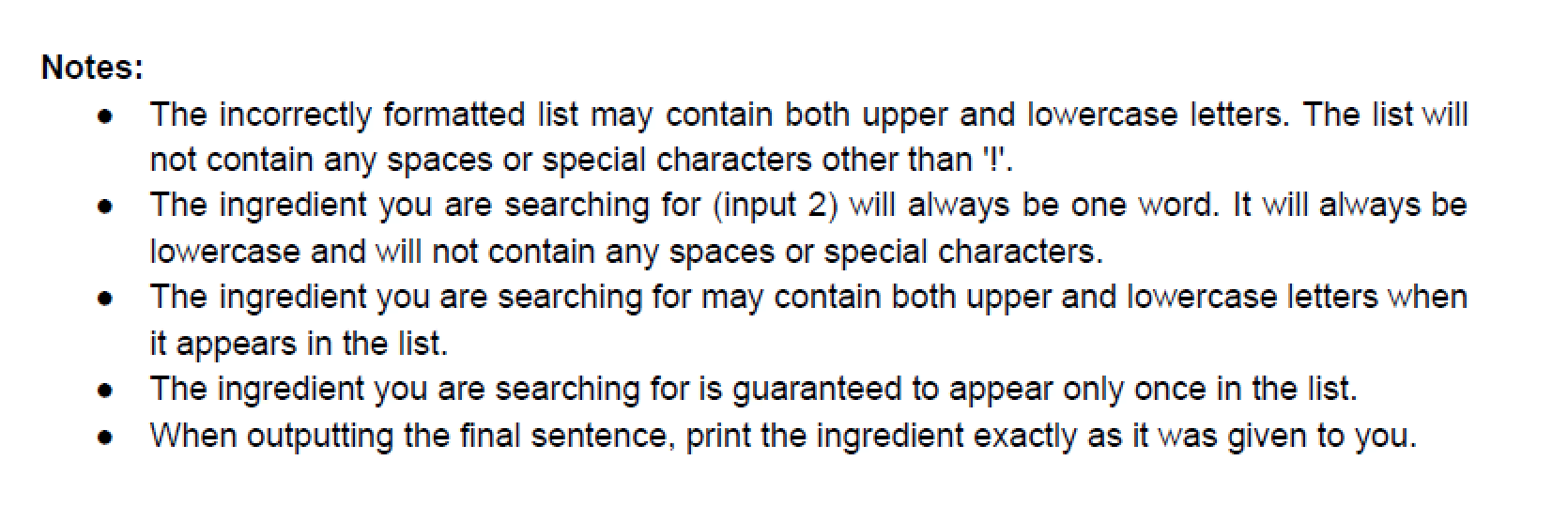
Function Name: blender() Inputs: 1. (char) An incorrectly formatted list of ingredients 2. (char) The single ingredient you are looking for Outputs: 1. (char) A sentence outputting how much of the specified ingredient you need Topics: (char strings), (sprintf), (LHS/RHS indexing) Background: You're cleaning out your kitchen and you come across an old cookbook with family recipes. Unfortunately, the ingredient lists for each recipe are full of typos, and you can't tell how much of each ingredient you need. However, it seems like someone before you has left notes telling you how to decipher the recipes, so you turn to MATLAB to figure out what you need! Function Description: Given a 1xN char vector with a jumbled list of ingredients and a 1xM char vector of a single ingredient, use the following instructions to determine how much of the ingredient you need: 1. You realize the list is written backwards, so first you must reverse the entire list such that the last letter becomes the first letter, the second-to-last letter becomes the second letter, and so on. 2. Next, you notice that there are random exclamation marks throughout the list. Delete every exclamation mark that appears. 3. Now, find the starting index of the desired ingredient (input 2) in the list. The starting index of the ingredient in the list represents the amount of that ingredient that you need. 4. Lastly, output a sentence summarizing what you need with the following format: 'I need to buy
Step by Step Solution
There are 3 Steps involved in it

Get step-by-step solutions from verified subject matter experts
 Study Help