







Question: Please use Jupyter Notebook Coding ONLY. DO NOT use Matlab. P1. The volume of liquid, V, in a partially filled, horizontal, cylindrical tank of radius
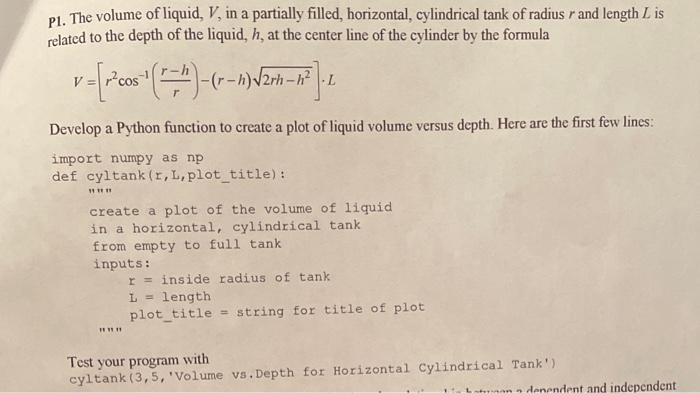
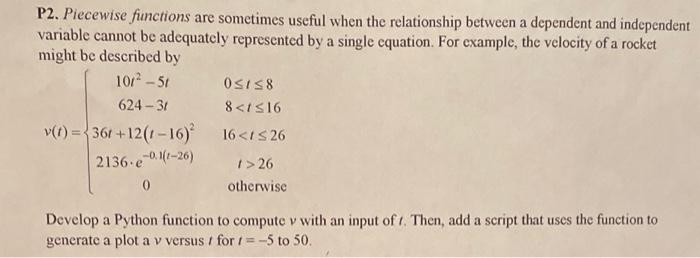

P1. The volume of liquid, V, in a partially filled, horizontal, cylindrical tank of radius r and length L is related to the depth of the liquid, h, at the center line of the cylinder by the formula V=[r2cos1(rrh)(rh)2rhh2]L Develop a Python function to create a plot of liquid volume versus depth. Here are the first few lines: import numpy as np def cyltank (r,L,plot_title): "in" create a plot of the volume of liquid in a horizontal, cylindrical tank from empty to full tank inputs: \[ \begin{array}{l} r=\text { inside radius of tank } \\ L=\text { length } \\ \text { plot_title = string for title of plot } \end{array} \] Test your program with cyltank (3,5, 'Volume vs, Depth for Horizontal Cylindrical Tank') P2. Piecewise functions are sometimes useful when the relationship between a dependent and independent variable cannot be adequately represented by a single equation. For example, the velocity of a rocket might be described by v(t)=10t25t6243t36t+12(t16)22136e0.1(t26)00t88
Step by Step Solution
There are 3 Steps involved in it

Get step-by-step solutions from verified subject matter experts
 Study Help