







Question: Please use Oracle 11g SQL Please write one SQl, statement for each the following problems. You can use the attached SQL statements to create the
Please use Oracle 11g SQL
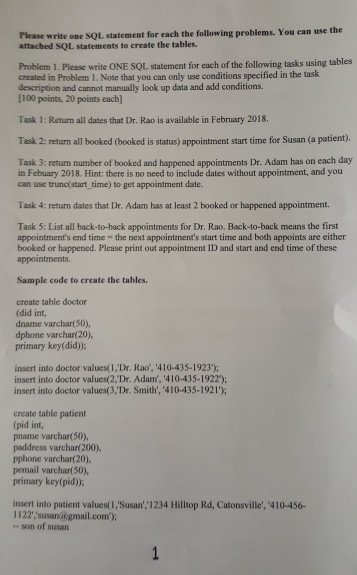
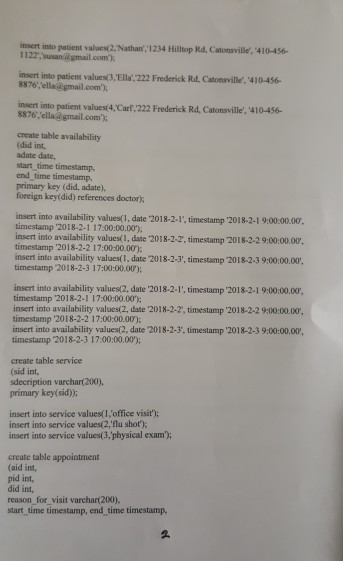
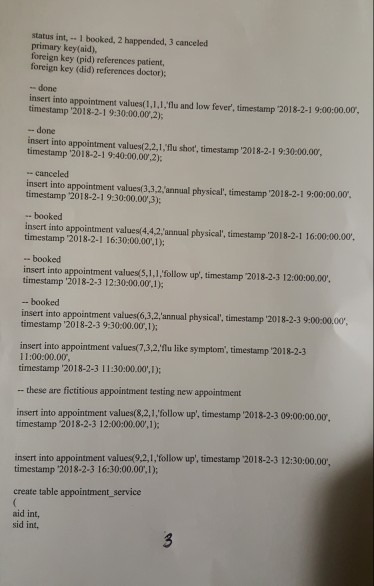
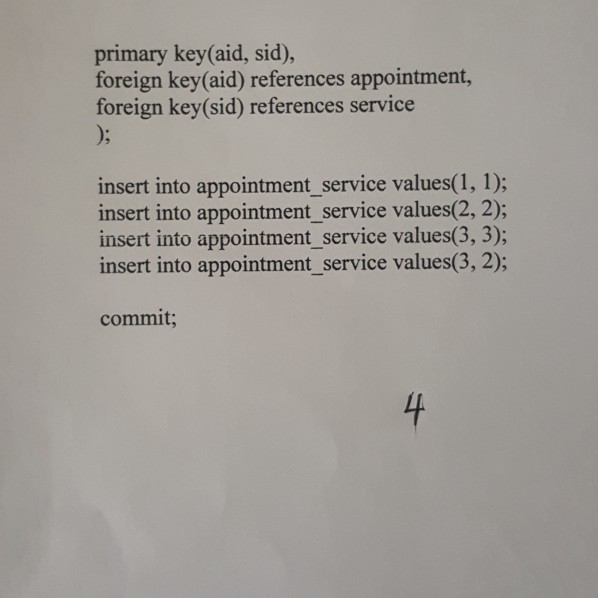
Please write one SQl, statement for each the following problems. You can use the attached SQL statements to create the tables. Problem 1. Please write ONE SQL statement for each of the following tasks using tables created in Problem 1. Note that you can only use conditions specified in the task description and cannot manually look up data and add conditions. [100 points, 20 points each) Task 1: Return all dates that Dr. Rao is available in February 2018 Task 2: return all booked (booked is status) appointment start time for Susan (a patient). Task 3: return number of booked and happened appointments Dr. Adam has on each day in Febuary 2018. Hint: there is no need to include dates without appointment, and you can use trunc( start_time) to get appointment date. Task 4: return dates that Dr. Adam has at least 2 booked or happened appointment. Task 5: List all back-to-back appointments for Dr. Rao. Back-to-back means the first appointment's end time the next appointment's start time and both appoints are either booked or happened. Please print out appointment ID and start and end time of these Sample code to create the tables. create table doctor (did int, dname varchar(50), dphone varchar(20), primary keydid) insert into doctor values( I,'Dr. Rao, '410-435-1923): insert into doctor values(2,Dr. Adam, 410-435-1922); insert into doctor values(3,'Dr. Smith', '410-435-1921') create table patient (pid int, pname varchar(50), paddress varchar(200), pphone varchar(20), pemail varchar(50), primary keypid) insert into patient values(I, Susan' 1234 Hilltop Rd, Catonsville', 410-456- 1122','susan@gmail.com) " son of susan Please write one SQl, statement for each the following problems. You can use the attached SQL statements to create the tables. Problem 1. Please write ONE SQL statement for each of the following tasks using tables created in Problem 1. Note that you can only use conditions specified in the task description and cannot manually look up data and add conditions. [100 points, 20 points each) Task 1: Return all dates that Dr. Rao is available in February 2018 Task 2: return all booked (booked is status) appointment start time for Susan (a patient). Task 3: return number of booked and happened appointments Dr. Adam has on each day in Febuary 2018. Hint: there is no need to include dates without appointment, and you can use trunc( start_time) to get appointment date. Task 4: return dates that Dr. Adam has at least 2 booked or happened appointment. Task 5: List all back-to-back appointments for Dr. Rao. Back-to-back means the first appointment's end time the next appointment's start time and both appoints are either booked or happened. Please print out appointment ID and start and end time of these Sample code to create the tables. create table doctor (did int, dname varchar(50), dphone varchar(20), primary keydid) insert into doctor values( I,'Dr. Rao, '410-435-1923): insert into doctor values(2,Dr. Adam, 410-435-1922); insert into doctor values(3,'Dr. Smith', '410-435-1921') create table patient (pid int, pname varchar(50), paddress varchar(200), pphone varchar(20), pemail varchar(50), primary keypid) insert into patient values(I, Susan' 1234 Hilltop Rd, Catonsville', 410-456- 1122','susan@gmail.com) " son of susan
Step by Step Solution
There are 3 Steps involved in it

Get step-by-step solutions from verified subject matter experts
 Study Help