







Question: Please use Visual Studio 2 0 2 2 , Visual Basic Code, and ASP.Net Web Application Image 1 : Build The User Interface The Date
Please use Visual Studio Visual Basic Code, and ASP.Net Web Application
Image :
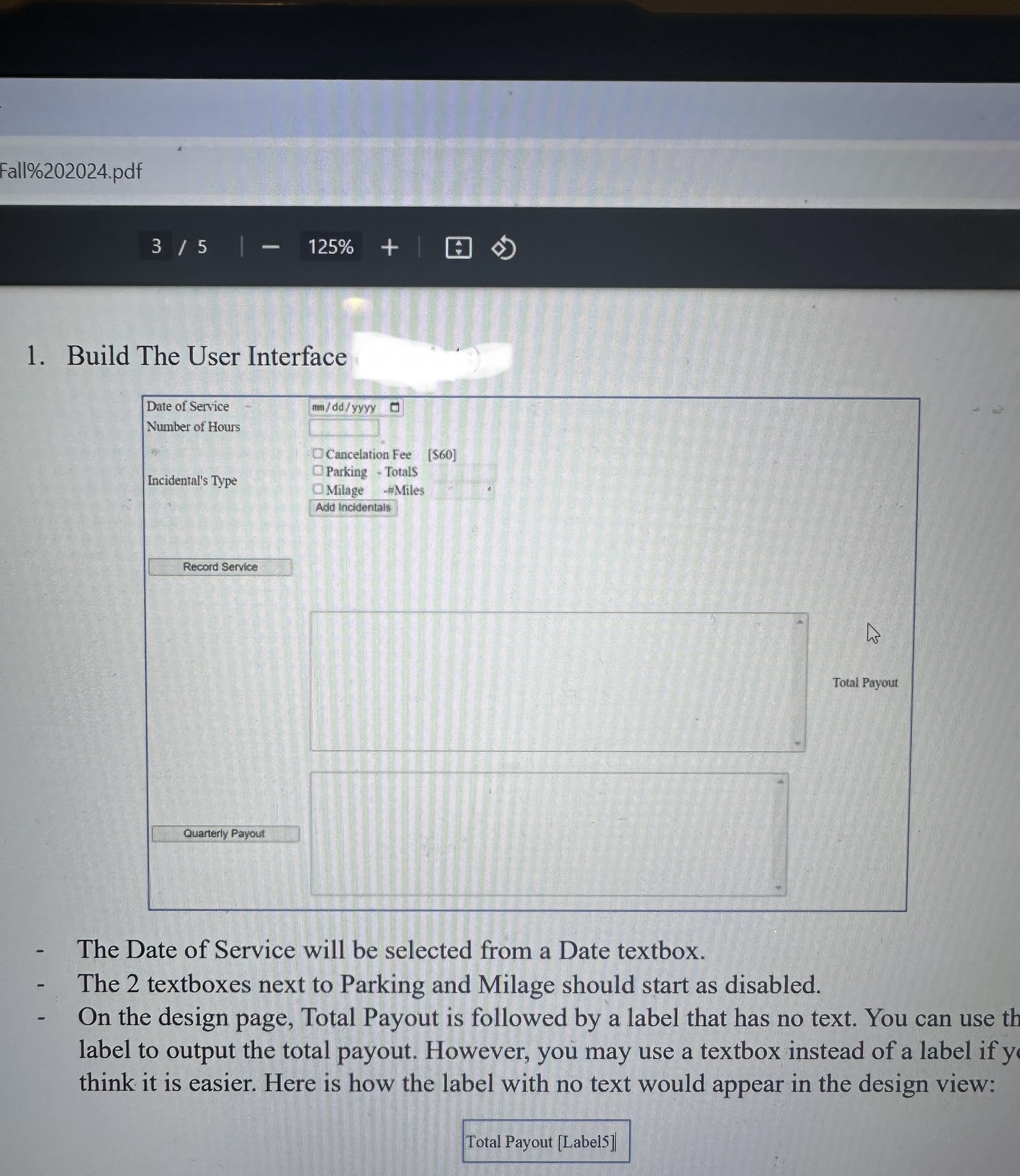
Build The User Interface
The Date of Service will be selected from a Date textbox.
The textboxes next to Parking and Milage should start as disabled.
On the design page, Total Payout is followed by a label that has no text. You can use th
label to output the total payout. However, you may use a textbox instead of a label if y
think it is easier. Here is how the label with no text would appear in the design view:
Image :
The Check Boxes
Make sure the Autolostrack is turned to Ture for all checkboxes.
The parking textbox becomes enabled only when the checkbox is checked.
The parking textbox clears and becomes disabled when the checkbox is unchecked.
The milage textbox becomes enabled only when the checkbox is checked.
The milage textbox clears and becomes disabled when the checkbox is unchecked.
When Clicking on the Add Incidentals Button
Validate that numeric value is entered into the parking textbox if the checkbox was
checked.
Validate that numeric value is entered into the miles textbox if the check box is checked.
If the cancelation fee box is checked, $ will apply as incidentals.
If the parking box is checked, the amount from that textbox will be added to the
incidentals.
If the milage box is checked, the number of miles x will be added to the incidentals.
If bad data was entered into the parking or miles textboxes, the user will receive an error
message, and incidentals should go back to zero.
Incidentals should be a global variable.
Image :
Clicking on the Record Service Button
When the button "Record Service" is clicked the following tasks should happen:
a Data Validation
J:
Validate that a date is being selected.
Validate that the date is within the year.
Validate that the date is not in the future.
Validate that the hours textbox has a numeric value.
b After data validation the program can continue with the following:
Calculate Payout: the payout is calculated as $ and hour with a minimum pay of
hours. So any number of hours under will pay $ If hours are more than the payout
will be calculated as number of hours x$
Determine Fee: if the service date was from more than days ago, an additional $
will be added to the pay.
Total Pay Payout Fee Incidentals
Step by Step Solution
There are 3 Steps involved in it
1 Expert Approved Answer
Step: 1 Unlock

Question Has Been Solved by an Expert!
Get step-by-step solutions from verified subject matter experts
Step: 2 Unlock
Step: 3 Unlock
 Study Help