







Question: Please write the program using java. In-Class Exercise 12 - Working with Arrays In this exercise we are going to work with arrays and for
Please write the program using java.
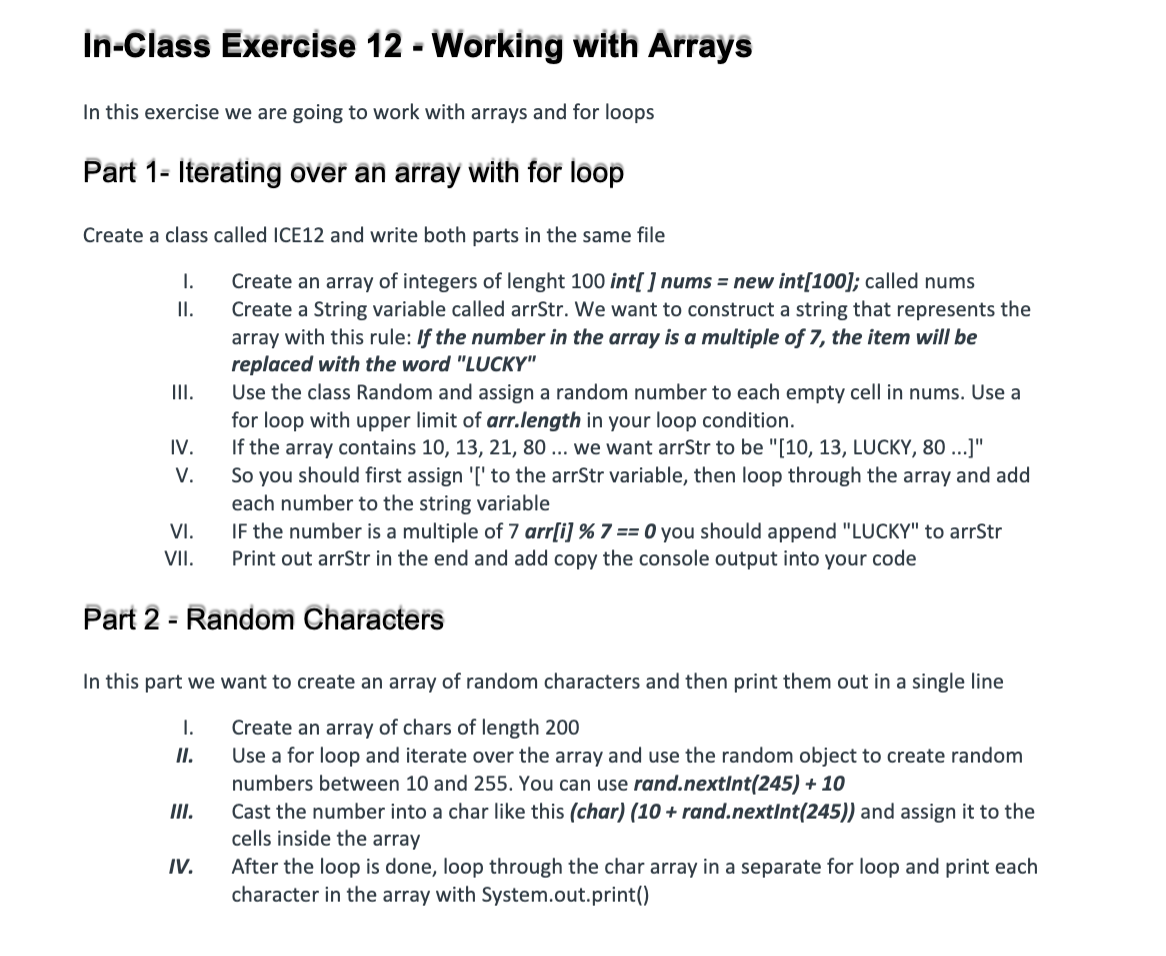
In-Class Exercise 12 - Working with Arrays In this exercise we are going to work with arrays and for loops Part 1 - Iterating over an array with for loop Create a class called ICE12 and write both parts in the same file 1. II. III. Create an array of integers of lenght 100 int[ ] nums = new int[100]; called nums Create a String variable called arrStr. We want to construct a string that represents the array with this rule: If the number in the array is a multiple of 7, the item will be replaced with the word "LUCKY" Use the class Random and assign a random number to each empty cell in nums. Use a for loop with upper limit of arr.length in your loop condition. If the array contains 10, 13, 21, 80 ... We want arrStr to be "[10, 13, LUCKY, 80 ..." So you should first assign '[' to the arrStr variable, then loop through the array and add each number to the string variable IF the number is a multiple of 7 arr[i] % 7 == 0 you should append "LUCKY" to arrStr Print out arrStr in the end and add copy the console output into your code IV. V. VI. VII. Part 2 - Random Characters In this part we want to create an array of random characters and then print them out in a single line I. II. Create an array of chars of length 200 Use a for loop and iterate over the array and use the random object to create random numbers between 10 and 255. You can use rand.nextInt(245) + 10 Cast the number into a char like this (char) (10 + rand.nextInt(245)) and assign it to the cells inside the array After the loop is done, loop through the char array in a separate for loop and print each character in the array with System.out.print() IV
Step by Step Solution
There are 3 Steps involved in it

Get step-by-step solutions from verified subject matter experts
 Study Help