







Question: plz follwo the instruction strictly python Learning Goals - use a dictionary to store menu items - use a function to print formatted menu options
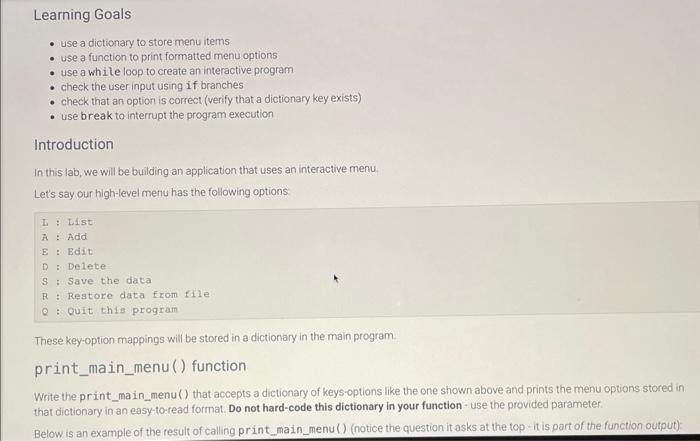
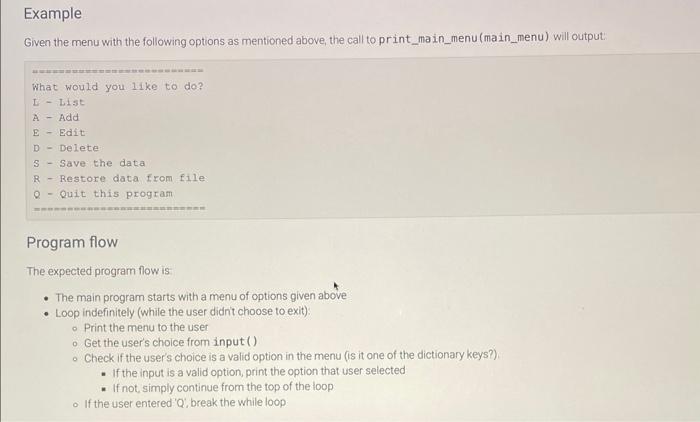
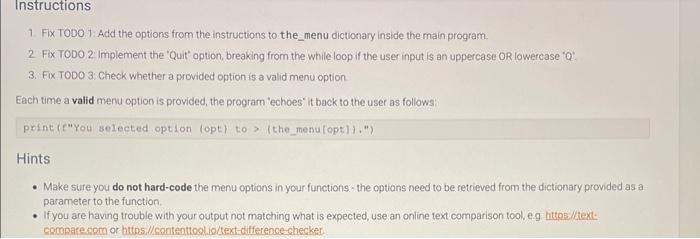
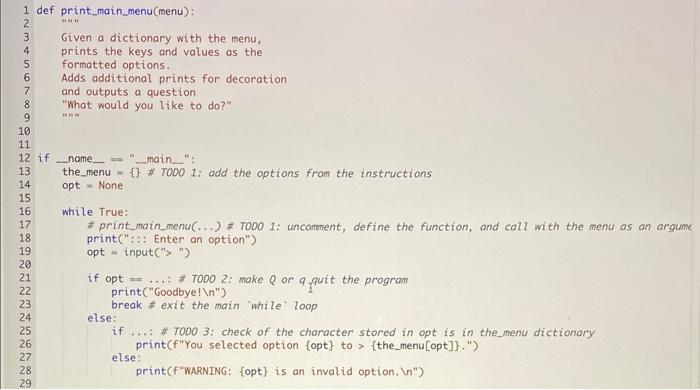
Learning Goals - use a dictionary to store menu items - use a function to print formatted menu options - use a while loop to create an interactive program - check the user input using if branches - check that an option is correct (verify that a dictionary key exists) - use break to interrupt the program execution Introduction In this lab, we will be building an application that uses an interactive menu Lets say our high-level menu has the following options L : List A : Add E : Bdit D : Delete S : Save the data R : Restore data from file Q : Quit this program These key-option mappings will be stored in a dictionary in the main program. print_main_menu() function Write the print_main_menu() that accepts a dictionary of keys-options like the one shown above and prints the menu options stored in that dictionary in an easy-to-read format. Do not hard-code this dictionary in your function- use the provided parameter. Below is an example of the result of calling print_main_menu() (notice the question it asks at the top - it is part of the function output): Given the menu with the following options as mentioned_above, the call to print_main_menu(main_menu) will output: What would you 11 ke to do? L. - List A - Add E - Edit D - Delete S - Save the data R - Restore data from file Q - Quit this program Program flow The expected program flow is: - The main program starts with a menu of options given above - Loop indefinitely (while the user didnt choose to exit) Print the menu to the user Get the user's choice from input() Check if the user's choice is a valid option in the menu (is it one of the dictionary keys?) - If the input is a valid option, print the option that user selected - If not, simply continue from the top of the loop If the user entered 'Q: break the while loop Instructions 1. Fix TODO T: Add the options from the instructions to the_menu dictionary inside the main program. 2. Fix TODO 2: Implement the 'Quit' option, breaking from the while loop if the user input is an uppercase OR lowercase 'Q": 3. Fix TODO 3: Check whether a provided option is a valid menu option. Each time a valid menu option is provided, the program "echoes" it back to the user as follows: point (e"You selected option (opt) to > (the_menu(opt)l.") Hints - Make sure you do not hard-code the menu options in your functions - the options need to be retrieved from the dictionary provided as a parameter to the function. - If you are having trouble with your output not matching what is expected, use an online text comparison tool, e.g hittpe:/ltext. comparecom or https //contenttoolio/text-difference-checker
Step by Step Solution
There are 3 Steps involved in it

Get step-by-step solutions from verified subject matter experts
 Study Help