







Question: Prepare the claim for this case by completing the appropriate fields in the CMS - 1 5 0 0 form provided. Accuracy is important. Please
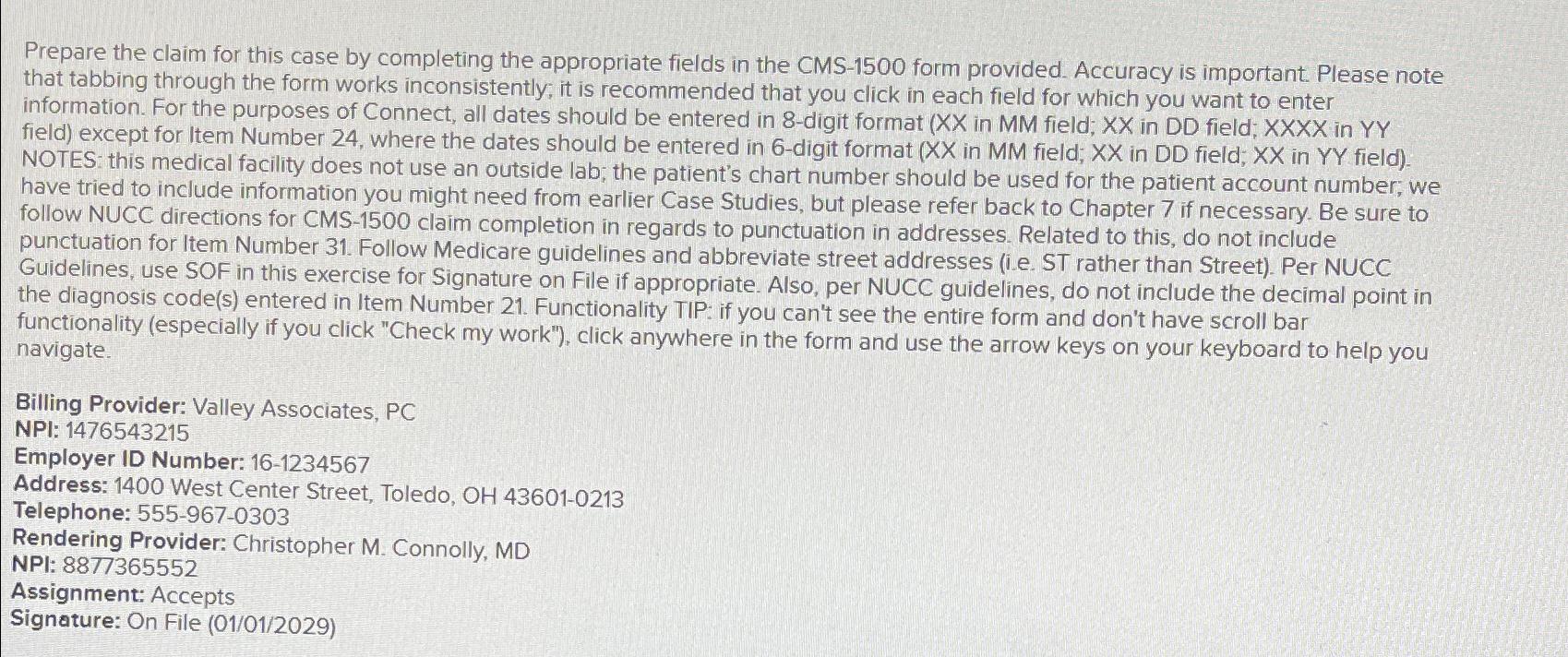
Prepare the claim for this case by completing the appropriate fields in the CMS form provided. Accuracy is important. Please note that tabbing through the form works inconsistently; it is recommended that you click in each field for which you want to enter information. For the purposes of Connect, all dates should be entered in digit format in MM field; in DD field; in field except for Item Number where the dates should be entered in digit format in MM field; in DD field; in field NOTES: this medical facility does not use an outside lab; the patient's chart number should be used for the patient account number; we have tried to include information you might need from earlier Case Studies, but please refer back to Chapter if necessary. Be sure to follow NUCC directions for CMS claim completion in regards to punctuation in addresses. Related to this, do not include punctuation for Item Number Follow Medicare guidelines and abbreviate street addresses ie ST rather than Street Per NUCC Guidelines, use SOF in this exercise for Signature on File if appropriate. Also, per NUCC guidelines, do not include the decimal point in the diagnosis codes entered in Item Number Functionality TIP: if you can't see the entire form and don't have scroll bar functionality especially if you click "Check my work" click anywhere in the form and use the arrow keys on your keyboard to help you navigate.
Billing Provider: Valley Associates, PC
NPI:
Employer ID Number:
Address: West Center Street, Toledo, OH
Telephone:
Rendering Provider: Christopher M Connolly, MD
NPI:
Assignment: Accepts
Signature: On File
Step by Step Solution
There are 3 Steps involved in it
1 Expert Approved Answer
Step: 1 Unlock

Question Has Been Solved by an Expert!
Get step-by-step solutions from verified subject matter experts
Step: 2 Unlock
Step: 3 Unlock
 Study Help