







Question: Problem 1: using PyCharm: a. use Excel to create a spreadsheet of 365 rows and 2 columns, where the first column of each row contains
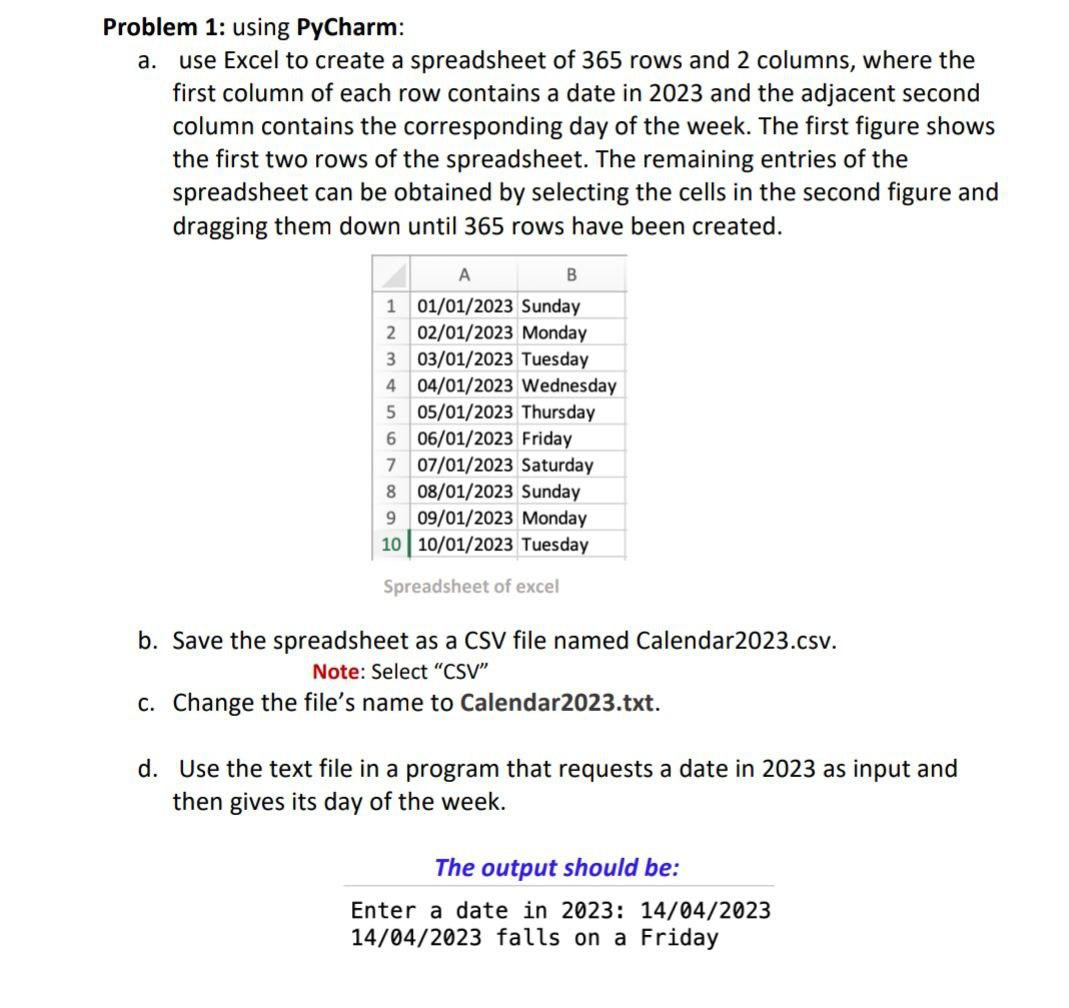
Problem 1: using PyCharm: a. use Excel to create a spreadsheet of 365 rows and 2 columns, where the first column of each row contains a date in 2023 and the adjacent second column contains the corresponding day of the week. The first figure shows the first two rows of the spreadsheet. The remaining entries of the spreadsheet can be obtained by selecting the cells in the second figure and dragging them down until 365 rows have been created. Spreadsheet of excel b. Save the spreadsheet as a CSV file named Calendar2023.csv. Note: Select "CSV" c. Change the file's name to Calendar2023.txt. d. Use the text file in a program that requests a date in 2023 as input and then gives its day of the week
Step by Step Solution
There are 3 Steps involved in it

Get step-by-step solutions from verified subject matter experts
 Study Help