







Question: Problem 5.3 Data Validation In the Part3 worksheet you are developing a data sheet for employees across departments to report errors in products or equipment.
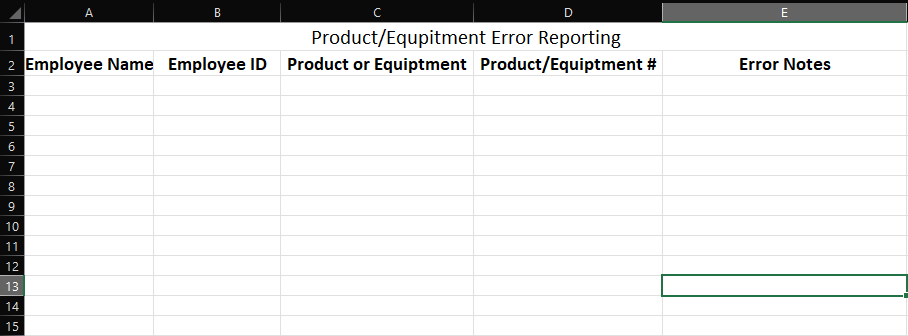
Problem 5.3 Data Validation
In the "Part3" worksheet you are developing a data sheet for employees across departments to report errors in products or equipment. This data base can be completed by anyone to make your life easier you are to develop input criteria using "Data Validation" to be sure data is entered correctly. (Do not forget about overall formatting of the table)
Step 1: In column A, the user should choose from a drop-down list of Employee Names. This list is kept in Column I which is currently hidden in the template and should be hidden in your final version as well.
Step 2: In column B, the user should type the Employee ID. Employee IDs are 8 digits. You must include input AND error messages. The input message such let the user know what to enter in the column when they select the cell. The error message should appear if they enter more or less than 8 digits.
Step 3: Column C the user will choose from a drop-down list that includes 2 options: product or equipment.
Step 4: In columns D (product or equipment #) and E (notes describing the problem) input messages should explain what the user should enter in the columns. Column E should allow for text wrapping.
Step 5: All input criteria created should be in the first 10 rows of the table so that a user could enter up to 10 rows of properly formatted data.
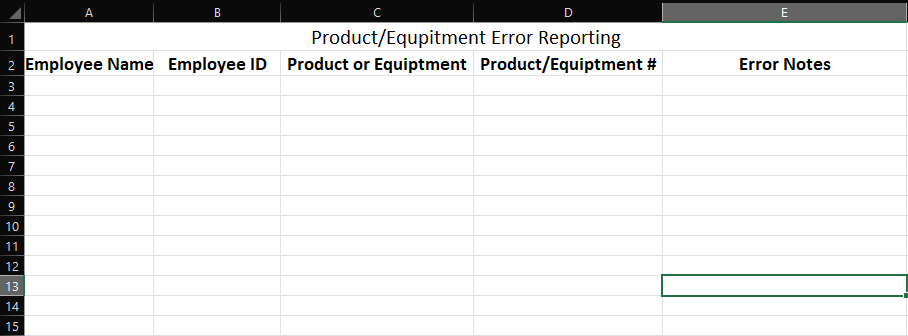
A B C D E Product/Equpitment Error Reporting 2 Employee Name Employee ID Product or Equiptment Product/Equiptment # Error Notes 3 A 5 6 7 8 9 10 11 12 13 14 15
Step by Step Solution
There are 3 Steps involved in it

Get step-by-step solutions from verified subject matter experts
 Study Help