Question: Problem A: using tryit The first problem consists on developing a temperature conversion web page: 1- Add a simple text Temperature in Fahrenheit: and an
Problem A: using tryit
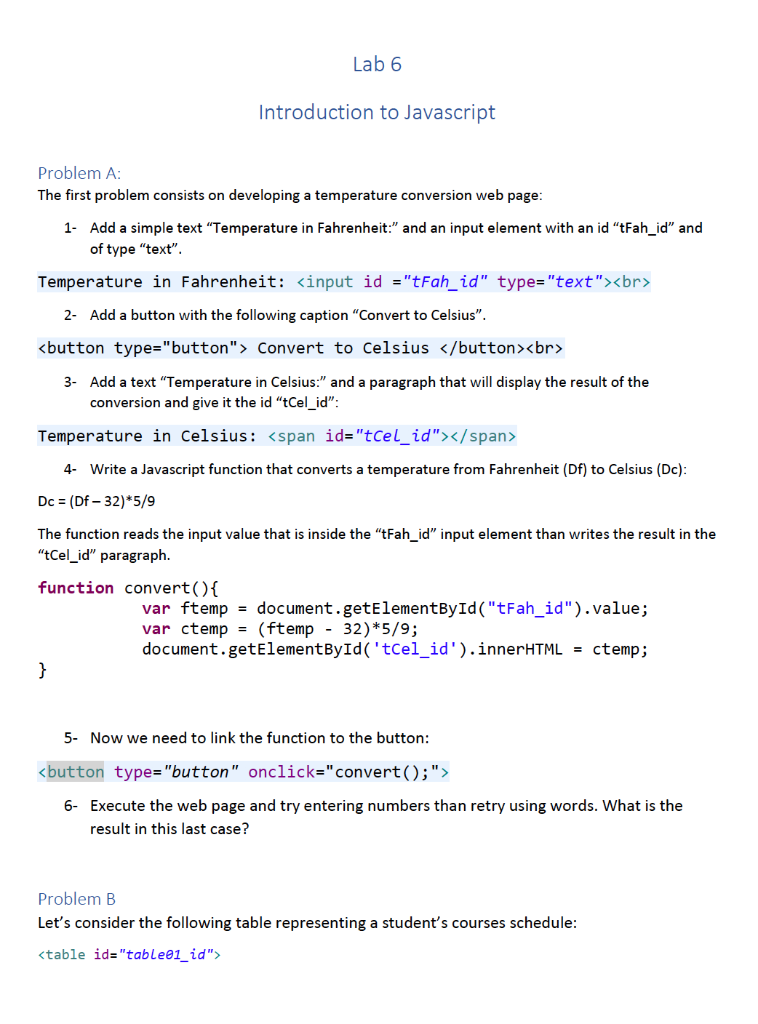
The first problem consists on developing a temperature conversion web page:
1- Add a simple text Temperature in Fahrenheit: and an input element with an id tFah_id and
of type text.
Temperature in Fahrenheit:
2- Add a button with the following caption Convert to Celsius.
3- Add a text Temperature in Celsius: and a paragraph that will display the result of the
conversion and give it the id tCel_id:
Temperature in Celsius:
4- Write a Javascript function that converts a temperature from Fahrenheit (Df) to Celsius (Dc):
Dc = (Df 32)*5/9
The function reads the input value that is inside the tFah_id input element than writes the result in the
tCel_id paragraph.
function convert(){
var ftemp = document.getElementById("tFah_id").value;
5- Now we need to link the function to the button:
6- Execute the web page and try entering numbers than retry using words. What is the
result in this last case?
Problem B
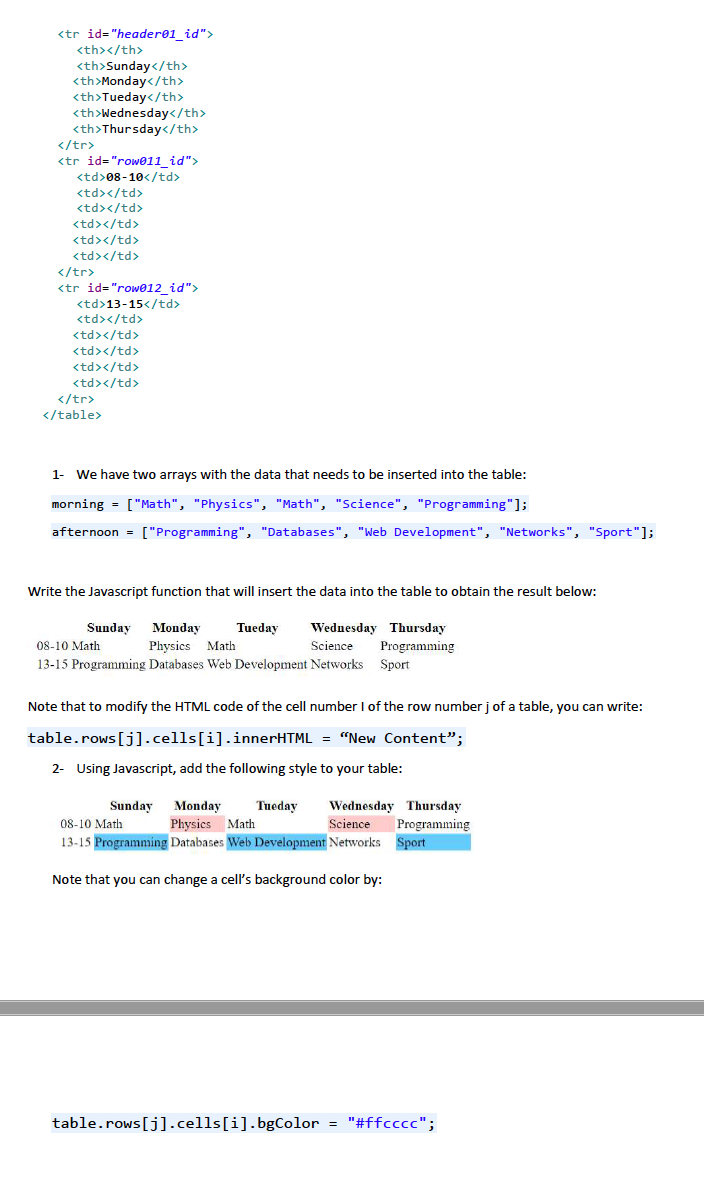
Lets consider the following table representing a students courses schedule:
2- Add a button with the following caption "Convert to Celsius". 3- Add a text "Temperature in Celsius:" and a paragraph that will display the result of the conversion and give it the id "tCel_id": Temperature in Celsius: 4- Write a Javascript function that converts a temperature from Fahrenheit (Df) to Celsius (Dc): Dc = (Df - 32)* 5/9 The function reads the input value that is inside the "tFah_id" input element than writes the result in the "Cel_id" paragraph. function convert(){ var ftemp = document.getElementById("tFah_id").value; var ctemp = (ftemp - 32)*5/9; document.getElementById('tCel_id').innerHTML = ctemp; } 5- Now we need to link the function to the button:
Step by Step Solution
There are 3 Steps involved in it
1 Expert Approved Answer
Step: 1 Unlock
Question Has Been Solved by an Expert!
Get step-by-step solutions from verified subject matter experts
Step: 2 Unlock
Step: 3 Unlock
Students Have Also Explored These Related Databases Questions!









 Study Help