







Question: Problem C. (10 points) Mirror Next, you will be implementing the mirror function. This overwrites the right half of the image with a mirror image
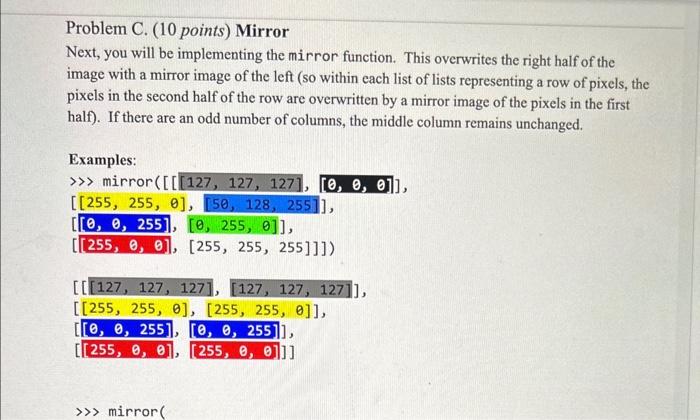
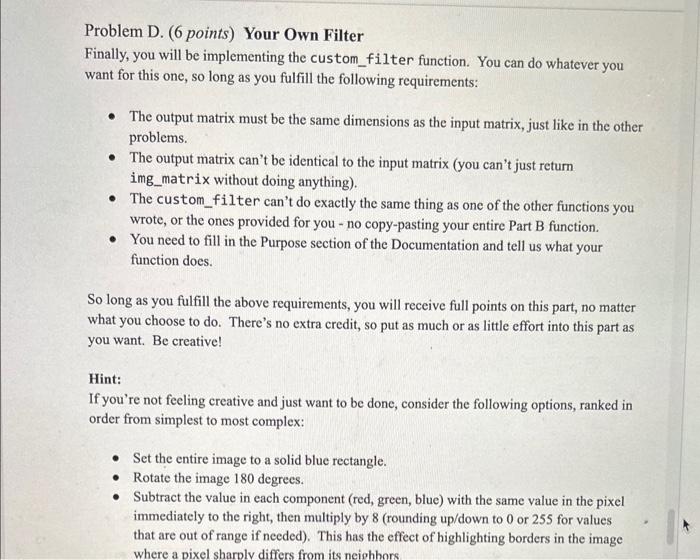
Problem C. (10 points) Mirror Next, you will be implementing the mirror function. This overwrites the right half of the image with a mirror image of the left (so within each list of lists representing a row of pixels, the pixels in the second half of the row are overwritten by a mirror image of the pixels in the first half). If there are an odd number of columns, the middle column remains unchanged. Examples: mirror ([[[127,127,127],[0,0,0]], [[255,255,],[50,128,255]], [[0,0,255],[,255,]], [[255,,],[255,255,255]]]) [[[127,127,127],[127,127,127]], [[255,255,],[255,255,]], [[0,0,255],[0,,255]], [[[255,,],[[255,,]]] Problem D. (6 points) Your Own Filter Finally, you will be implementing the custom_filter function. You can do whatever you want for this one, so long as you fulfill the following requirements: - The output matrix must be the same dimensions as the input matrix, just like in the other problems. - The output matrix can't be identical to the input matrix (you can't just return img_matrix without doing anything). - The custom_filter can't do exactly the same thing as one of the other functions you wrote, or the ones provided for you - no copy-pasting your entire Part B function. - You need to fill in the Purpose section of the Documentation and tell us what your function does. So long as you fulfill the above requirements, you will receive full points on this part, no matter what you choose to do. There's no extra credit, so put as much or as little effort into this part as you want. Be creative! Hint: If you're not feeling creative and just want to be done, consider the following options, ranked in order from simplest to most complex: - Set the entire image to a solid blue rectangle. - Rotate the image 180 degrees. - Subtract the value in each component (red, green, blue) with the same value in the pixel immediately to the right, then multiply by 8 (rounding up/down to 0 or 255 for values that are out of range if needed). This has the effect of highlighting borders in the image where a pixel sharply differs from its neiohhors
Step by Step Solution
There are 3 Steps involved in it

Get step-by-step solutions from verified subject matter experts
 Study Help