







Question: Problem Two Simple Function: Write a MATLAB function that contains the following items. Remember to apply function concepts that we discussed in class. This function
Problem Two
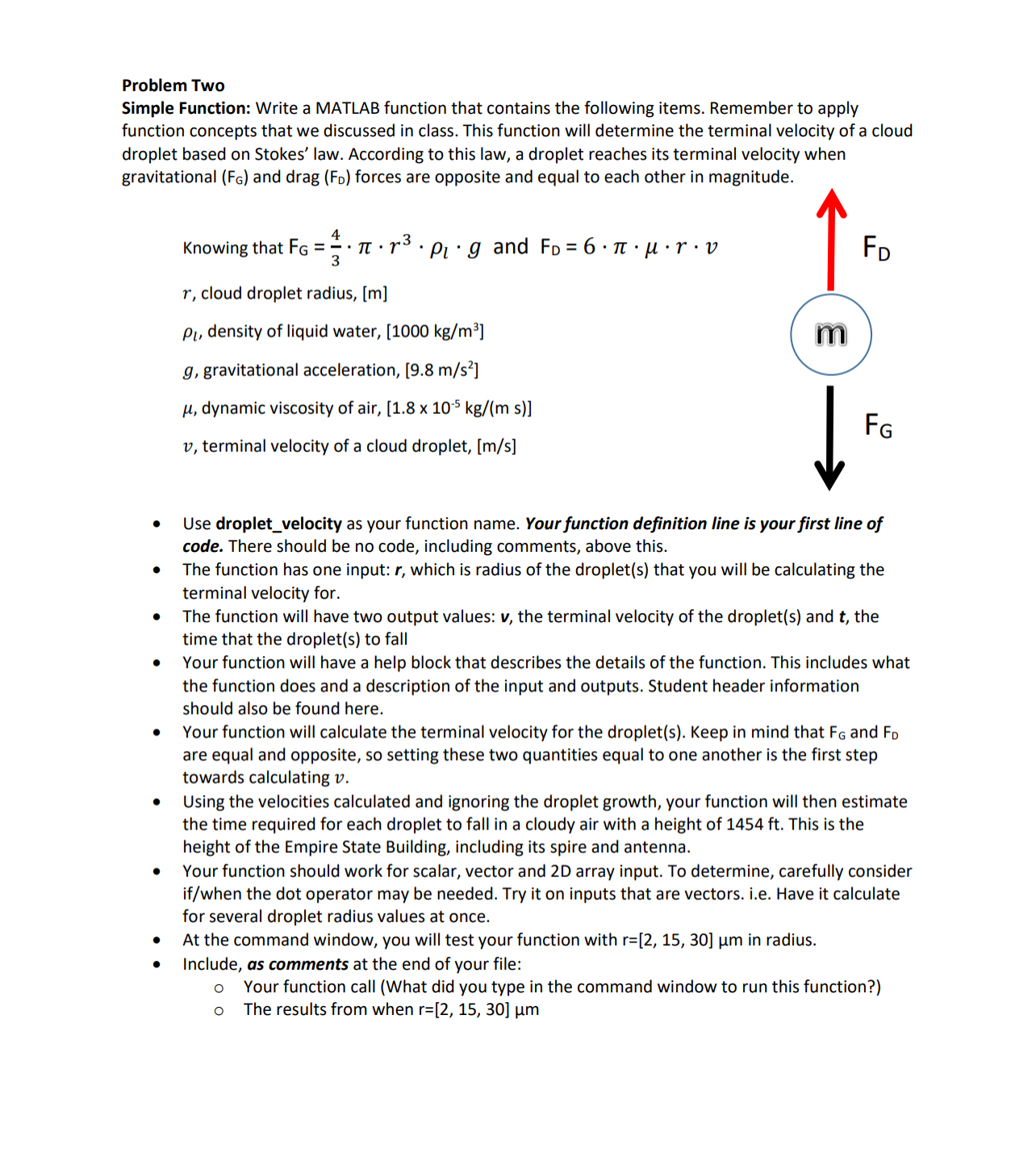
Simple Function: Write a MATLAB function that contains the following items. Remember to apply function concepts that we discussed in class. This function will determine the terminal velocity of a cloud droplet based on Stokes' law. According to this law, a droplet reaches its terminal velocity when gravitational and drag forces are opposite and equal to each other in magnitude.
Use dropletvelocity as your function name. Your function definition line is your first line of code. There should be no code, including comments, above this.
The function has one input: which is radius of the droplets that you will be calculating the terminal velocity for.
The function will have two output values: the terminal velocity of the droplet and the time that the droplets to fall
Your function will have a help block that describes the details of the function. This includes what the function does and a description of the input and outputs. Student header information should also be found here.
Your function will calculate the terminal velocity for the droplets Keep in mind that and are equal and opposite, so setting these two quantities equal to one another is the first step towards calculating
Using the velocities calculated and ignoring the droplet growth, your function will then estimate the time required for each droplet to fall in a cloudy air with a height of ft This is the height of the Empire State Building, including its spire and antenna.
Your function should work for scalar, vector and D array input. To determine, carefully consider ifwhen the dot operator may be needed. Try it on inputs that are vectors. ie Have it calculate for several droplet radius values at once.
At the command window, you will test your function with in radius.
Include, as comments at the end of your file:
Your function call What did you type in the command window to run this function?
The results from when
Step by Step Solution
There are 3 Steps involved in it
1 Expert Approved Answer
Step: 1 Unlock

Question Has Been Solved by an Expert!
Get step-by-step solutions from verified subject matter experts
Step: 2 Unlock
Step: 3 Unlock
 Study Help