







Question: Program must be written in C. Please show descriptions Program Description: This program will be written in the Clanguage, and will demonstrate accessing the Unix
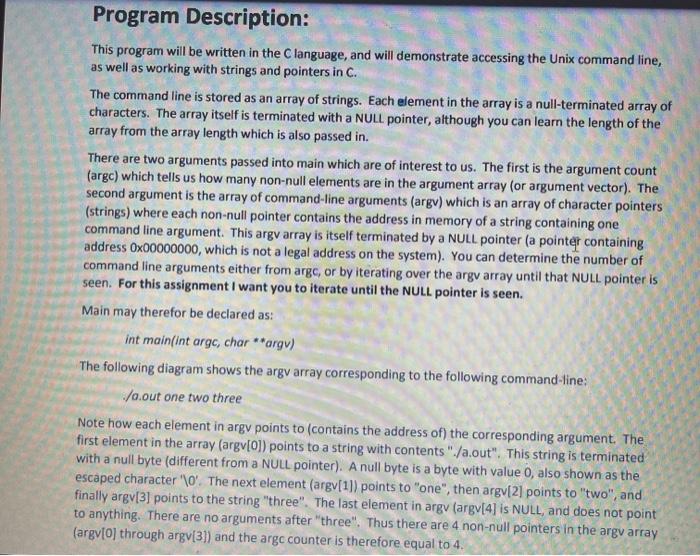
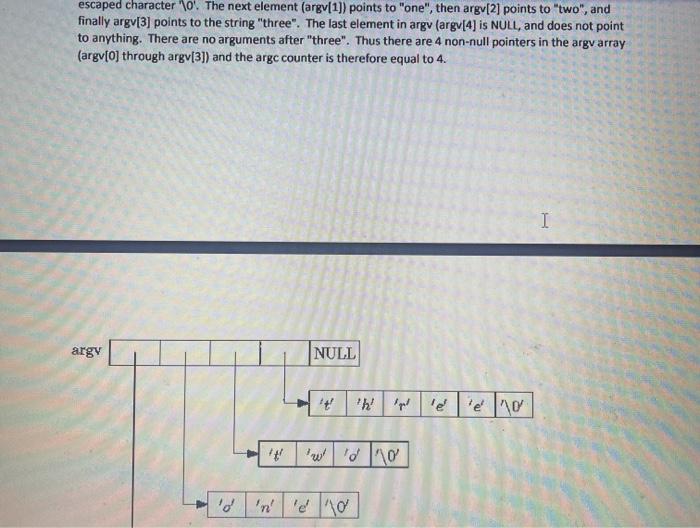
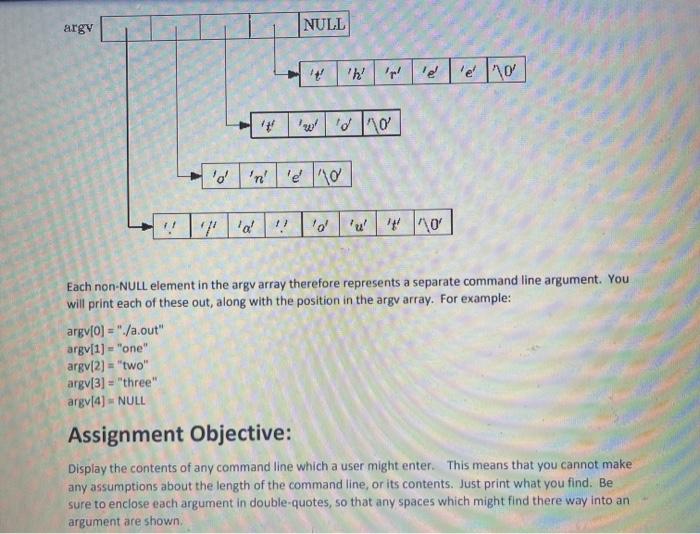
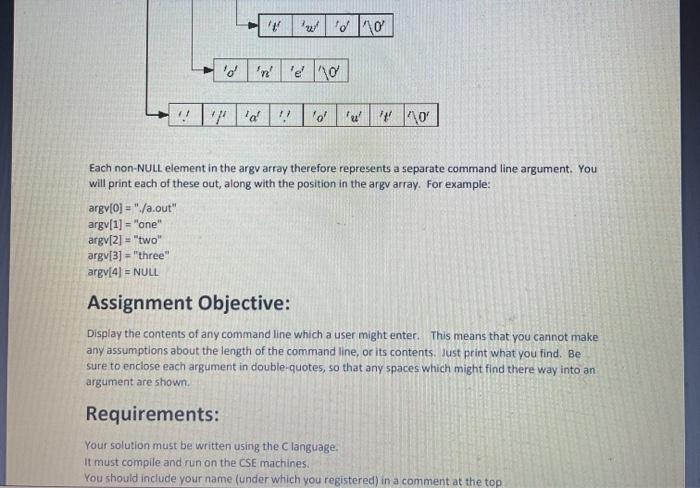
Program Description: This program will be written in the Clanguage, and will demonstrate accessing the Unix command line, as well as working with strings and pointers in C. The command line is stored as an array of strings. Each element in the array is a null-terminated array of characters. The array itself is terminated with a NULL pointer, although you can learn the length of the array from the array length which is also passed in. There are two arguments passed into main which are of interest to us. The first is the argument count (argc) which tells us how many non-null elements are in the argument array (or argument vector). The second argument is the array of command-line arguments (argv) which is an array of character pointers (strings) where each non-null pointer contains the address in memory of a string containing one command line argument. This argv array is itself terminated by a NULL pointer (a pointer containing address Ox00000000, which is not a legal address on the system). You can determine the number of command line arguments either from arge, or by iterating over the argv array until that NULL pointer is seen. For this assignment I want you to iterate until the NULL pointer is seen. Main may therefor be declared as: int main(int arge, char **argv) The following diagram shows the argv array corresponding to the following command-line: /a.out one two three Note how each element in argy points to contains the address of) the corresponding argument. The first element in the array (argv[0]) points to a string with contents"./a.out". This string is terminated with a null byte (different from a NULL pointer). A null byte is a byte with value 0, also shown as the escaped character '\0'. The next element (argv[1]) points to "one", then argv[2] points to "two", and finally argv[3] points to the string "three". The last element in argv (argv[4] is NULL, and does not point to anything. There are no arguments after three". Thus there are 4 non-null pointers in the argv array (argv[0] through argv[3]) and the argc counter is therefore equal to 4. escaped character of The next element (argv[1]) points to "one", then argv[2] points to "two", and finally argv[3] points to the string "three". The last element in argv (argv[4] is NULL, and does not point to anything. There are no arguments after three". Thus there are 4 non-null pointers in the argv array (argv[0] through argv[3]) and the argc counter is therefore equal to 4. I argy NULL 2 d 'n' d 10 argy NULL 'd 1. lol Each non-NULL element in the argv array therefore represents a separate command line argument. You will print each of these out, along with the position in the argv array. For example: argv[0] ="/a.out" argv[1] = "one" argv[2] = "two" argv[3] = "three" argv[4) = NULL Assignment Objective: Display the contents of any command line which a user might enter. This means that you cannot make any assumptions about the length of the command line, or its contents. Just print what you find. Be sure to enclose each argument in double-quotes, so that any spaces which might find there way into an argument are shown Wd 110 lol Each non-NULL element in the argv array therefore represents a separate command line argument. You will print each of these out, along with the position in the argv array. For example: argv[0] ="/a.out" argv[1] = "one" argv[2] = "two" argv[3] = "three argv[4) = NULL Assignment Objective: Display the contents of any command line which a user might enter. This means that you cannot make any assumptions about the length of the command line, or its contents. Just print what you find. Be sure to enclose each argument in double-quotes, so that any spaces which might find there way into an argument are shown Requirements: Your solution must be written using the Clanguage. It must compile and run on the CSE machines. You should include your name (under which you registered) in a comment at the top
Step by Step Solution
There are 3 Steps involved in it

Get step-by-step solutions from verified subject matter experts
 Study Help