







Question: Programming assignment Part-1 Get your stack working. Test the stack like this... 1. Declare an integer array. 2. Store n integer values into the array.
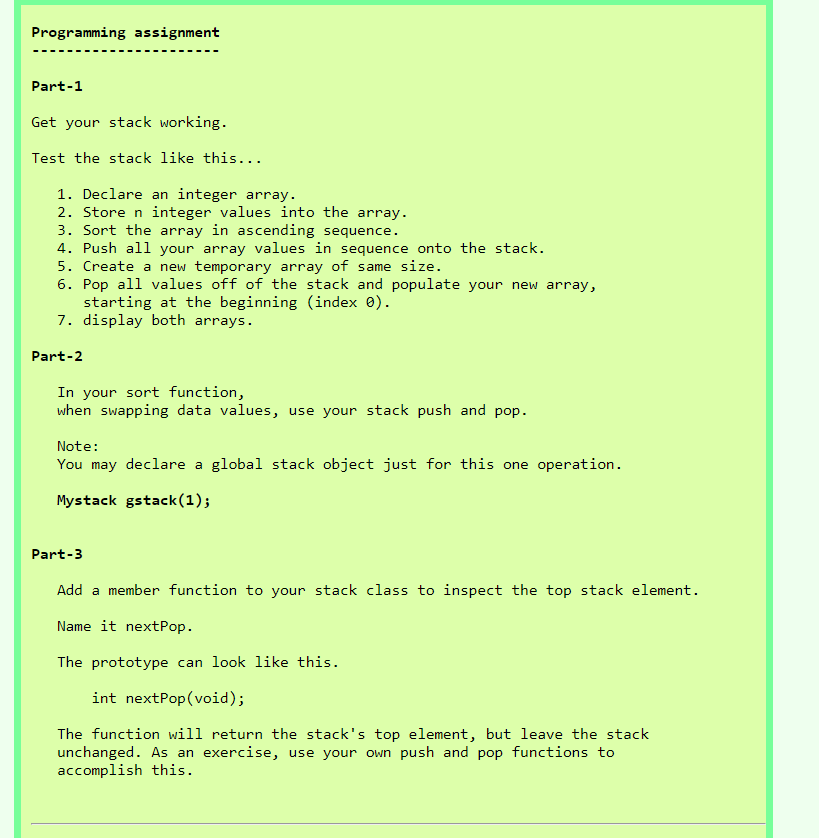
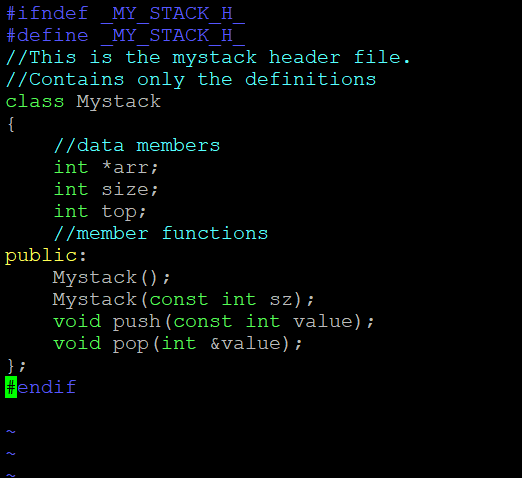
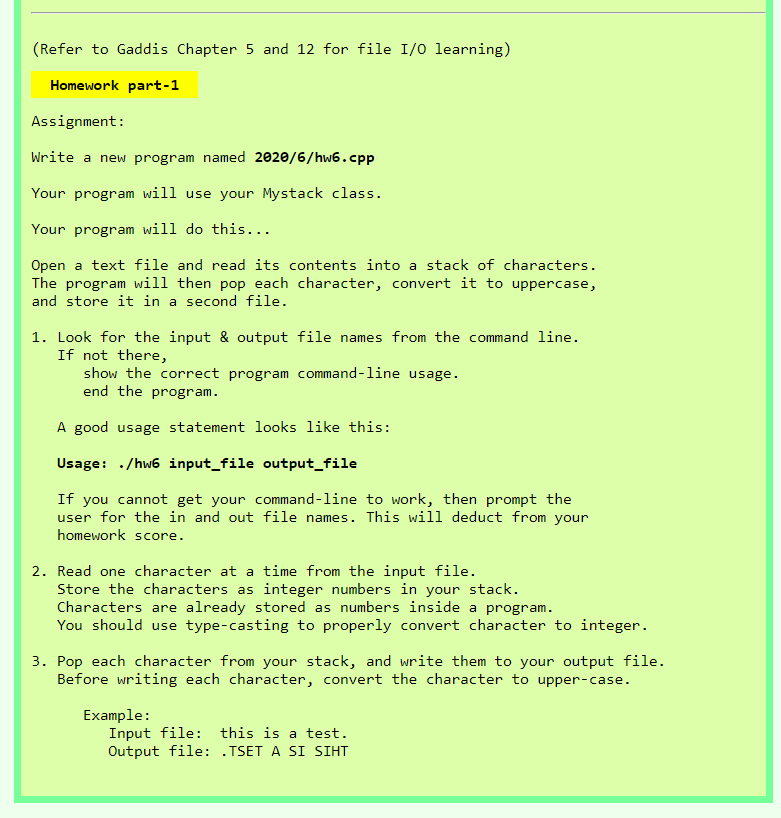
Programming assignment Part-1 Get your stack working. Test the stack like this... 1. Declare an integer array. 2. Store n integer values into the array. 3. Sort the array in ascending sequence. 4. Push all your array values in sequence onto the stack. 5. Create a new temporary array of same size. 6. Pop all values off of the stack and populate your new array, starting at the beginning (index 0). 7. display both arrays. Part-2 In your sort function, when swapping data values, use your stack push and pop. Note: You may declare a global stack object just for this one operation. Mystack gstack(1); Part-3 Add a member function to your stack class to inspect the top stack element. Name it nextPop. The prototype can look like this. int nextPop(void); The function will return the stack's top element, but leave the stack unchanged. As an exercise, use your own push and pop functions to accomplish this. (Refer to Gaddis Chapter 5 and 12 for file I/0 learning) Homework part-1 Assignment: Write a new program named 2020/6/hw6.cpp Your program will use your Mystack class. Your program will do this... Open a text file and read its contents into a stack of characters. The program will then pop each character, convert it to uppercase, and store it in a second file. 1. Look for the input & output file names from the command line. If not there, show the correct program command-line usage. end the program. A good usage statement looks like this: Usage: ./hw6 input_file output_file If you cannot get your command-line to work, then prompt the user for the in and out file names. This will deduct from your homework score. 2. Read one character at a time from the input file. Store the characters as integer numbers in your stack. Characters are already stored as numbers inside a program. You should use type-casting to properly convert character to integer. 3. Pop each character from your stack, and write them to your output file. Before writing each character, convert the character to upper-case. Example: Input file: this is a test. Output file: .TSET A SI SIHT
Step by Step Solution
There are 3 Steps involved in it

Get step-by-step solutions from verified subject matter experts
 Study Help