







Question: Programming Language: JAVA 1. Make sure follow all steps. 2. FOCUS binary to hexadecimal. 3. Don't just put all the thing to one method. It
Programming Language: JAVA
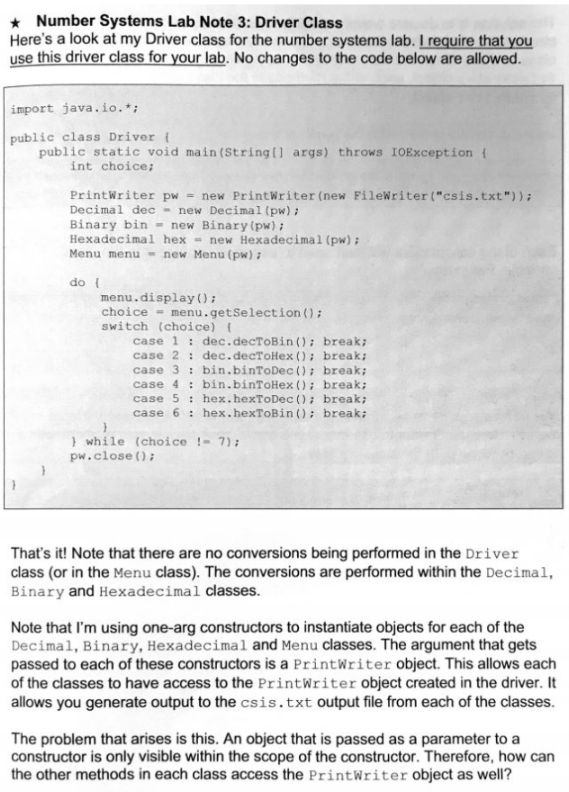
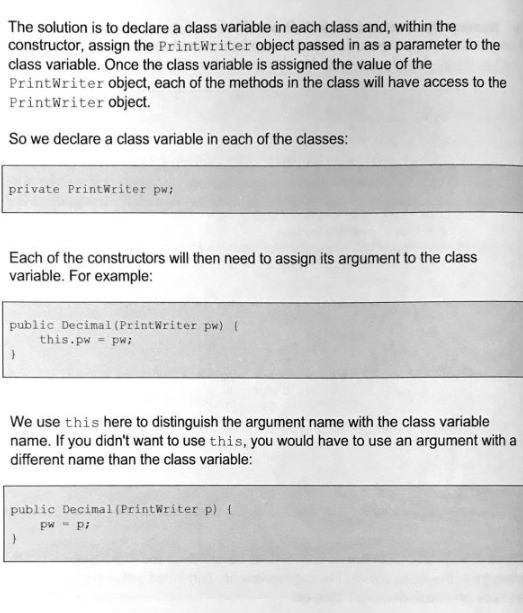
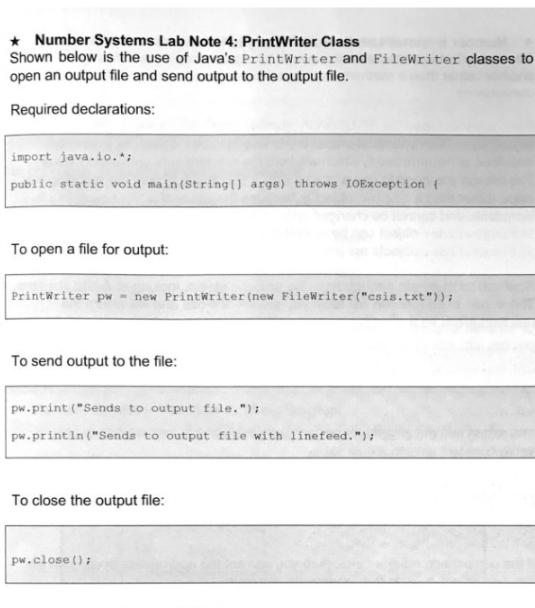
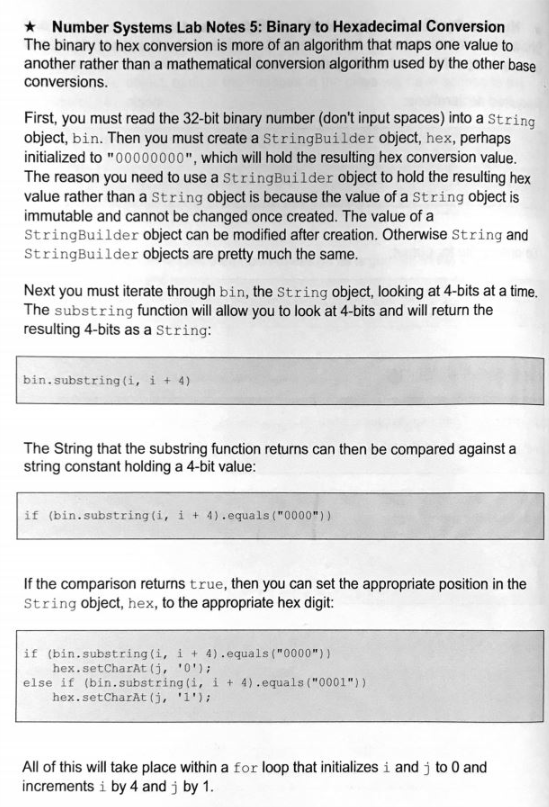
1. Make sure follow all steps.
2. FOCUS binary to hexadecimal.
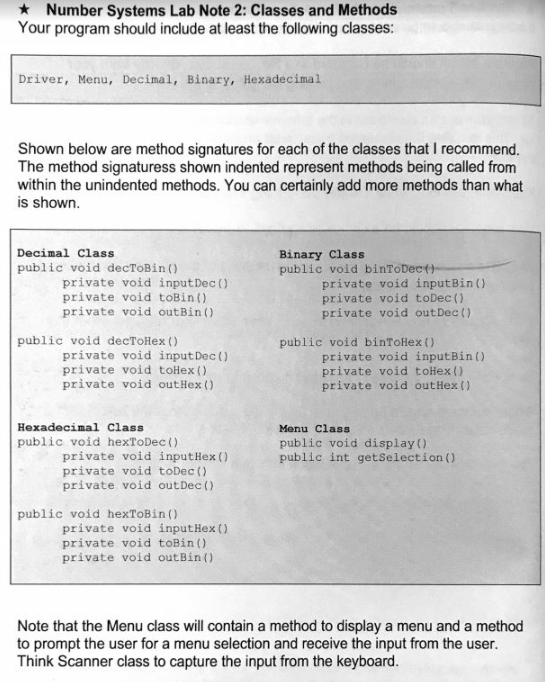
3. Don't just put all the thing to one method. It always has to separate like
HecToBin()
InputHex()
ToBin()
OutBin()
Like this
4. Don't change the Driver class
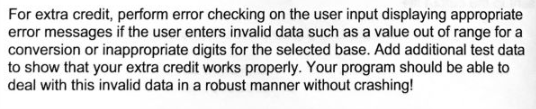
5.Please do extra credit.
Thank you :D
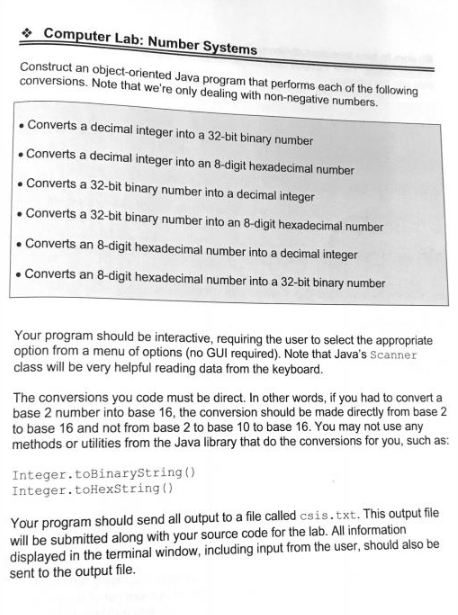
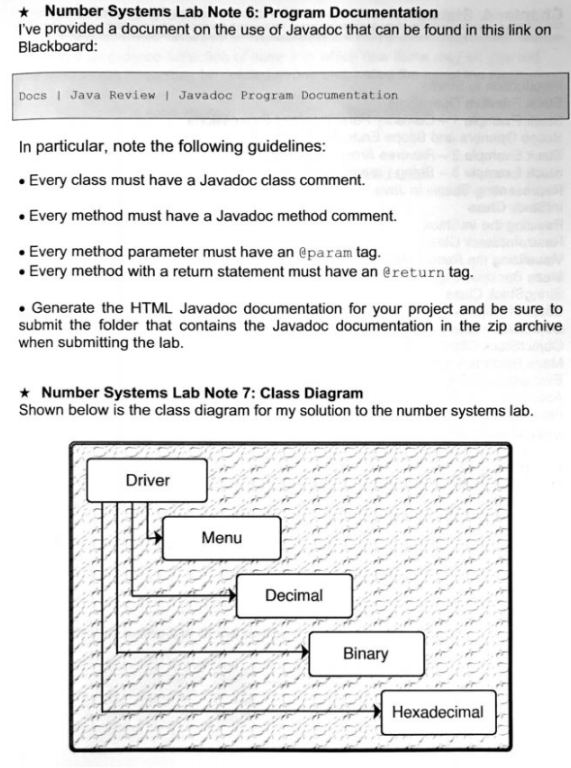
e Computer Lab: Number Systems Construct an object-oriented Java program that performs each of the following conversions. Note that we're only dealing with non-negative numbers. Converts a decimal integer into a 32-bit binary number Converts a decimal integer into an 8-digit hexadecimal number Converts a 32-bit binary number into a decimal integer Converts a 32-bit binary number into an 8-digit hexadecimal number Converts an 8-digit hexadecimal number into a decimal integer Converts an 8-digit hexadecimal number into a 32-bit binary number Your program should be interactive, requiring the user to select the appropriate option from a menu of options (no GUI required). Note that Java's Scanner class will be very helpful reading data from the keyboard. The conversions you code must be direct. In other words, if you had to convert a base 2 number into base 16, the conversion should be made directly from base 2 to base 16 and not from base 2 to base 10 to base 16. You may not use any methods or utilities from the Java library that do the conversions for you, such as: Integer.toBinarystring) Integer.toHexString ) Your program should send all output to a file called csis.txt. This outpu ile will be submitted along with your source code for the lab. All information displayed in the terminal window, including input from the user, should also be sent to the output file
Step by Step Solution
There are 3 Steps involved in it

Get step-by-step solutions from verified subject matter experts
 Study Help