







Question: PROJECT 1: Book Rep Customer Relations Management DIFFICULTY LEVEL: Beginners Overview Edit ch05-proj1.html and ch05-proj1.css so the page looks similar to that shown in
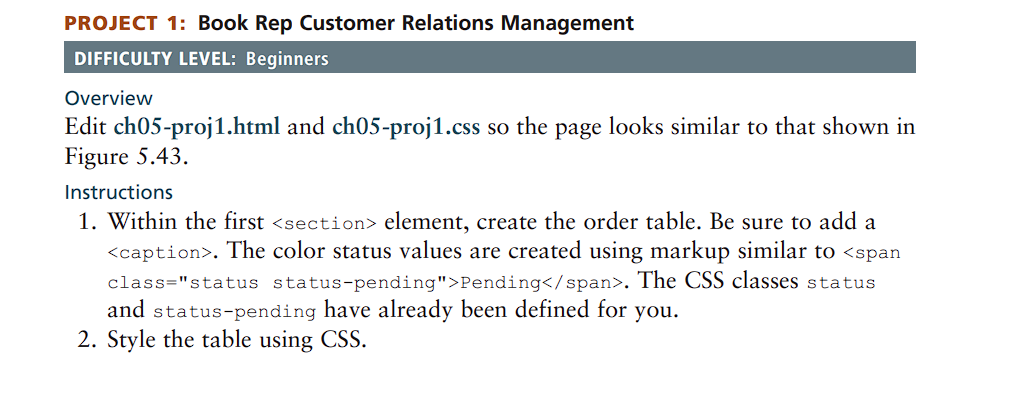
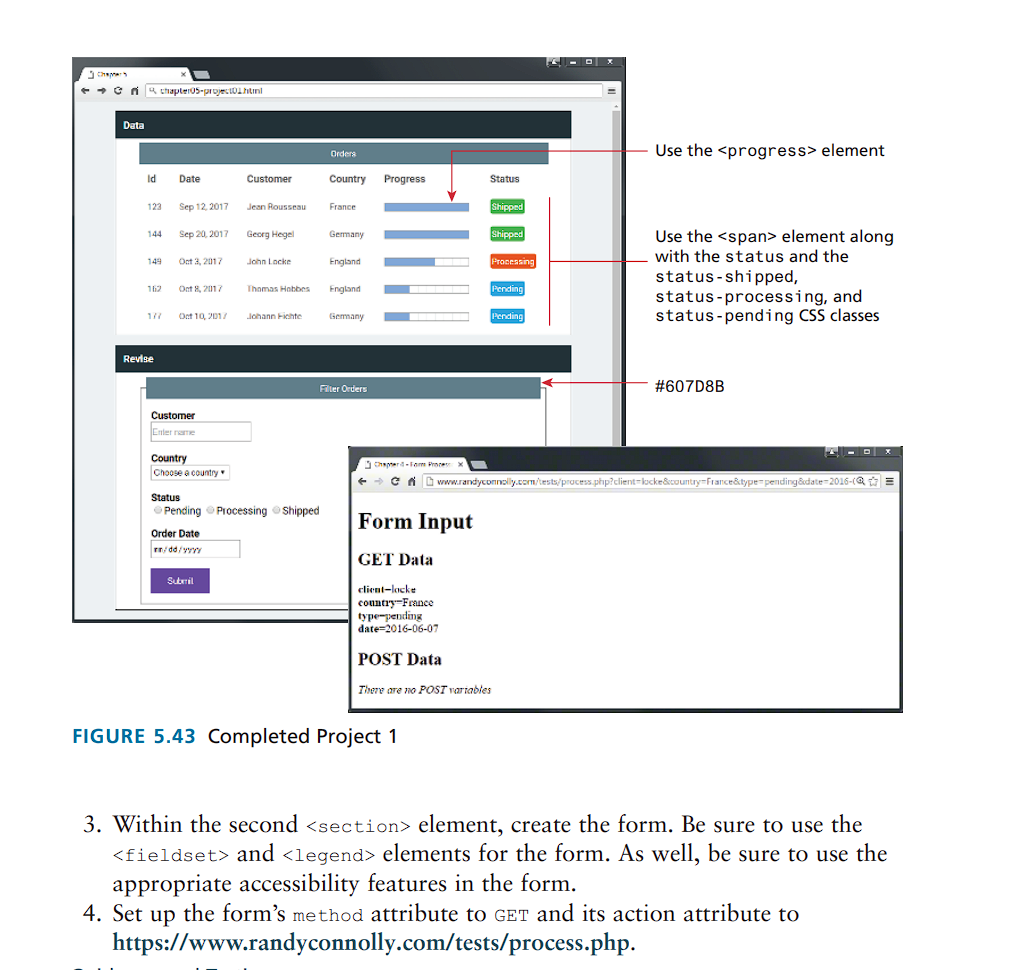

PROJECT 1: Book Rep Customer Relations Management DIFFICULTY LEVEL: Beginners Overview Edit ch05-proj1.html and ch05-proj1.css so the page looks similar to that shown in Figure 5.43. Instructions 1. Within the first element, create the order table. Be sure to add a . The color status values are created using markup similar to Pending . The CSS classes status and status-pending have already been defined for you. 2. Style the table using CSS. Chapters chapter05-project Data Orders ld Date Customer Country Progress Status 123 Sep 12, 2017 Jean Rousseau France 144 Sep 20, 2017 Georg Hegel Germany 149 Oct 3, 2017 John Locke England 162 Oct 8, 2017 Thomas Hobbes England Pending Pending 177 Oct 10, 2017 Johann Fichte Germany Pending Revise Filter Orders Use the element Shipped Shipped Processing Use the element along with the status and the status shipped, status-processing, and status-pending CSS classes #607D8B Customer Enter name Country Choose a country Status Pending Processing Shipped Order Date /dd/yyyy Submil Chapter Form Process www.randyconnolly.com/tests/process.php?client-locke&country-France&type=pending&date=2016-(Q Form Input GET Data client-locke country-France type-pending date 2016-06-07 POST Data There are no POST variables FIGURE 5.43 Completed Project 1 3. Within the second element, create the form. Be sure to use the and elements for the form. As well, be sure to use the appropriate accessibility features in the form. 4. Set up the form's method attribute to GET and its action attribute to https://www.randyconnolly.com/tests/process.php. Guidance and Testing 1. Test the form in the browser. Verify that the output from process.php matches that shown in Figure 5.43. 2. Change the form method to POST and retest.
Step by Step Solution
There are 3 Steps involved in it

Get step-by-step solutions from verified subject matter experts
 Study Help