







Question: Project Assignment Tasks The data file for this project is available from the Seaborn website. To load this data into a DataFrame, run this code:
Project Assignment Tasks
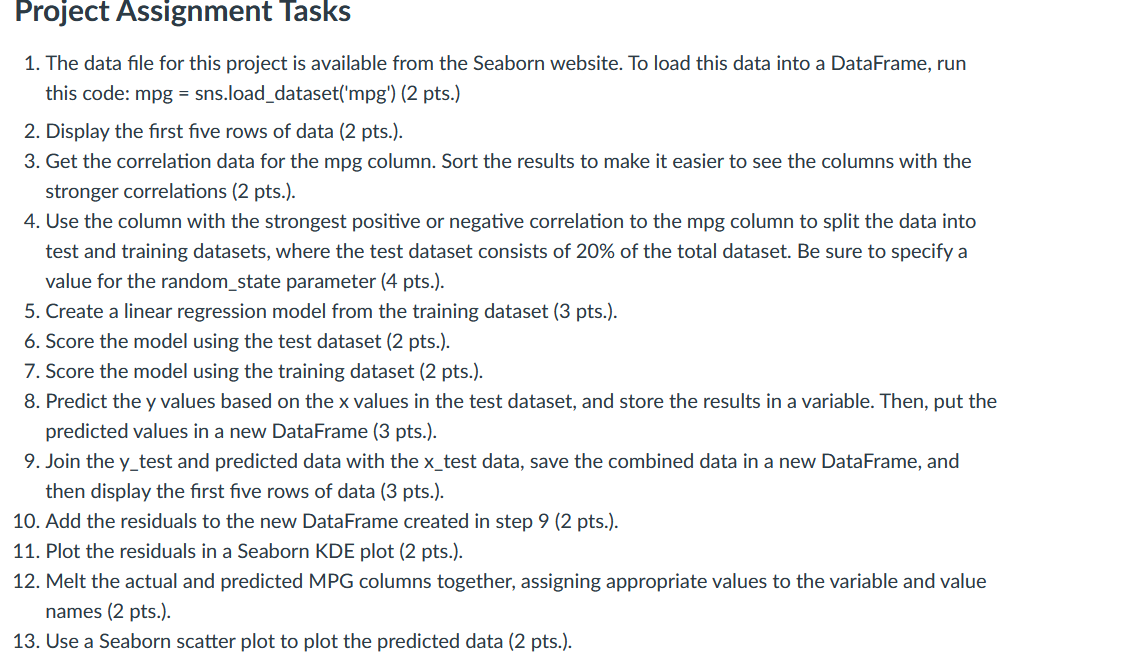
The data file for this project is available from the Seaborn website. To load this data into a DataFrame, run
this code: snsloaddatasetmpg pts
Display the first five rows of data pts
Get the correlation data for the mpg column. Sort the results to make it easier to see the columns with the
stronger correlations pts
Use the column with the strongest positive or negative correlation to the mpg column to split the data into
test and training datasets, where the test dataset consists of of the total dataset. Be sure to specify a
value for the randomstate parameter pts
Create a linear regression model from the training dataset pts
Score the model using the test dataset pts
Score the model using the training dataset pts
Predict the values based on the values in the test dataset, and store the results in a variable. Then, put the
predicted values in a new DataFrame pts
Join the ytest and predicted data with the test data, save the combined data in a new DataFrame, and
then display the first five rows of data pts
Add the residuals to the new DataFrame created in step pts
Plot the residuals in a Seaborn KDE plot pts
Melt the actual and predicted MPG columns together, assigning appropriate values to the variable and value
names pts
Use a Seaborn scatter plot to plot the predicted data pts
Step by Step Solution
There are 3 Steps involved in it
1 Expert Approved Answer
Step: 1 Unlock

Question Has Been Solved by an Expert!
Get step-by-step solutions from verified subject matter experts
Step: 2 Unlock
Step: 3 Unlock
 Study Help