





Question: project Management. the Getta Byte Software (Part 2) Project Schedule 1this section, the student will work on Part 2 Section D of the Course Project,

project Management. the Getta Byte Software (Part 2) Project Schedule
project Management. the Getta Byte Software (Part
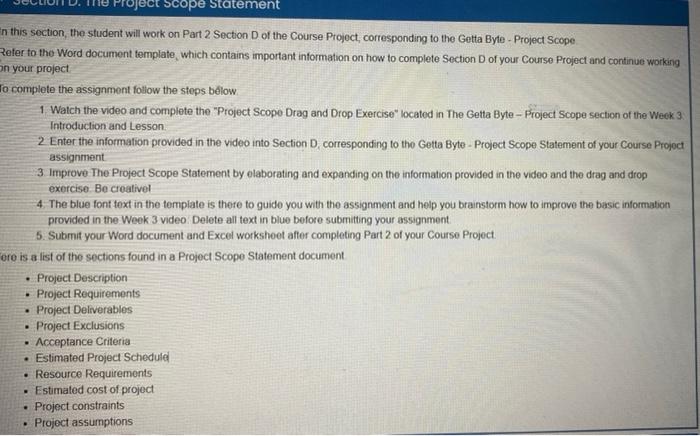
1this section, the student will work on Part 2 Section D of the Course Project, corresponding to the Getta Byte - Project Scope tefer to the Word document template, which contains important information on how to complete Section D of your Course Project and continue working nyour project o complete the assignment follow the steps below. 1. Watch the video and complete the "Project Scope Drag and Drop Exercise" located in The Getta Byte - Project Scope section of the Week 3. Introduction and Lesson. 2. Enter the information provided in the video into Section D, corresponding to the Getta Byte - Project Scope Statement of your Course Projoct assignment 3. Improve The Project Scope Statement by elaborating and expanding on the information provided in the video and the drag and drop exercise. Be creativel 4. The blue font toxt in the template is there to guide you with the assignment and help you brainstorm how to improve the basic information provided in the Week 3 video. Delete all text in blue before submitting your assignment. 5. Submit your Word document and Excel workshoet after completing Part 2 of your Course Project

Step by Step Solution

There are 3 Steps involved in it

1 Expert Approved Answer
Step: 1 Unlock blur-text-image

Question Has Been Solved by an Expert!

Get step-by-step solutions from verified subject matter experts

Step: 2 Unlock
Step: 3 Unlock

Students Have Also Explored These Related General Management Questions!