







Question: Project - Personal Budget Worksheet and Chart The project in this module follows proper design guidelines and uses Excel to create the worksheet and
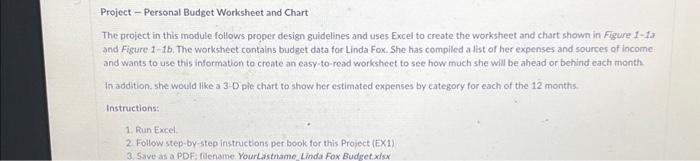
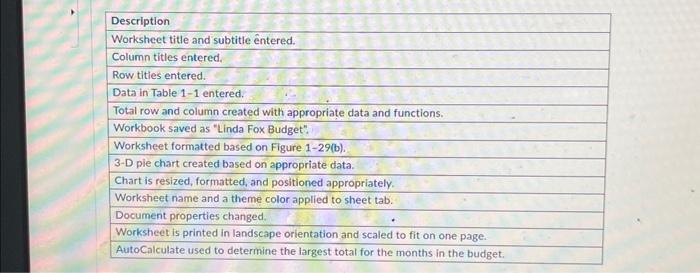
Project - Personal Budget Worksheet and Chart The project in this module follows proper design guidelines and uses Excel to create the worksheet and chart shown in Figure 1-1a and Figure 1-1b. The worksheet contains budget data for Linda Fox. She has compiled a list of her expenses and sources of income and wants to use this information to create an easy-to-read worksheet to see how much she will be ahead or behind each month In addition, she would like a 3-D ple chart to show her estimated expenses by category for each of the 12 months. Instructions: 1. Run Excel. 2. Follow step-by-step instructions per book for this Project (EX1) 3. Save as a PDF: filename YourLastname Linda Fox Budget.xlsx Description Worksheet title and subtitle ntered. Column titles entered. Row titles entered. Data in Table 1-1 entered. Total row and column created with appropriate data and functions. Workbook saved as "Linda Fox Budget", Worksheet formatted based on Figure 1-29(b). 3-D pie chart created based on appropriate data. Chart is resized, formatted, and positioned appropriately. Worksheet name and a theme color applied to sheet tab. Document properties changed. Worksheet is printed in landscape orientation and scaled to fit on one page. AutoCalculate used to determine the largest total for the months in the budget.
Step by Step Solution
There are 3 Steps involved in it
It looks like youve been given an assignment to create a personal budget worksheet and chart in Microsoft Excel using proper design guidelines Heres a ... View full answer

Get step-by-step solutions from verified subject matter experts
 Study Help