







Question: Project:Asynchronous up / down counter Description: Design an asynchronous counter using two push buttons, the microcontroller PIC 1 6 F 6 2 7 A ,
Project:Asynchronous updown counter
Description:
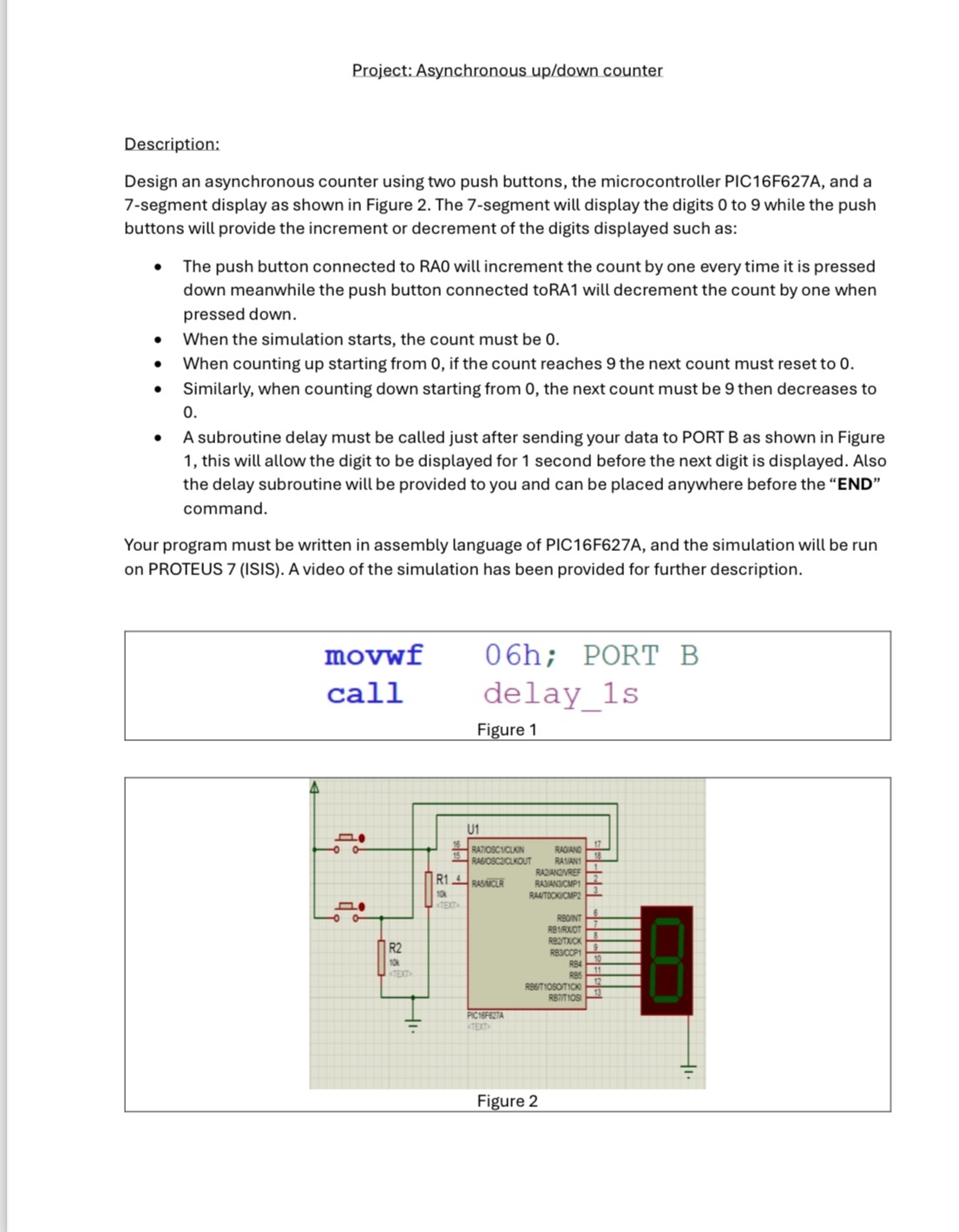
Design an asynchronous counter using two push buttons, the microcontroller PICFA and a segment display as shown in Figure The segment will display the digits to while the push buttons will provide the increment or decrement of the digits displayed such as:
The push button connected to RAO will increment the count by one every time it is pressed down meanwhile the push button connected toRA will decrement the count by one when pressed down.
When the simulation starts, the count must be
When counting up starting from if the count reaches the next count must reset to
Similarly, when counting down starting from the next count must be then decreases to
A subroutine delay must be called just after sending your data to PORT B as shown in Figure this will allow the digit to be displayed for second before the next digit is displayed. Also the delay subroutine will be provided to you and can be placed anywhere before the "END" command.
Your program must be written in assembly language of PICFA and the simulation will be run on PROTEUS ISIS A video of the simulation has been provided for further description.
movwf call
; PORT B
delays
Figure
Step by Step Solution
There are 3 Steps involved in it
1 Expert Approved Answer
Step: 1 Unlock

Question Has Been Solved by an Expert!
Get step-by-step solutions from verified subject matter experts
Step: 2 Unlock
Step: 3 Unlock
 Study Help