







Question: python Activity 2 Take the file called grades.txt from D2L. Save it in the same folder as your Lab python file. Open it with Notepad
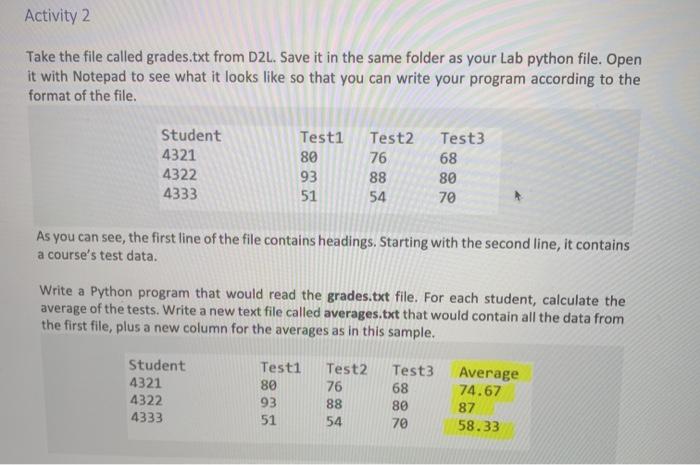
Activity 2 Take the file called grades.txt from D2L. Save it in the same folder as your Lab python file. Open it with Notepad to see what it looks like so that you can write your program according to the format of the file. Student 4321 4322 4333 Test1 80 93 Test2 76 88 54 Test3 68 80 70 51 As you can see, the first line of the file contains headings. Starting with the second line, it contains a course's test data. Write a Python program that would read the grades.txt file. For each student, calculate the average of the tests. Write a new text file called averages.txt that would contain all the data from the first file, plus a new column for the averages as in this sample. Student 4321 4322 4333 Testi 80 93 Test2 76 88 54 Test3 68 80 70 Average 74.67 87 58.33 51
Step by Step Solution
There are 3 Steps involved in it

Get step-by-step solutions from verified subject matter experts
 Study Help