







Question: Python coding! Struggling adding windows to my python code. Please add # with mark of change, show results import turtle from turtle import
Python coding! Struggling adding windows to my python code. Please add # with mark of change, show results
"import turtle from turtle import turtle
from turtle import Turtle
import random
from time import sleep
# Calculate width and height
WIDTH
HEIGHT
# Userchangeable variables
backgroundColor #
buildingColor #c
windowColor #FFFFFF
unveilTheCurtain False # Whether the user wants to see the turtles
# Turtle management
starTurtles
buildingTurtle Turtle
buildings
def drawBuildingsbuildingTurtle:
while buildingTurtle.xcor WIDTH:
buildings.appenddrawBuildingbuildingTurtle
buildingTurtle.gotobuildingTurtlexcor
def drawBuildingbuildingTurtle wallHeightNone, floorWidthNone:
buildingTurtle.penfillcolorbuildingColor, pencolorbuildingColor, pensize
buildingTurtle.beginfill
# Draw building structure
previousWallHeight constructWallbuildingTurtle wallHeightwallHeight
floorWidth constructFloorbuildingTurtle floorWidth
constructWallbuildingTurtle previousWallHeight, wallHeight
buildingTurtle.endfill
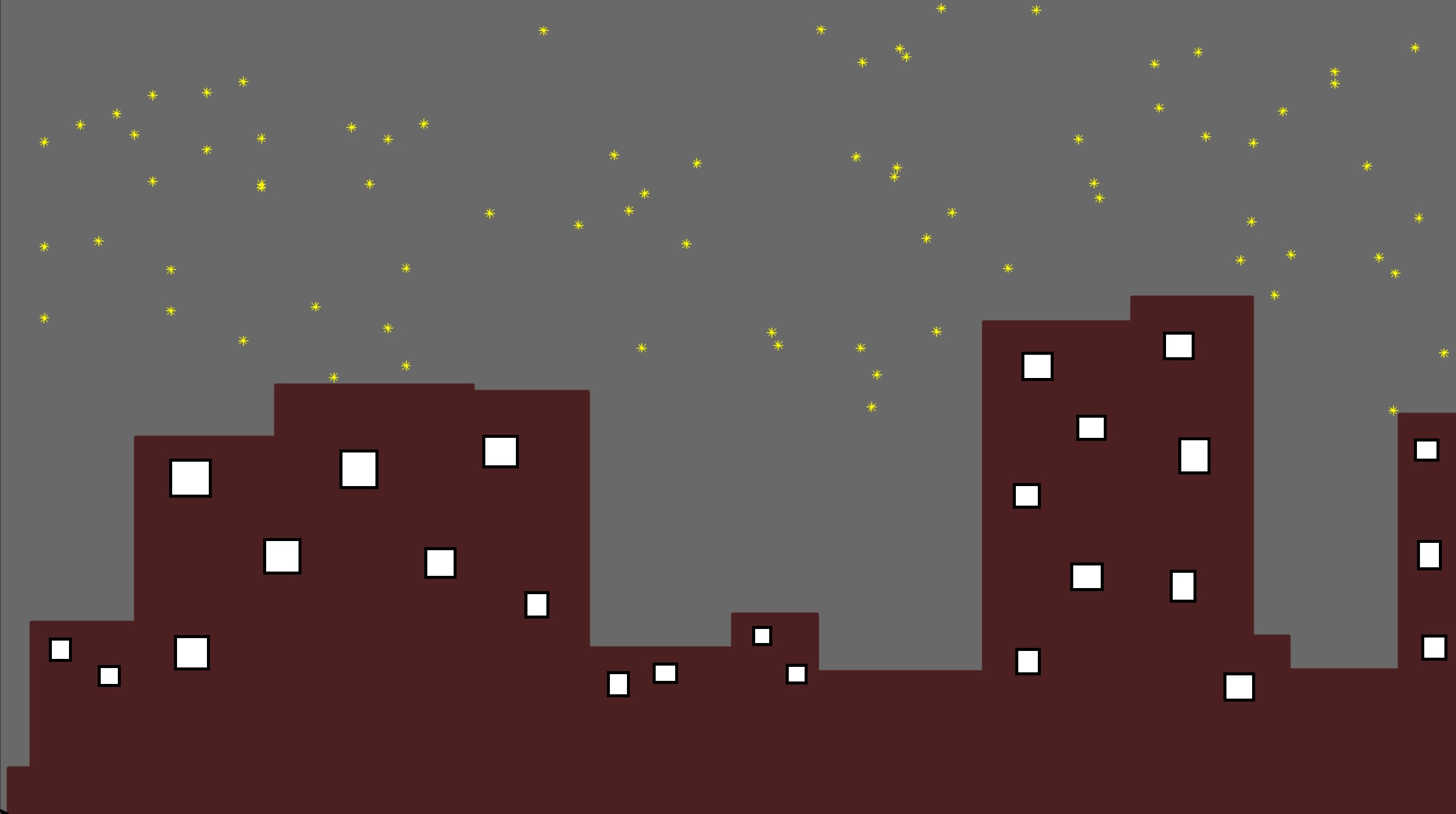
# Add static windows per building, positioned randomly
numwindows random.randint
if floorWidth and previousWallHeight :
for in rangenumwindows:
# Position windows randomly within building's width and height
winx buildingTurtle.xcor floorWidth random.randint intfloorWidth
winy buildingTurtle.ycor random.randint intpreviousWallHeight
drawwindowwinx winy # Window dimensions
return previousWallHeight floorWidth
def drawwindowx y width, height:
Draws a static window at x y with given width and height."""
turtle.penup
turtle.gotox y
turtle.pendown
turtle.fillcolorwindowColor
turtle.beginfill
for in range:
turtle.forwardwidth
turtle.left
turtle.forwardheight
turtle.left
turtle.endfill
def redrawBuildingsbuildingTurtle:
buildingTurtle.penup
buildingTurtle.goto
buildingTurtle.pendown
for building in buildings:
drawBuildingbuildingTurtle wallHeightbuilding floorWidthbuilding
def setupBuildingcolorset:
colorset.penup
colorset.penfillcolorbuildingColor, pencolorbuildingColor, pensize
colorset.goto
colorset.pendown
def constructFloorconstruct floorWidthNone:
construct.setheading
if floorWidth is None:
floorWidth random.randintWIDTH
construct.forwardfloorWidth
return floorWidth
def constructWallconstruct previousWallHeightNone, wallHeightNone:
if previousWallHeight is None:
construct.setheading
wallHeight random.randint intHEIGHT if wallHeight is None else wallHeight
construct.forwardwallHeight
return wallHeight
else:
construct.setheading
construct.forwardpreviousWallHeight
def drawStars:
starAmount WIDTH
stars randomStar for in rangestarAmount
for star in stars:
drawStarstar star
def randomStar:
return random.randint WIDTH random.randintHEIGHT HEIGHT
def updateStars:
for star in starTurtles:
x star.xcor
if x WIDTH:
x
star.setxx
star.setyrandomStar
star.clear
drawStarx WIDTH starTurtlestar
def drawStarx yNone, starTurtleNone:
if starTurtle is None:
starTurtle defaultTurtle
starTurtles.appendstarTurtle
starTurtle.hideturtle
starTurtle.coloryellow
starTurtle.penup
safeGotox y starTurtle
drawLine starTurtle
starTurtle.right
drawLine starTurtle
starTurtle.left
drawLine starTurtle
starTurtle.left
drawLine starTurtle
starTurtle.penup
def drawLinelength turtleturtle:
halfLength length
turtle.pendown
turtle.forwardhalfLength
turtle.backwardlength
turtle.left
turtle.backwardhalfLength
turtle.penup
def safeGotox yNone, turtleturtle:
turtle.gotox turtle.ycor if y is None else y
turtle.setheading
def defaultTurtlenewTurtleNone:
if newTurtle is None:
newTurtle Turtle
if not unveilTheCurtain:
newTurtle.hideturtle
return newTurtle
def main:
screen turtle.Screen
if not unveilTheCurtain:
screen.tracer
defaultTurtleturtle
global buildingTurtle
defaultTurtlebuildingTurtle
setupBuildingbuildingTurtle
turtle.setupWIDTH HEIGHT
turtle.setworldcoordinates WIDTH, HEIGHT
turtle.bgcolorbackgroundColor
drawStars
drawBuildingsbuildingTurtle
while True:
screen.update
sleep
updateStars
redrawBuildingsbuildingTurtle
if namemain:
main
Step by Step Solution
There are 3 Steps involved in it
1 Expert Approved Answer
Step: 1 Unlock

Question Has Been Solved by an Expert!
Get step-by-step solutions from verified subject matter experts
Step: 2 Unlock
Step: 3 Unlock
 Study Help