







Question: Python Complete the encode(text, jumbled_alphabet, step) function that takes 3 parameters: 1. The string parameter text which is the string that needs to be encoded.
Python
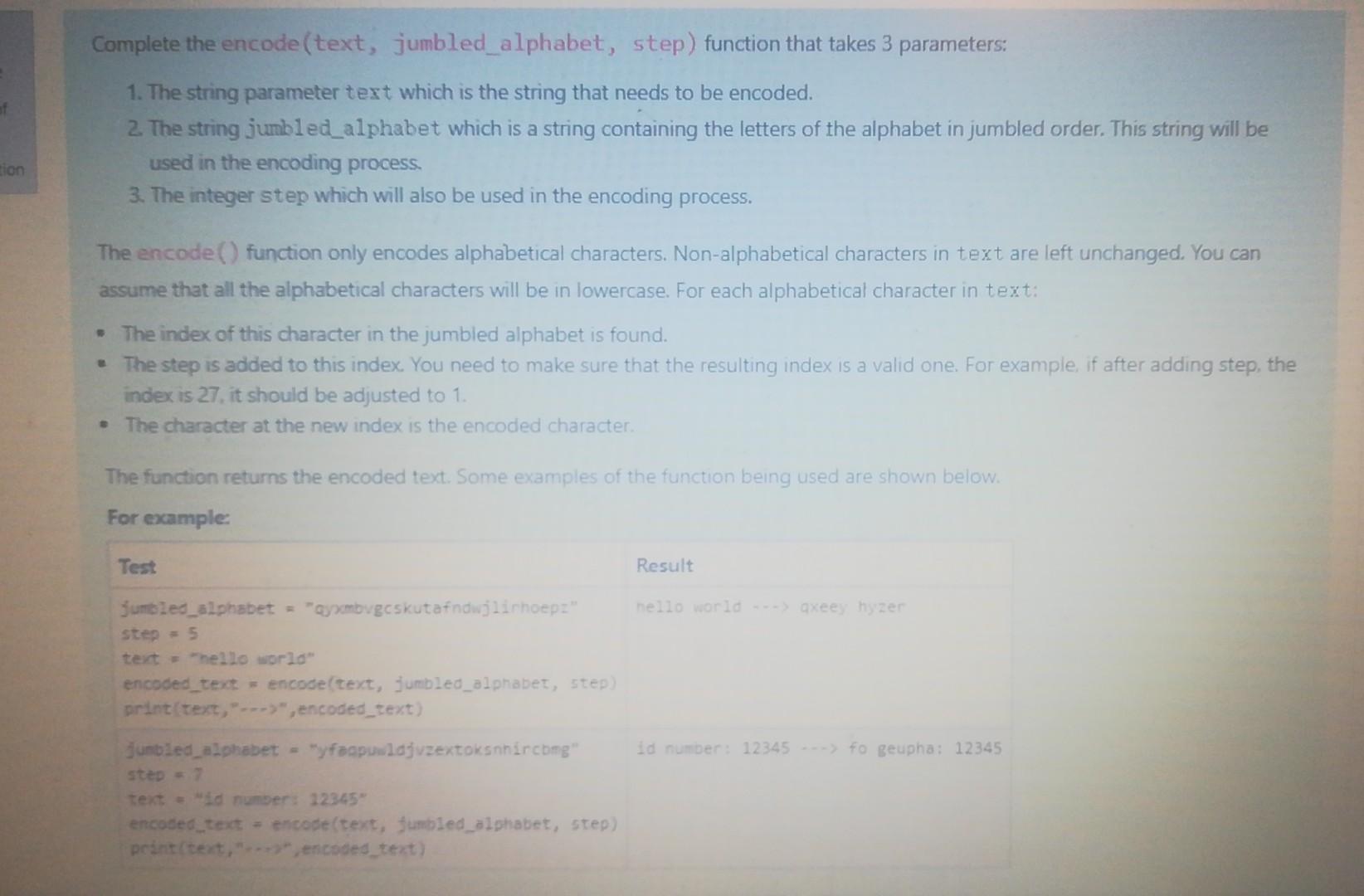
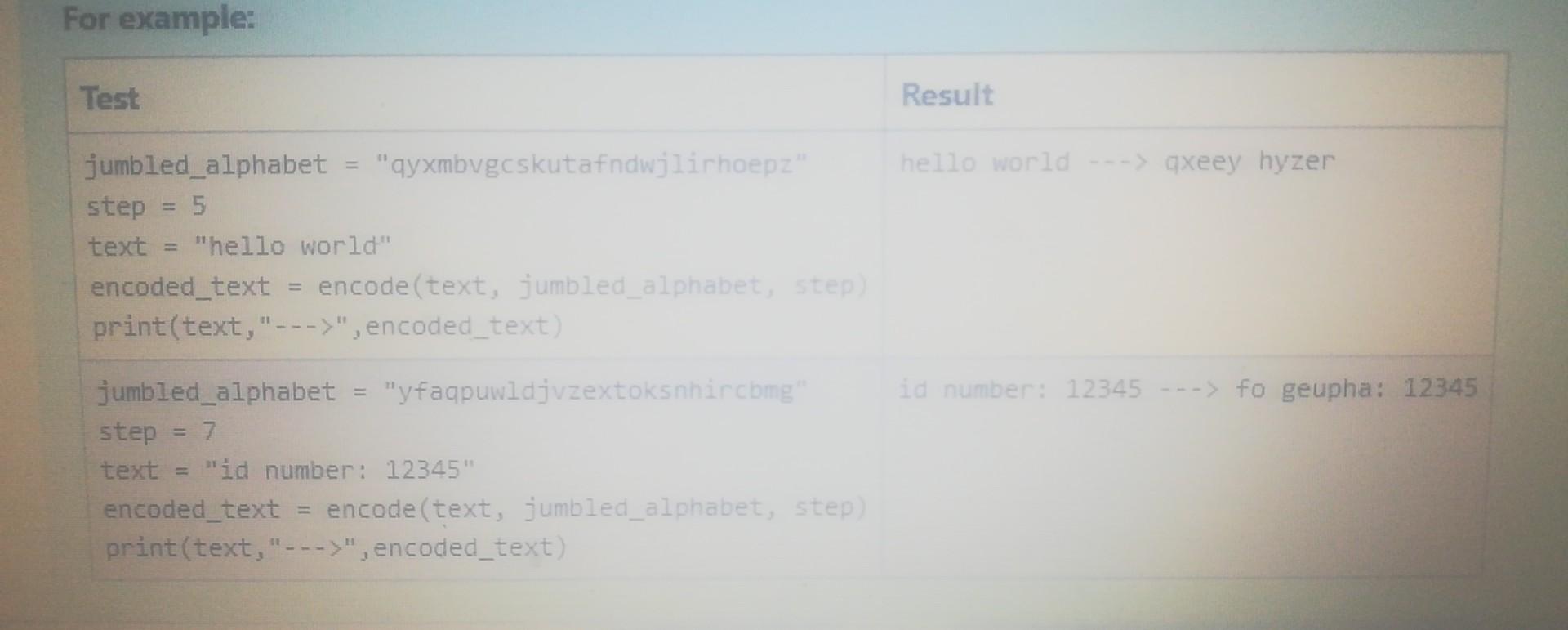
Complete the encode(text, jumbled_alphabet, step) function that takes 3 parameters: 1. The string parameter text which is the string that needs to be encoded. 2. The string jumbled_alphabet which is a string containing the letters of the alphabet in jumbled order. This string will be used in the encoding process. 3. The integer step which will also be used in the encoding process. tion The encode() function only encodes alphabetical characters. Non-alphabetical characters in text are left unchanged. You can assume that all the alphabetical characters will be in lowercase. For each alphabetical character in text: The index of this character in the jumbled alphabet is found. The step is added to this index. You need to make sure that the resulting index is a valid one. For example, if after adding step, the index is 27. it should be adjusted to 1. The character at the new index is the encoded character The function returns the encoded text. Some examples of the function being used are shown below. For example: Test Result nelloorld gxeezer jumbled_alphabet = "ambvgeskutafndwjlichoepz" step = 5 text = hello world" encoded_text= encode(text, Jumbled_alphabet, step) print text,---,encoded_text) id number: 12345 - fo geupha: 12345 dumbled_alphabet - my faapuulajvzextoksnhircomg" step text = "id number: 12345" encoded_text= encode(text, tumbled_alphabet, step) print(text," encoded_text) For example: Test Result hello world ---> qxeey hyzer jumbled_alphabet "qyxmbvgcskutafndwjlirhoepz". step = 5 text "hello world" encoded_text encode(text, jumbled_alphabet. Step) print(text," --->", encoded_text) id number: 12345 ---> fo geupha: 12345 jumbled_alphabet = "yfaqpuwldjvzextoksnhircomgi step text "id number: 12345" encoded_text encode(text, jumbled_alphabet, step) print(text," --->", encoded_text)
Step by Step Solution
There are 3 Steps involved in it

Get step-by-step solutions from verified subject matter experts
 Study Help