







Question: Python In this assignment, you need to develop a system to help the users who watch the movies fluently. This system will give the user
Python
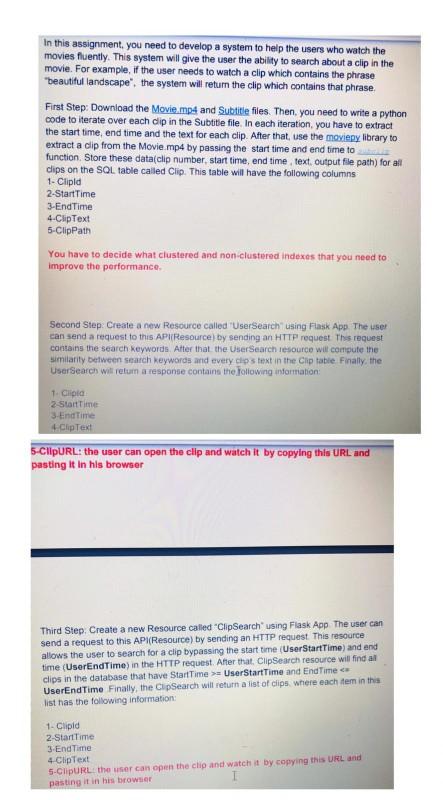
In this assignment, you need to develop a system to help the users who watch the movies fluently. This system will give the user the ability to search about a clip in the movie. For example, if the user needs to watch a clip which contains the phrase *beautiful landscape". the system will return the clip which contains that phrase First Step: Download the Movie.mp4 and Subtitle files. Then, you need to write a python code to iterate over each clip in the Subtitle file. In each iteration, you have to extract the start time, end time and the text for each clip. After that use the moviepy library to extract a clip from the Movie.mp4 by passing the start time and end time to function Store these data clip number, start time, end time text, output filepath) for all clips on the SOL table called Clip. This table will have the following columns 1- Clipla 2-Start Time 3-End Time 4.ClipText 5-ClipPath You have to decide what clustered and non-clustered indexes that you need to improve the performance Second Step: Create a new Resource called "User Search using Flask App. The user can send a request to this AP Resource) by sending an HTTP request. This request contains the search Keywords After that the User Search resource will compute the similarity between search Keywords and every clos text in the Clip table Finally, the User Search will return a response contains the following information: 1.Cipla 2-Start Time 3-EndTime Clip Text 5-CIPURL: the user can open the clip and watch it by copying this URL and pasting it in his browser Third Step. Create a new Resource called "ClipSearch using Flask App The user can send request to this AP (Resource) by sending an HTTP request. This resource allows the user to search for a clip bypassing the start time (UserStartTime) and end time (UserEndTime) in the HTTP request. After that, ClipSearch resource will find all clips in the database that have Start Time >=UserStartTime and End Time UserEnd Time Finally, the ClipSearch will return a list of clips where each item in this list has the following information: 1. Clipid 2-StartTime 3.EndTime 4.ClipText 5-ClipURL: the user can open the clip and watch it by copying this URL and pasting it in his browser In this assignment, you need to develop a system to help the users who watch the movies fluently. This system will give the user the ability to search about a clip in the movie. For example, if the user needs to watch a clip which contains the phrase *beautiful landscape". the system will return the clip which contains that phrase First Step: Download the Movie.mp4 and Subtitle files. Then, you need to write a python code to iterate over each clip in the Subtitle file. In each iteration, you have to extract the start time, end time and the text for each clip. After that use the moviepy library to extract a clip from the Movie.mp4 by passing the start time and end time to function Store these data clip number, start time, end time text, output filepath) for all clips on the SOL table called Clip. This table will have the following columns 1- Clipla 2-Start Time 3-End Time 4.ClipText 5-ClipPath You have to decide what clustered and non-clustered indexes that you need to improve the performance Second Step: Create a new Resource called "User Search using Flask App. The user can send a request to this AP Resource) by sending an HTTP request. This request contains the search Keywords After that the User Search resource will compute the similarity between search Keywords and every clos text in the Clip table Finally, the User Search will return a response contains the following information: 1.Cipla 2-Start Time 3-EndTime Clip Text 5-CIPURL: the user can open the clip and watch it by copying this URL and pasting it in his browser Third Step. Create a new Resource called "ClipSearch using Flask App The user can send request to this AP (Resource) by sending an HTTP request. This resource allows the user to search for a clip bypassing the start time (UserStartTime) and end time (UserEndTime) in the HTTP request. After that, ClipSearch resource will find all clips in the database that have Start Time >=UserStartTime and End Time UserEnd Time Finally, the ClipSearch will return a list of clips where each item in this list has the following information: 1. Clipid 2-StartTime 3.EndTime 4.ClipText 5-ClipURL: the user can open the clip and watch it by copying this URL and pasting it in his browser
Step by Step Solution
There are 3 Steps involved in it

Get step-by-step solutions from verified subject matter experts
 Study Help