







Question: Python Proxy Server Hi all, I am trying to develop a simple proxy server in python. My Python version is2.7.10. To begin with, I need
Python Proxy Server
Hi all,
I am trying to develop a simple proxy server in python. My Python version is2.7.10. To begin with, I need to start the python server with:
python Proxy.py localhost 8888
and then I should directly configure my web browser to use my proxy. I attached my Firefox proxy setting screenshot for your reference. I directly configure my web browser to use my proxy. Attached Firefox proxy setting screenshot for your kind reference. Download my Proxy.py source code via below link :
https://drive.google.com/open?id=1w2kJSemq8v9YHqU3ZeuSgqK1r6xLdUpb
Furthermore, in order to show you how I test my code. I uploaded my Proxy.py testing video into Youtube and Question PDF document for your kind reference.
This is my Proxy.py testing video which is uploaded to Youtube:
https://www.youtube.com/watch?v=2qJihpyO7yY&feature=youtu.be
Document PDF download link:
https://drive.google.com/open?id=1FwOR6ISGCi5wM060pDSOCO4L_PMsZ9qN
I try to use my Web browser with my new custom proxy setting navigate towww.google.com by using Proxy.py at my home, However, it doesn't work because my Web browser cannot loaded both the main web page and all associated files. How to fix it?
Actually, I found that this line of my code is wrong. My question is what is wrong with this line of code.?
response_buffer=originServerFileObj.readlines();
What the problem with this line code might be? How to explain the problem with this line code?
I greatly appreciate your help.
Many thanks!
Regards,
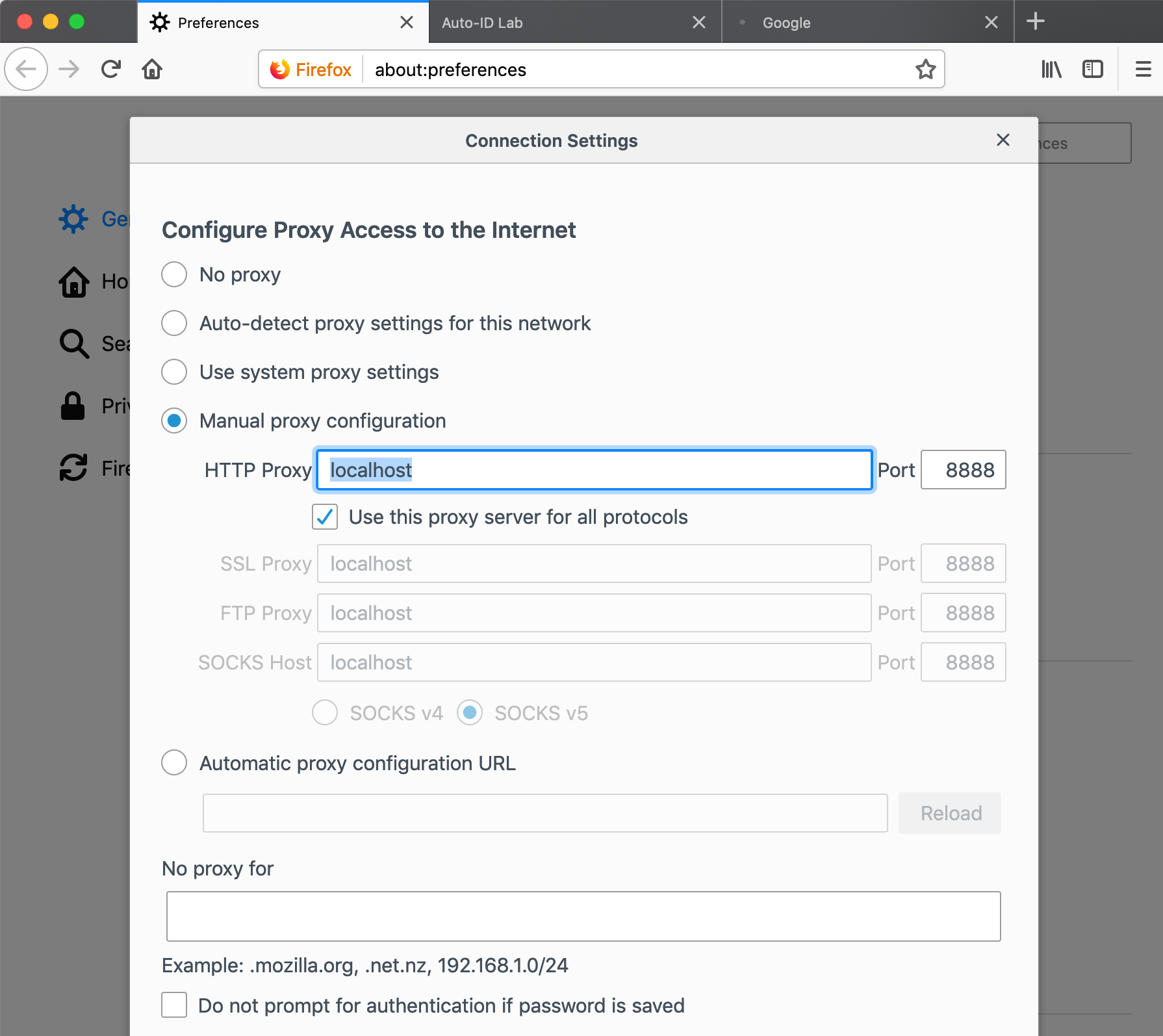
900 * Preferences X Auto _ |0 LELO Good \\ { Firefox\\ about ; preferences I'll ED Connection Settings X ces `OF ( GE Configure Proxy Access to the Internet [ ` HO O No proxy Q se ( Auto- detect proxy settings for this network O Use system proxy settings `` Pri ( ) Manual proxy configuration @ Fir HTTP Proxy\\ localhost \\Port\\ 8888 \\}| Use this proxy server for all protocols SSL Proxy\\ localhost Port\\ 8888 FTP Proxy localhost Port\\\\ 8888) SOCKS Host\\ localhost Port\\ 8888| O SOCKS VA @ ) SOCKS V 5) O Automatic proxy configuration URL* Reload No proxy for Example : " mozilla . org , . net . 12 , 192 .168 . 1. 0 / 24 Do not prompt for authentication if password is saved
Step by Step Solution
There are 3 Steps involved in it

Get step-by-step solutions from verified subject matter experts
 Study Help