







Question: PYTHON:please display code in python Part 1: Determining the Values for a Sine Function Write a Python program that displays and describes the equation for
PYTHON:please display code in python
Part 1: Determining the Values for a Sine Function
Write a Python program that displays and describes the equation for plotting the sine function, then prompts the user for the values A, B, C and D to be used in the calculation. Your program should then compute and display the values for Amplitude, Range, Frequency, Phase and Offset.
Example input/output for part 1:
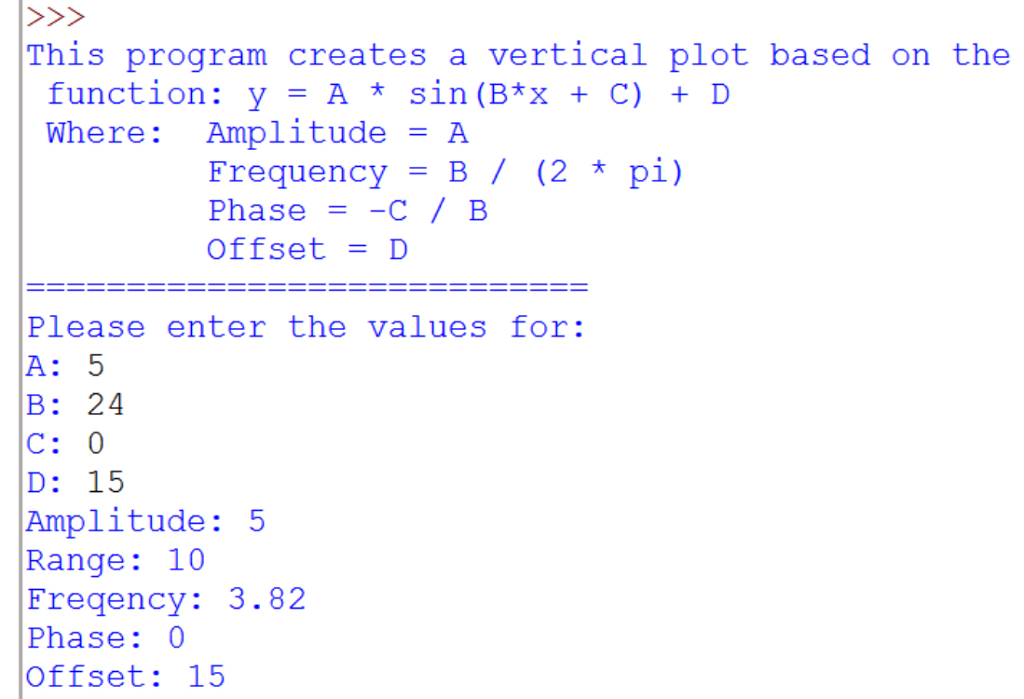
Part 2: Displaying a Vertical Plot Header
Modify your Python program so that it displays the low, mid and high point values for our periodic function and a double-line border. (HINT: Print a series of = characters to create the border.) Your range values will determine the length of the border.
Example input/output for part 2:
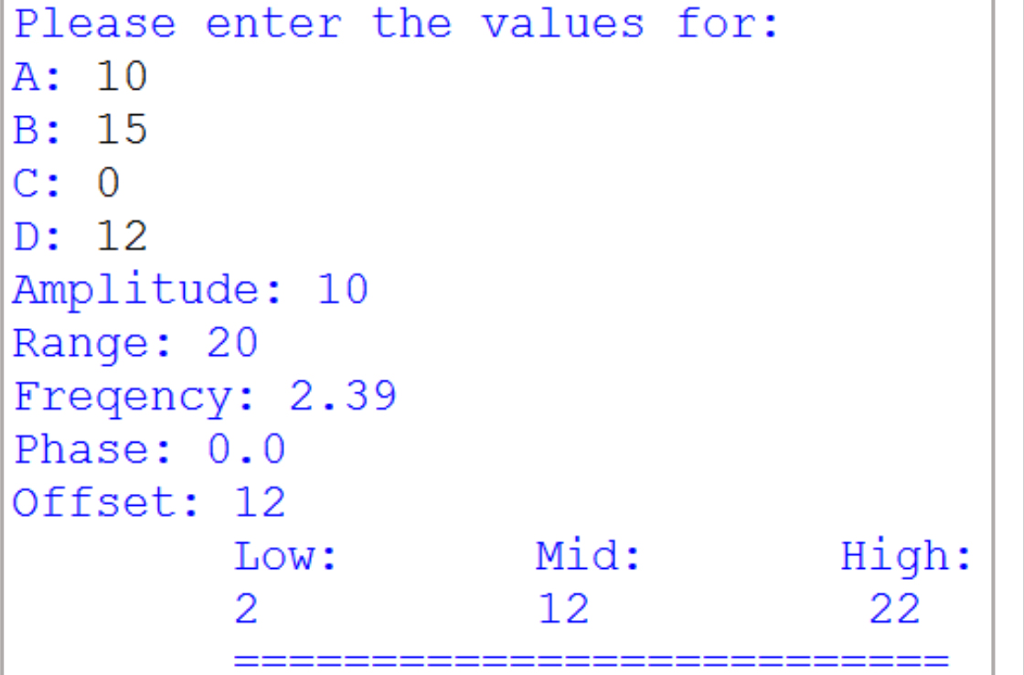
Part 3: Display a Vertical, Text-Based Plot
Modify your Python program so that it calculates the correct result (y) for all values (x) starting with 0 up to and including 45. Below the header you displayed in Part 2, print each value (x), then a series of spaces taking into account the lowest value in your range and the calculated result (y), then finally an asterisk character (*). NOTE: The sin() function expects values in radians. For example, if the low value in your range (calculated in Part 2) was 1, the value for x=10 and the result of the formula was y=3, your program would display: 10 * (ie: 10
Example input / Output for Part 3 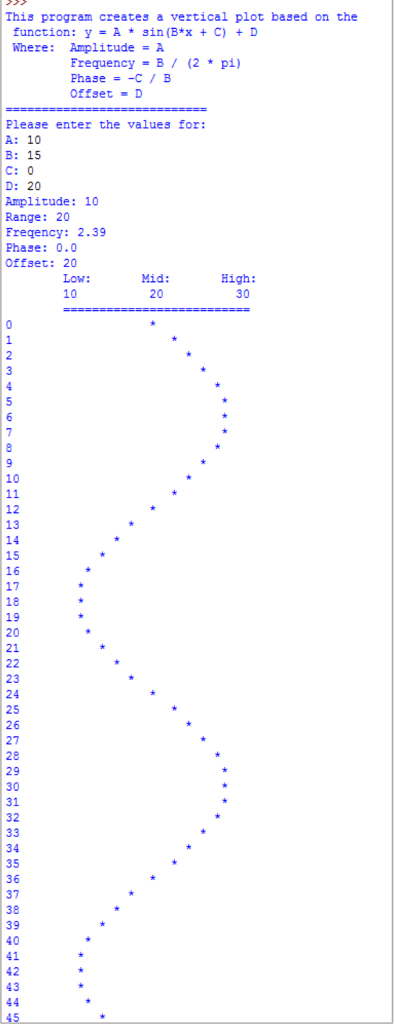
This program creates a vertical plot based on the function y A sin (B x C) D Where: Amplitude A Frequency B (2 pi) Phase -C B Offset D Please enter the values for: A 5 B 24 D 15 Amplitude 5 Range 10 Freqency: 3.82 Phase 0 Offset 15
Step by Step Solution
There are 3 Steps involved in it

Get step-by-step solutions from verified subject matter experts
 Study Help