







Question: Q 1 . In Matlab open a new script by selecting New Script from the Home Menu: The following new window should open up This
Q In Matlab" open a new script by selecting "New Script" from the Home Menu:
The following new window should open up
This is a Matlab script file, which is akin to a text file, and it is where you will from now on write your code. The beauty of a script file is that it will allow execute multiple lines of code automatically in sequence and is much more useful that the linebyline Command Line method employed so far especially when one needs to perform more complex tasks
Note, that the file is untitled, so you should always save it once you start writing your code here. So first things first and save your file
Always follow the naming convention rules mentioned many times in class. Start with a letter, no spaces, no strange characters, less than characters. For more details see here.
Let's name this one : labqm
chenlabexercisesmatlab
chenLaboratory #
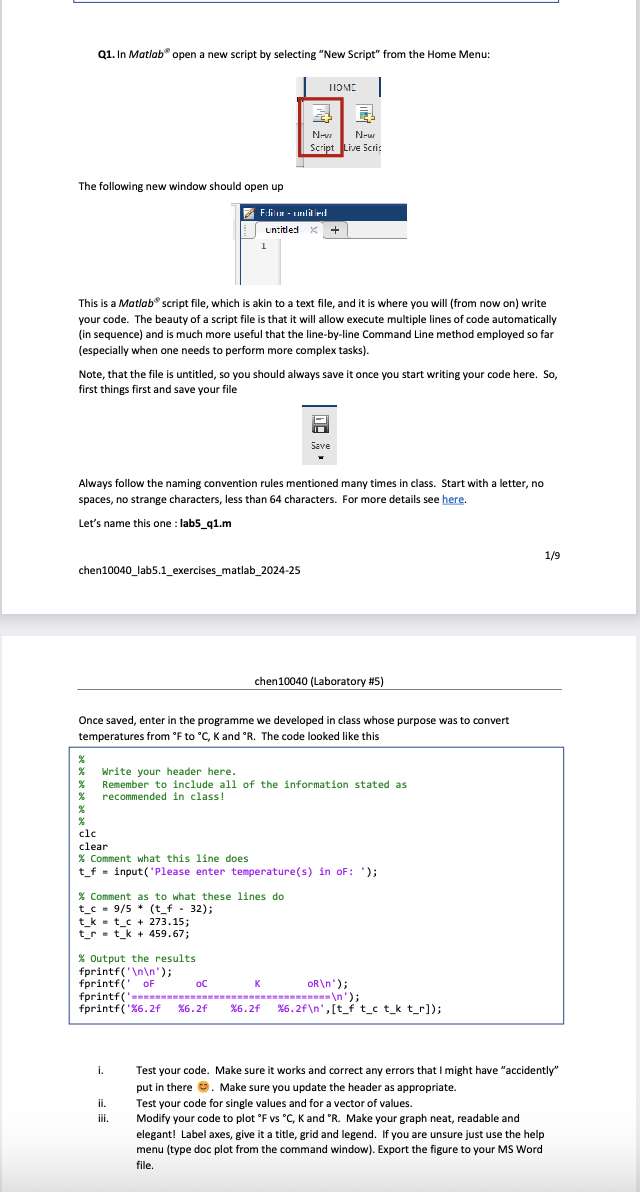
Once saved, enter in the programme we developed in class whose purpose was to convert temperatures from to and The code looked like thisi. Test your code. Make sure it works and correct any errors that I might have "accidently" put in there Make sure you update the header as appropriate.ii Test your code for single values and for a vector of values.iii. Modify your code to plot @F vs @C K and @R Make your graph neat, readable and elegant! Label axes, give it a title, grid and legend. If you are unsure just use the help menu type doc plot from the command window Export the figure to your MS Word file.
Step by Step Solution
There are 3 Steps involved in it
1 Expert Approved Answer
Step: 1 Unlock

Question Has Been Solved by an Expert!
Get step-by-step solutions from verified subject matter experts
Step: 2 Unlock
Step: 3 Unlock
 Study Help