Question: A= 7 B =0 C= 0 D=7 1A) Open a new script (top left button in Home menu) and type your name and student ID
A= 7 B =0 C= 0 D=7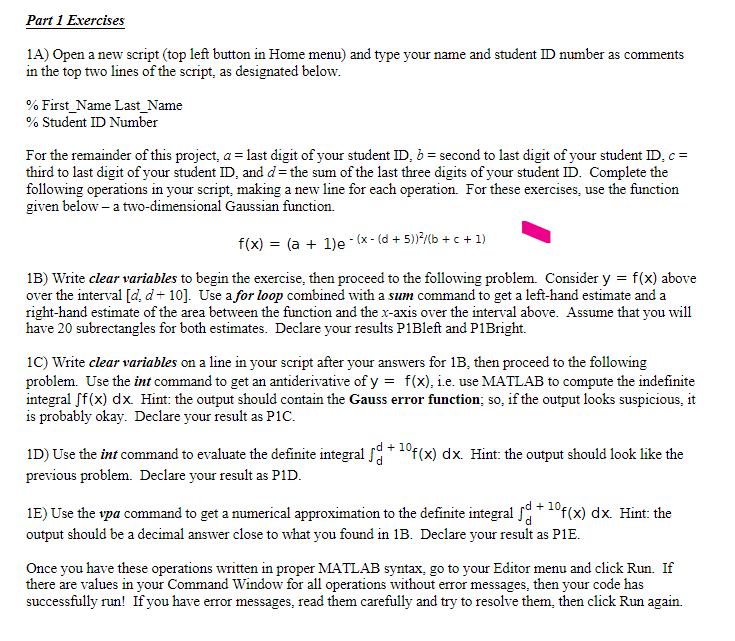
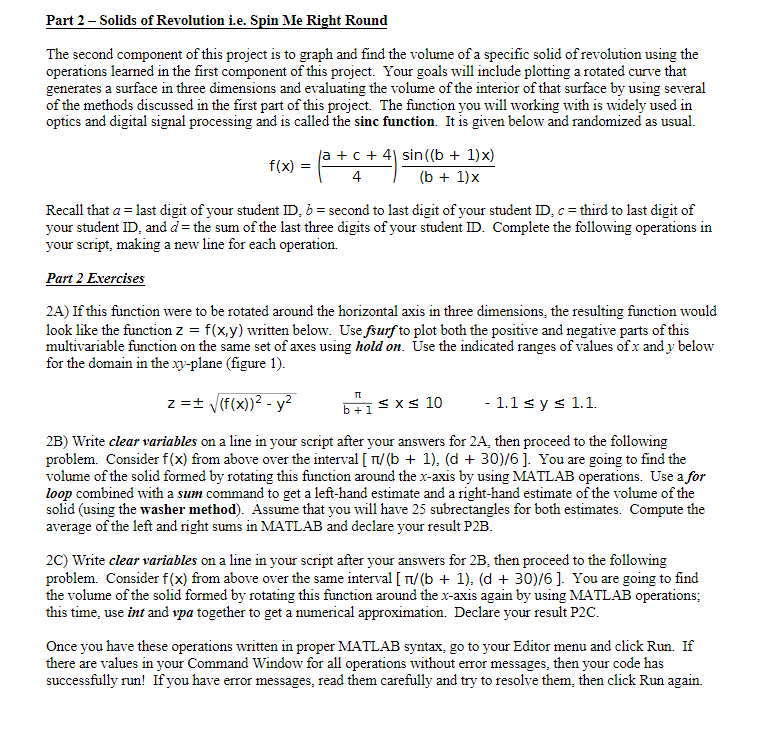
1A) Open a new script (top left button in Home menu) and type your name and student ID number as comments in the top two lines of the script, as designated below. \% First_Name Last_Name % Student ID Number For the remainder of this project, a= last digit of your student ID,b= second to last digit of your student ID,c= third to last digit of your student ID, and d= the sum of the last three digits of your student ID. Complete the following operations in your script, making a new line for each operation. For these exercises, use the function given below - a two-dimensional Gaussian function. f(x)=(a+1)e(x(d+5))2/(b+c+1) 1B) Write clear variables to begin the exercise, then proceed to the following problem. Consider y=f(x) above over the interval [d,d+10]. Use a for loop combined with a sum command to get a left-hand estimate and a right-hand estimate of the area between the function and the x-axis over the interval above. Assume that you will have 20 subrectangles for both estimates. Declare your results P1Bleft and P1Bright. 1C) Write clear variables on a line in your script after your answers for 1B, then proceed to the following problem. Use the int command to get an antiderivative of y=f(x), i.e. use MATLAB to compute the indefinite integral f(x)dx. Hint: the output should contain the Gauss error function; so, if the output looks suspicious, it is probably okay. Declare your result as P1C. 1D) Use the int command to evaluate the definite integral dd+10f(x)dx. Hint: the output should look like the previous problem. Declare your result as P1D. 1E) Use the vpa command to get a numerical approximation to the definite integral dd+10f(x)dx. Hint: the output should be a decimal answer close to what you found in 1B. Declare your result as P1E. The second component of this project is to graph and find the volume of a specific solid of revolution using the operations learned in the first component of this project. Your goals will include plotting a rotated curve that generates a surface in three dimensions and evaluating the volume of the interior of that surface by using several of the methods discussed in the first part of this project. The function you will working with is widely used in optics and digital signal processing and is called the sinc function. It is given below and randomized as usual. f(x)=(4a+c+4)(b+1)xsin((b+1)x) Recall that a= last digit of your student ID,b= second to last digit of your student ID,c= third to last digit of your student ID, and d= the sum of the last three digits of your student ID. Complete the following operations in your script, making a new line for each operation. Part 2 Exercises 2A) If this function were to be rotated around the horizontal axis in three dimensions, the resulting function would look like the function z=f(x,y) written below. Use f surf to plot both the positive and negative parts of this multivariable function on the same set of axes using hold on. Use the indicated ranges of values of x and y below for the domain in the xy-plane (figure 1). z=(f(x))2y2b+1x101.1y1.1 2B) Write clear variables on a line in your script after your answers for 2A, then proceed to the following problem. Consider f(x) from above over the interval [/(b+1), (d +30)/6]. You are going to find the volume of the solid formed by rotating this function around the x-axis by using MATLAB operations. Use a for loop combined with a sum command to get a left-hand estimate and a right-hand estimate of the volume of the solid (using the washer method). Assume that you will have 25 subrectangles for both estimates. Compute the average of the left and right sums in MATLAB and declare your result P2B. 2C) Write clear variables on a line in your script after your answers for 2B, then proceed to the following problem. Consider f(x) from above over the same interval [/(b+1),(d+30)/6]. You are going to find the volume of the solid formed by rotating this function around the x-axis again by using MATLAB operations; this time, use int and vpa together to get a numerical approximation. Declare your result P2C. Once you have these operations written in proper MATLAB syntax, go to your Editor menu and click Run. If there are values in your Command Window for all operations without error messages, then your code has successfully run! If you have error messages, read them carefully and try to resolve them, then click Run again









 Study Help