







Question: Q1: Implement the 'Gaussian Blur algorithm for smoothing (filtering noise) in MATLAB/C++/Python/Java, test and compare the results. Here is the step by step procedure. (Create
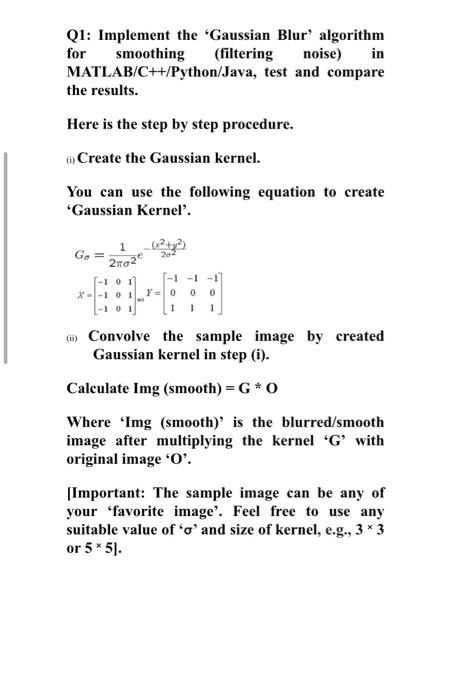
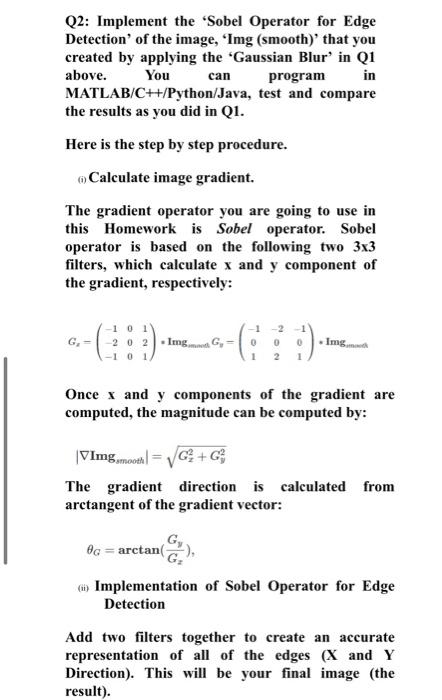
Q1: Implement the 'Gaussian Blur algorithm for smoothing (filtering noise) in MATLAB/C++/Python/Java, test and compare the results. Here is the step by step procedure. (Create the Gaussian kernel. You can use the following equation to create 'Gaussian Kernel'. 202 1 G. = 2002 f-101 x--101 --1-1 Y=0 0 1 0 () Convolve the sample image by created Gaussian kernel in step (i). Calculate Img (smooth)=G* O Where 'Img (smooth)' is the blurred/smooth image after multiplying the kernel 'G' with original image '0'. [Important: The sample image can be any of your 'favorite image'. Feel free to use any suitable value of 'o' and size of kernel, e.g., 3* 3 or 5*5). Q2: Implement the "Sobel Operator for Edge Detection of the image, 'Img (smooth) that you created by applying the 'Gaussian Blur' in Q1 above. You can program in MATLAB/C++/Python/Java, test and compare the results as you did in Q1. Here is the step by step procedure. Calculate image gradient. The gradient operator you are going to use in this Homework is Sobel operator. Sobel operator is based on the following two 3x3 filters, which calculate x and y component of the gradient, respectively: -101 G. - 2 0 2 ImgG, -1-2 0 0 2 Img. Once x and y components of the gradient are computed, the magnitude can be computed by: VImgsmoon = G+G3 The gradient direction is calculated from arctangent of the gradient vector: 0g = arctan m) Implementation of Sobel Operator for Edge Detection Add two filters together to create an accurate representation of all of the edges (X and Y Direction). This will be your final image (the result)
Step by Step Solution
There are 3 Steps involved in it

Get step-by-step solutions from verified subject matter experts
 Study Help