







Question: Ques-2 Database Programming with PL/SQL 5-4: Cursors with Parameters Practice Activities Vocabulary No new vocabulary for this lesson Try It / Solve It 1. Describe
Ques-2
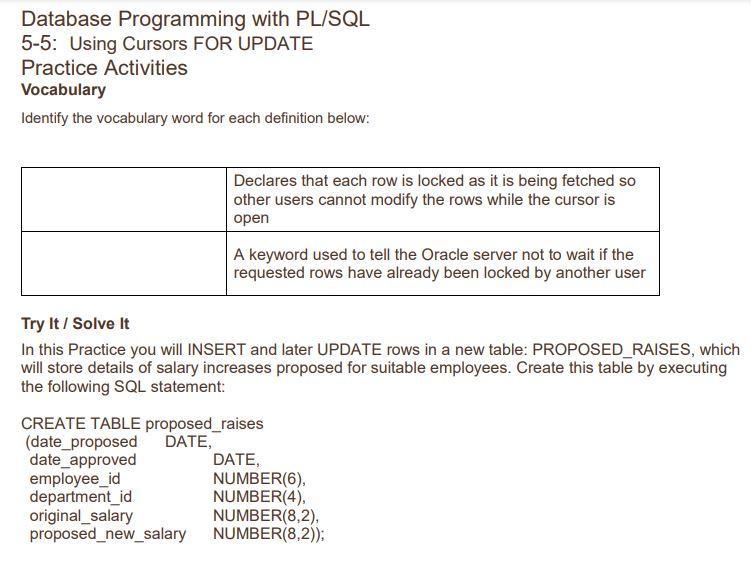
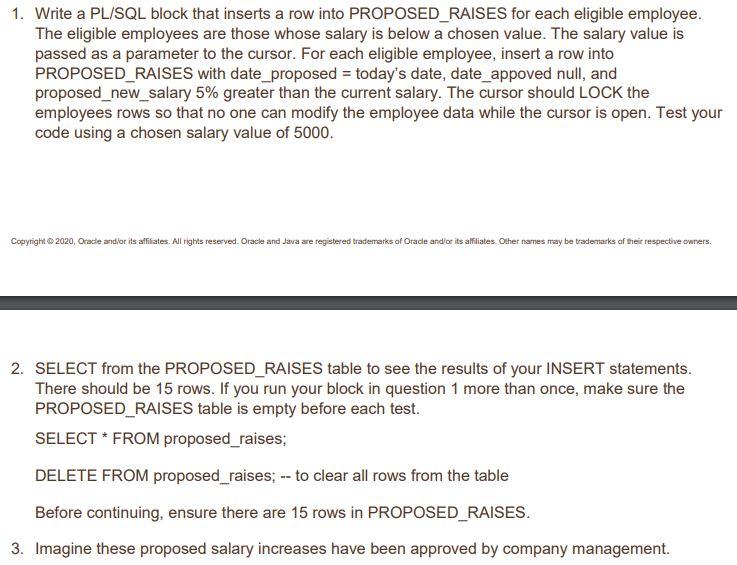
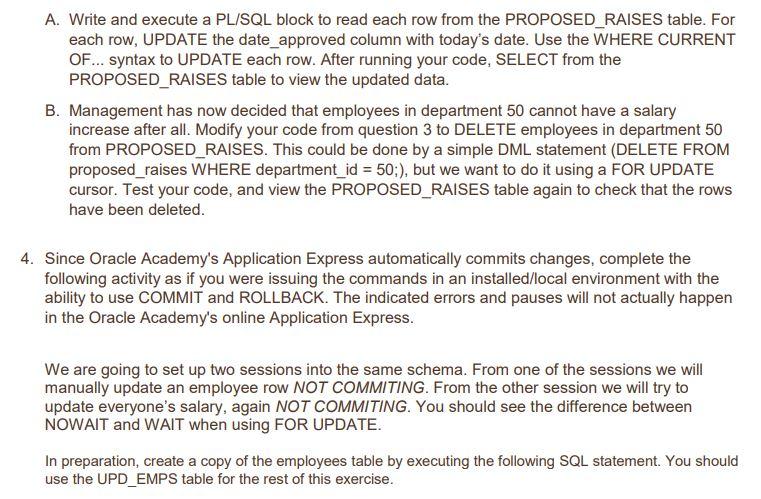
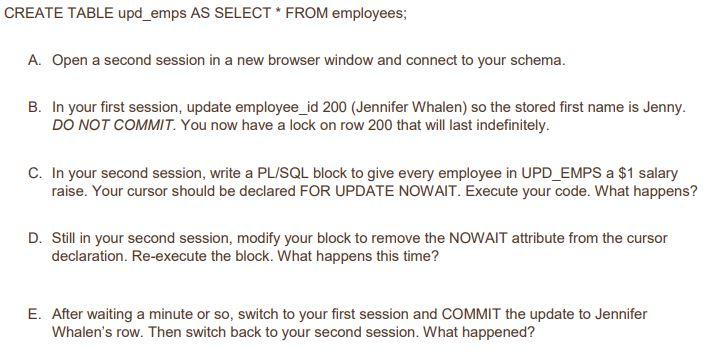
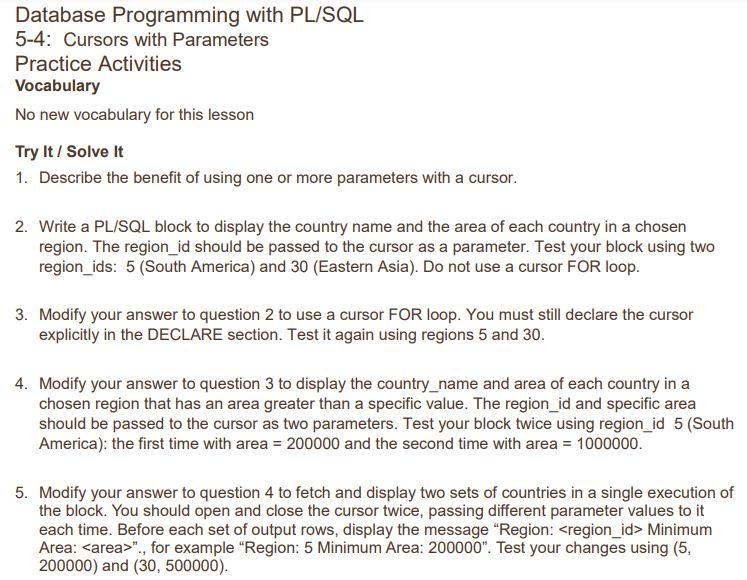
Database Programming with PL/SQL 5-4: Cursors with Parameters Practice Activities Vocabulary No new vocabulary for this lesson Try It / Solve It 1. Describe the benefit of using one or more parameters with a cursor. 2. Write a PL/SQL block to display the country name and the area of each country in a chosen region. The region_id should be passed to the cursor as a parameter. Test your block using two region_ids: 5 (South America) and 30 (Eastern Asia). Do not use a cursor FOR loop. 3. Modify your answer to question 2 to use a cursor FOR loop. You must still declare the cursor explicitly in the DECLARE section. Test it again using regions 5 and 30. 4. Modify your answer to question 3 to display the country_name and area of each country in a chosen region that has an area greater than a specific value. The region_id and specific area should be passed to the cursor as two parameters. Test your block twice using region_id 5 (South America): the first time with area =200000 and the second time with area =1000000. 5. Modify your answer to question 4 to fetch and display two sets of countries in a single execution of the block. You should open and close the cursor twice, passing different parameter values to it each time. Before each set of output rows, display the message "Region: Minimum Area: "., for example "Region: 5 Minimum Area: 200000 ". Test your changes using (5, 200000) and (30,500000). Database Programming with PL/SQL 5-5: Using Cursors FOR UPDATE Practice Activities Vocabulary Identify the vocabulary word for each definition below: Try It / Solve it In this Practice you will INSERT and later UPDATE rows in a new table: PROPOSED_RAISES, which will store details of salary increases proposed for suitable employees. Create this table by executing the following SQL statement: CREATE TABLE proposed_raises (date_proposed DATE, date_approved DATE, employee_id NUMBER(6), department_id NUMBER(4), \( \begin{array}{ll}\text { original_salary } & \text { NUMBER(8,2), } \\ \text { proposed_new_salary } & \operatorname{NUMBER}(8,2))\end{array} \) 1. Write a PL/SQL block that inserts a row into PROPOSED_RAISES for each eligible employee. The eligible employees are those whose salary is below a chosen value. The salary value is passed as a parameter to the cursor. For each eligible employee, insert a row into PROPOSED_RAISES with date_proposed = today's date, date_appoved null, and proposed_new_salary 5% greater than the current salary. The cursor should LOCK the employees rows so that no one can modify the employee data while the cursor is open. Test your code using a chosen salary value of 5000 . Copynight \& 2020, Orade andior its affilates. All rights reserved. Oracle and Java see registered trademarks of Oracle andior its affiliates. Other names may be trademarks of their respective ewners. 2. SELECT from the PROPOSED_RAISES table to see the results of your INSERT statements. There should be 15 rows. If you run your block in question 1 more than once, make sure the PROPOSED_RAISES table is empty before each test. SELECT * FROM proposed_raises; DELETE FROM proposed_raises; - to clear all rows from the table Before continuing, ensure there are 15 rows in PROPOSED_RAISES. 3. Imagine these proposed salary increases have been approved by company management. A. Write and execute a PL/SQL block to read each row from the PROPOSED_RAISES table. For each row, UPDATE the date_approved column with today's date. Use the WHERE CURRENT OF... syntax to UPDATE each row. After running your code, SELECT from the PROPOSED_RAISES table to view the updated data. B. Management has now decided that employees in department 50 cannot have a salary increase after all. Modify your code from question 3 to DELETE employees in department 50 from PROPOSED_RAISES. This could be done by a simple DML statement (DELETE FROM proposed_raises WHERE department_ id =50; ), but we want to do it using a FOR UPDATE cursor. Test your code, and view the PROPOSED_RAISES table again to check that the rows have been deleted. Since Oracle Academy's Application Express automatically commits changes, complete the following activity as if you were issuing the commands in an installed/local environment with the ability to use COMMIT and ROLLBACK. The indicated errors and pauses will not actually happen in the Oracle Academy's online Application Express. We are going to set up two sessions into the same schema. From one of the sessions we will manually update an employee row NOT COMMITING. From the other session we will try to update everyone's salary, again NOT COMMITING. You should see the difference between NOWAIT and WAIT when using FOR UPDATE. In preparation, create a copy of the employees table by executing the following SQL statement. You should use the UPD_EMPS table for the rest of this exercise. CREATE TABLE upd_emps AS SELECT * FROM employees; A. Open a second session in a new browser window and connect to your schema. B. In your first session, update employee_id 200 (Jennifer Whalen) so the stored first name is Jenny. DO NOT COMMIT. You now have a lock on row 200 that will last indefinitely. C. In your second session, write a PL/SQL block to give every employee in UPD_EMPS a $1 salary raise. Your cursor should be declared FOR UPDATE NOWAIT. Execute your code. What happens? D. Still in your second session, modify your block to remove the NOWAIT attribute from the cursor declaration. Re-execute the block. What happens this time? E. After waiting a minute or so, switch to your first session and COMMIT the update to Jennifer Whalen's row. Then switch back to your second session. What happened
Step by Step Solution
There are 3 Steps involved in it

Get step-by-step solutions from verified subject matter experts
 Study Help