







Question: Question 1 (1 point) Saved Creating a CSS overlay that shades an image grey when moving the mouse over the image, requires you to create
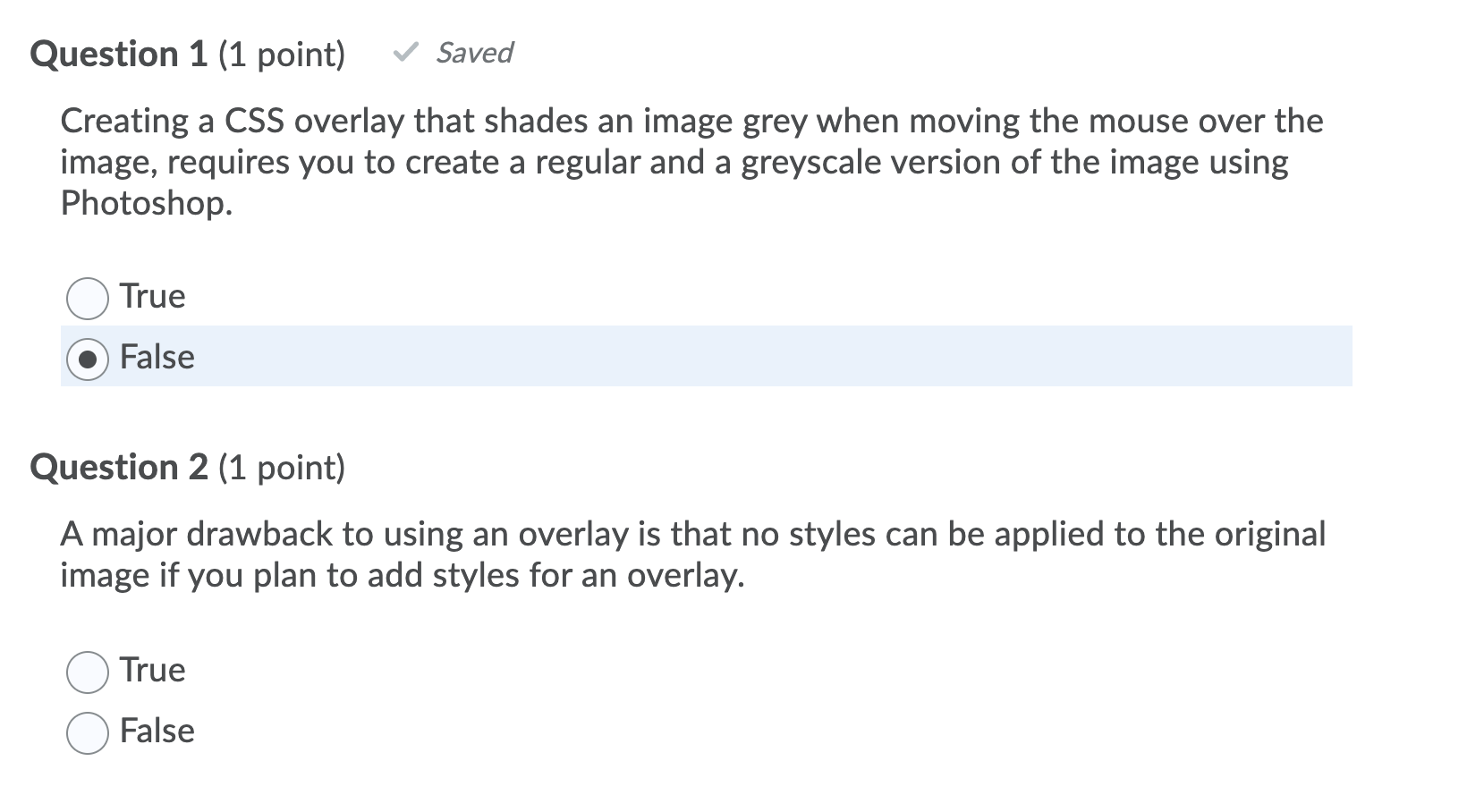
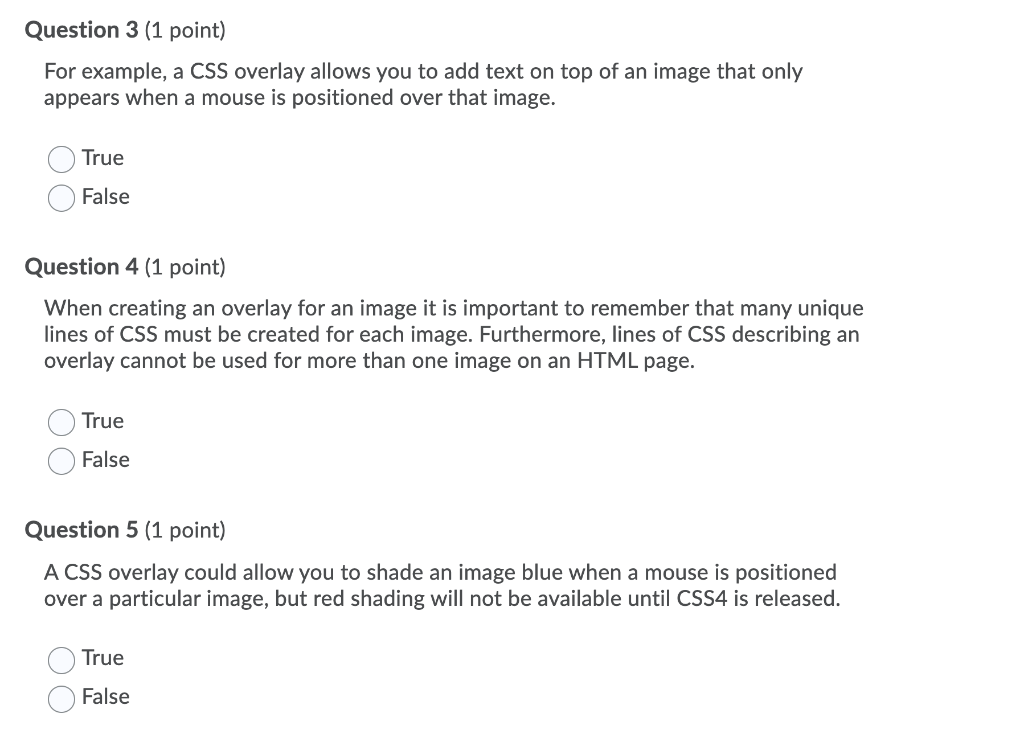
Question 1 (1 point) Saved Creating a CSS overlay that shades an image grey when moving the mouse over the image, requires you to create a regular and a greyscale version of the image using Photoshop. True False Question 2 (1 point) A major drawback to using an overlay is that no styles can be applied to the original image if you plan to add styles for an overlay. True False Question 3 (1 point) For example, a CSS overlay allows you to add text on top of an image that only appears when a mouse is positioned over that image. True False Question 4 (1 point) When creating an overlay for an image it is important to remember that many unique lines of CSS must be created for each image. Furthermore, lines of CSS describing an overlay cannot be used for more than one image on an HTML page. True False Question 5 (1 point) A CSS overlay could allow you to shade an image blue when a mouse is positioned over a particular image, but red shading will not be available until CSS4 is released. True False
Step by Step Solution
There are 3 Steps involved in it

Get step-by-step solutions from verified subject matter experts
 Study Help