







Question: question 1 : code in c# The btn _ Compute _ Click method takes GNP and population values from text boxes and computes Per Capita
question : code in c#
The btnComputeClick method takes GNP and population values from text boxes and computes Per Capita income using the following code.
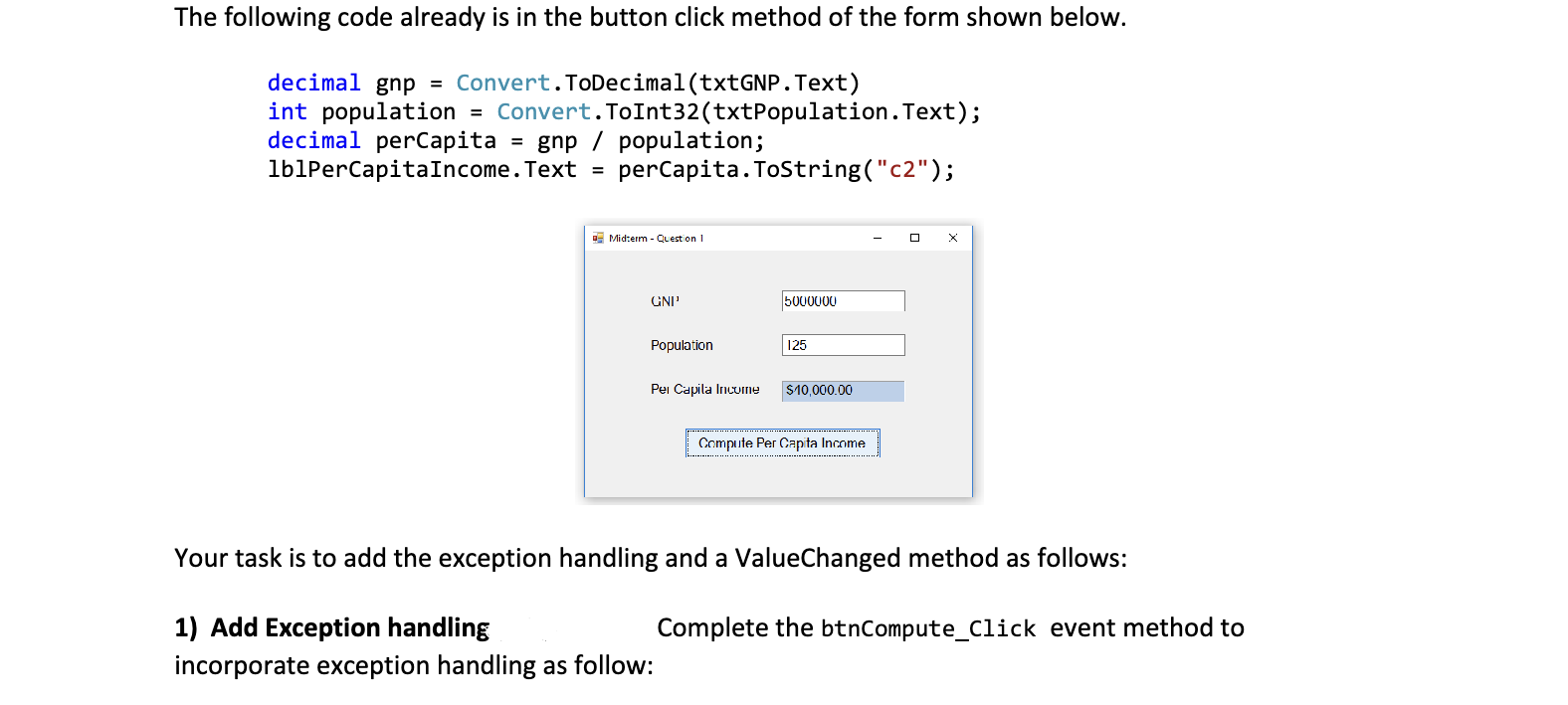
The following code already is in the button click method of the form shown below.
decimal gnp Convert.ToDecimaltxtGNPText
int population Convert.ToInttxtPopulationText;
decimal perCapita gnp population;
lblPerCapitaIncome.Text perCapita.ToStringc;
Your task is to add the exception handling and a ValueChanged method as follows:
Add Exception handling: Complete the btnComputeClick event method to
incorporate exception handling as follow:
Place all the statements in the current btnComputeClick method in the try block of a try statement
Provide two catch blocks following the try block that each have an exception parameter called ex
A One of the catch blocks catches the DivideByZeroException, and outputs the text shown in the
message box on the left. This exception will occur if the user enters a population of zero
B The other catch block catches the generic "Exception" class. Place the name getType of the
Exception class in the messagebox title. The message box message shows exMessage. The
message on the right occurred after entering an invalid value in one of the text boxes.
ValueChanged Method:
Add an event handling method called ValueChanged and wire it to the TextChanged event of the txtGNP
textbox and the txtPopulation textbox so that whenever the user changes the value in either textbox,
the value shown in the IbIPerCapitalncome label is set to String.Empty or The statement that sets
the text property of IbIPerCapitalncome must be in the ValueChanged method.
question : code in c#
question uses a text box and buttons as shown below to enter and display hours worked during one day.
Declare a global variable for the form as follows: hoursWorked a list of decimal values
Complete the btnAddClick method as follows
Convert the value in the textbox to a "dailyHours" decimal value.
If the dailyHours value is greater than zero and less than or equal to add the value to the
hoursWorked list there are only hours in a day!
If the dailyHours value is outside the range of acceptable values, output a messagebox
informing the user as is shown in the screenshot above on the right.
Update the value shown in the lblCount label to show how many values are now in the list.
Complete the btnDisplayClick method as follows
Display all values in the list on a separate line using a Messagebox as shown in the above
screenshot on the left. Each value is shown on a separate line.
The Messagebox will have a title
Also output the total hours worked the sum of all hours values in the list.
Complete the btnRemoveClick method as follows
Attempt to remove a value in the list that has the same value as what is shown in the
textbox
a If the value is removed, display an appropriate message in a messagebox
b If the value isn't removed, display an appropriate message in a messagebox.
c Update the value shown in the lblCount label to show how many values are now in the list
Step by Step Solution
There are 3 Steps involved in it
1 Expert Approved Answer
Step: 1 Unlock

Question Has Been Solved by an Expert!
Get step-by-step solutions from verified subject matter experts
Step: 2 Unlock
Step: 3 Unlock
 Study Help