







Question: This is to be written in C#. The btnCompute_Click method takes GNP and population values from text boxes and computes Per Capita Income using the
This is to be written in C#.
The btnCompute_Click method takes GNP and population values from text boxes and computes Per Capita Income using the following code. The following code already is in the button click method of the form shown below. decimal gnp = Convert.ToDecimal(txtGNP.Text) int population = Convert.ToInt32(txtPopulation.Text); decimal perCapita = gnp / population; lblPerCapitaIncome.Text = perCapita.ToString("c2");
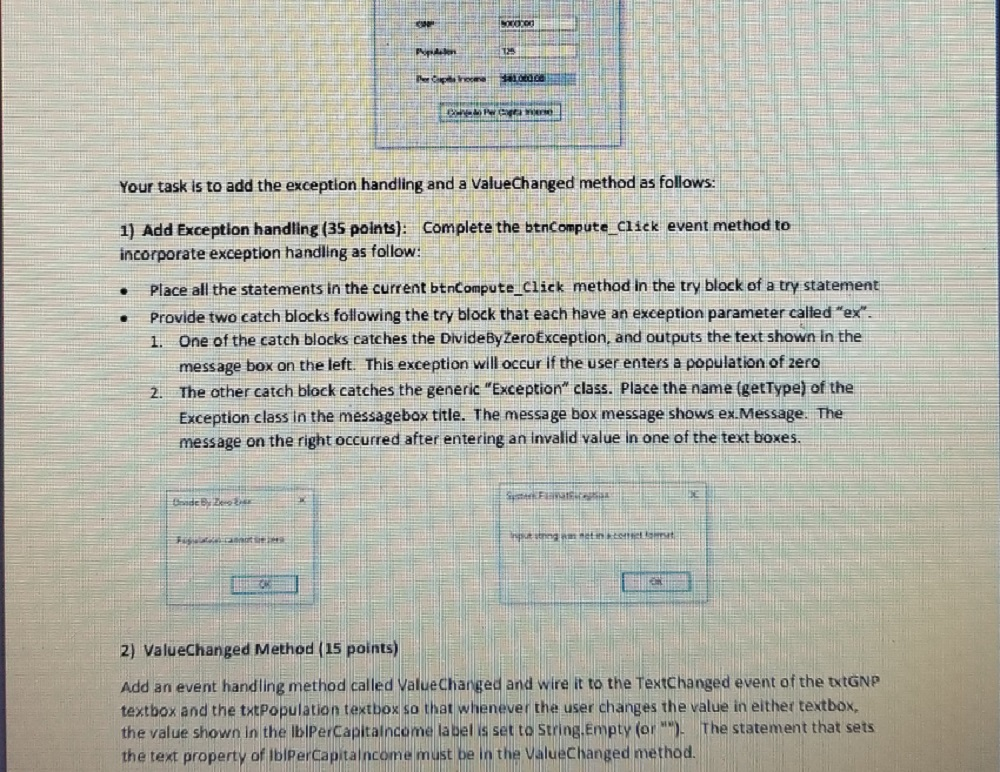
Your task is to add the exception handling and a ValueChanged method as follows 1) Add Exception handling (35 points): Complete the btnCompute click event method to incorporate exception handling as follow: . Place all the statements in the current btncompute Click method in the try block of a try statement Provide two catch blocks following the try block that each have an exception parameter called "ex 1. One of the catch blocks catches the DivideBy ZeroException, and outputs the text shown in the message box on the left. This exception will occur if the user enters a population of zero The other catch block catches the generic "Exception" class. Place the name (getType) of the Exception class in the messagebox title. The message box message shows ex.Message. The message on the right occurred after entering an invalid value in one of the text boxes 2. 2) ValueChanged Method (15 points) Add an event handling method called ValueChanged and wire it to the TextChanged event of the txtGNP textbox and the thtpopulation textbox so that whenever the user changes the value in either textbox the value shown in the lIblPerCapitalncome la bel is set to String.Empty (or) The statement that sets the text property of IbiperCapitaincome mu the ValueChanged method
Step by Step Solution
There are 3 Steps involved in it

Get step-by-step solutions from verified subject matter experts
 Study Help