





Question: Question 22 (1 point) 22) Understanding command Is Enter the following commands, one at a time, and note the output in your terminal. Is /bin/ls
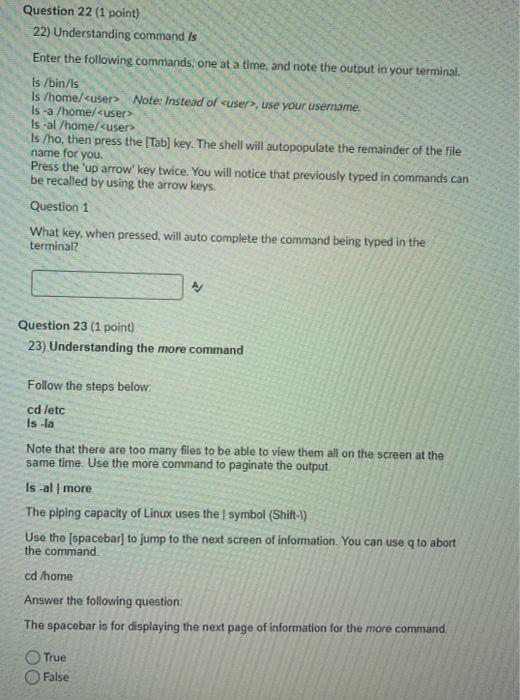
 Question 22 (1 point) 22) Understanding command Is Enter the following
commands, one at a time, and note the output in your terminal.
Is /bin/ls is /home/ is /ho, then press the [Tab) key. The
shell will autopopulate the remainder of the file name for you Press

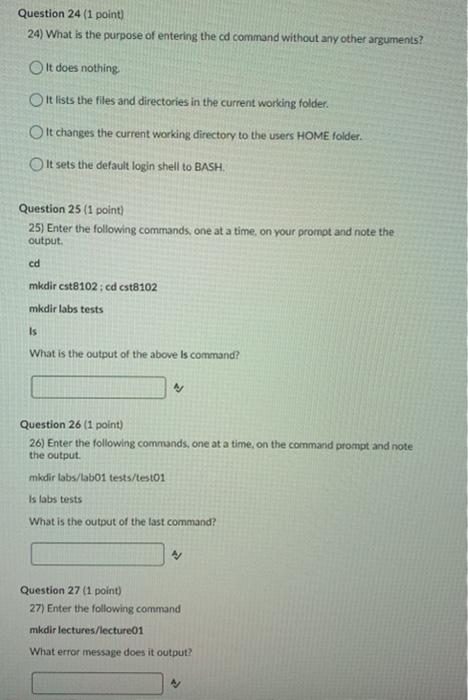
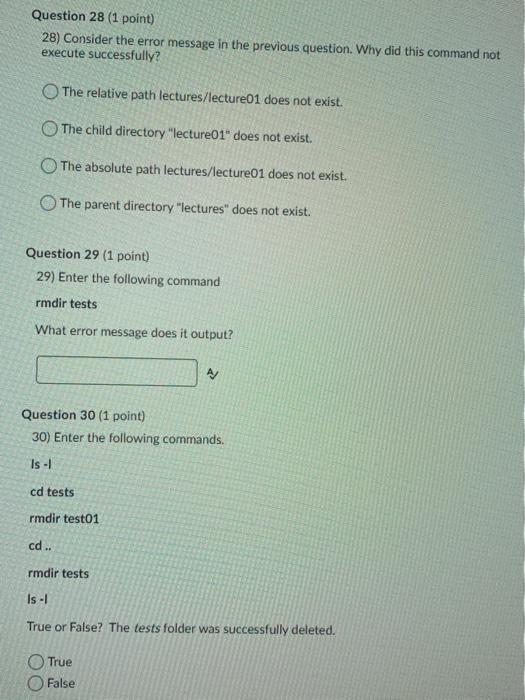
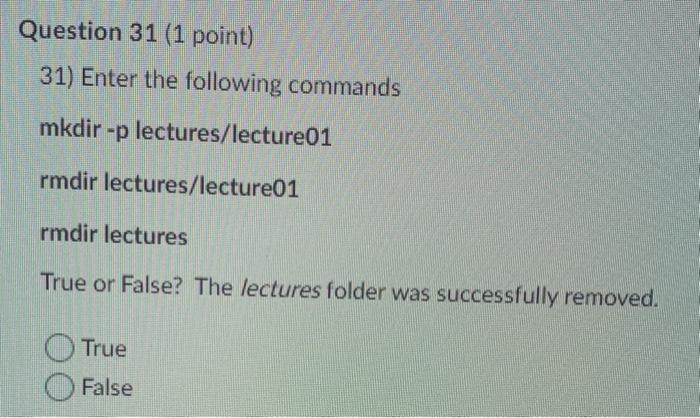
Question 22 (1 point) 22) Understanding command Is Enter the following commands, one at a time, and note the output in your terminal. Is /bin/ls is /home/ is /ho, then press the [Tab) key. The shell will autopopulate the remainder of the file name for you Press the 'up arrow key twice. You will notice that previously typed in commands can be recalled by using the arrow keys. Question 1 What key, when pressed, will auto complete the command being typed in the terminal? Question 23 (1 point) 23) Understanding the more command Follow the steps below cd letc Is-la Note that there are too many files to be able to view them all on the screen at the same time. Use the more command to paginate the output Is -al more The piping capacity of Linux uses the symbol (Shift-1) Use the [spacebar] to jump to the next screen of information. You can use q to abort the command cd /home Answer the following question: The spacebar is for displaying the next page of information for the more command True False Question 24 (1 point) 24) What is the purpose of entering the cd command without any other arguments? It does nothing It lists the files and directories in the current working folder. It changes the current working directory to the users HOME folder. It sets the default login shell to BASH. Question 25 (1 point) 25) Enter the following commands, one at a time on your prompt and note the output cd mkdir est8102: cd cst8102 mkdir labs tests Is What is the output of the above is command? Question 26 (1 point) 26) Enter the following commands, one at a time, on the command prompt and note the output mkdir labs/labo1 tests/testo1 Is labs tests What is the output of the last command? Question 27 (1 point) 27) Enter the following command mkdir lectures/lecture01 What error message does it output? Question 28 (1 point) 28) Consider the error message in the previous question. Why did this command not execute successfully? The relative path lectures/lecture01 does not exist. The child directory "lecture01" does not exist. The absolute path lectures/lecture01 does not exist. The parent directory "lectures" does not exist. Question 29 (1 point) 29) Enter the following command rmdir tests What error message does it output? Question 30 (1 point) 30) Enter the following commands. Is -1 cd tests rmdir test01 cd .. rmdir tests Is -1 True or False? The tests folder was successfully deleted. True False Question 31 (1 point) 31) Enter the following commands mkdir -p lectures/lecture01 rmdir lectures/lecture01 rmdir lectures True or False? The lectures folder was successfully removed. True False
Step by Step Solution

There are 3 Steps involved in it

1 Expert Approved Answer
Step: 1 Unlock blur-text-image
Question Has Been Solved by an Expert!

Get step-by-step solutions from verified subject matter experts

Step: 2 Unlock
Step: 3 Unlock

Students Have Also Explored These Related Databases Questions!