Question: Question 4 1.67 pts Now start all over again with the full North American Stock Market 1994-2018 dataset. Please load the data into a data
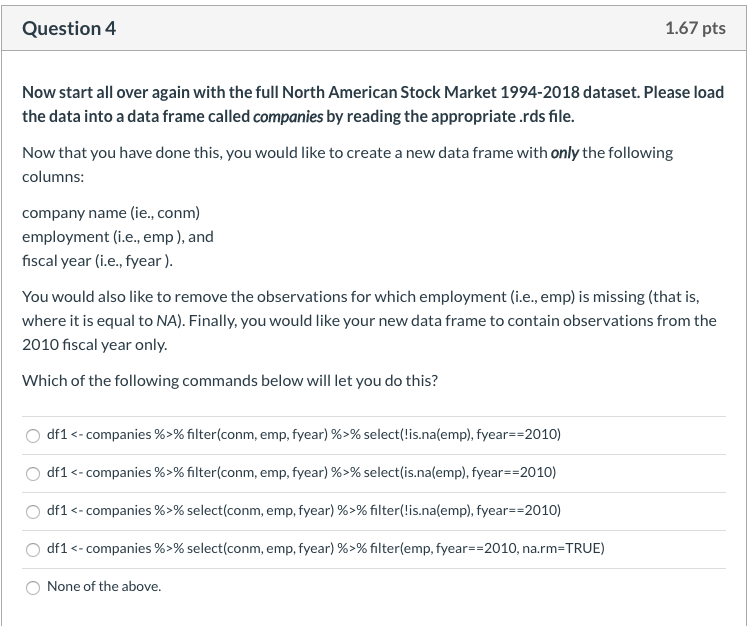
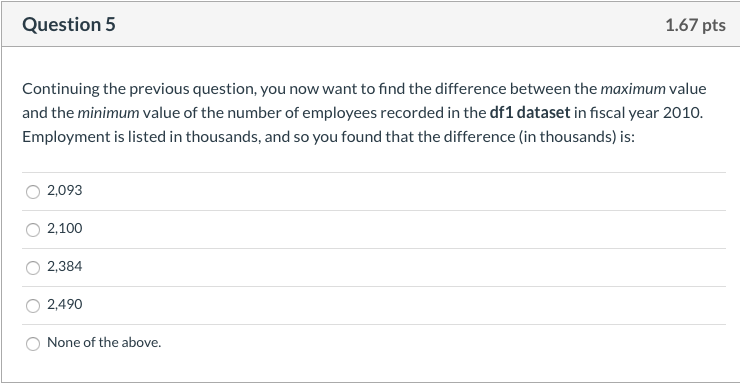
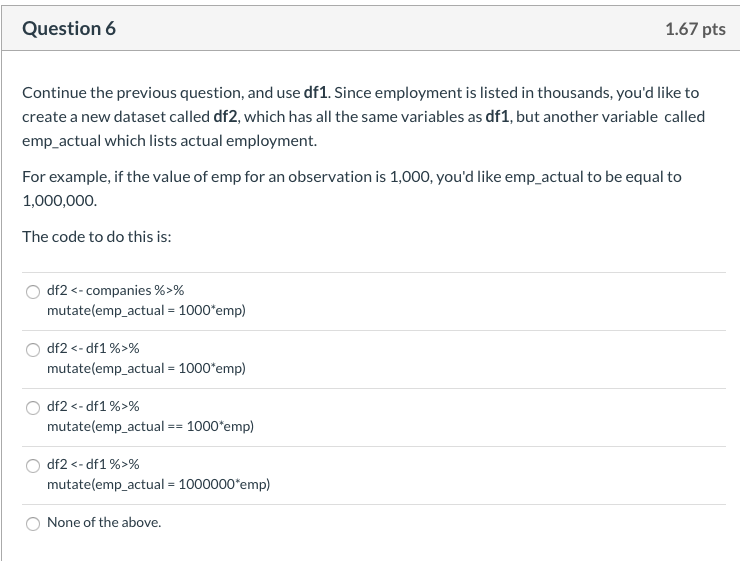
Question 4 1.67 pts Now start all over again with the full North American Stock Market 1994-2018 dataset. Please load the data into a data frame called companies by reading the appropriate.rds file. Now that you have done this, you would like to create a new data frame with only the following columns: company name (ie., conm) employment (i.e., emp), and fiscal year (i.e., fyear). You would also like to remove the observations for which employment (i.e., emp) is missing (that is, where it is equal to NA). Finally, you would like your new data frame to contain observations from the 2010 fiscal year only. Which of the following commands below will let you do this? df1 % filter(conm, emp, fyear) %>% select(!is.na(emp), fyear=2010) Odf1 % filter(conm, emp, fyear) %>% select(is.nalemp), fyear=2010) Odf1 % select(conm, emp, fyear) %>% filter(!is.nalemp), fyear=-2010) df1 % select(conm, emp, fyear) %>% filter(emp, fyear=2010, na.rm=TRUE) None of the above. Question 5 1.67 pts Continuing the previous question, you now want to find the difference between the maximum value and the minimum value of the number of employees recorded in the df1 dataset in fiscal year 2010 Employment is listed in thousands, and so you found that the difference in thousands) is: 2,093 2,100 2,384 2,490 None of the above. Question 6 1.67 pts Continue the previous question, and use df1. Since employment is listed in thousands, you'd like to create a new dataset called df2, which has all the same variables as df1, but another variable called emp_actual which lists actual employment. For example, if the value of emp for an observation is 1,000, you'd like emp_actual to be equal to 1,000,000. The code to do this is: Odf2 % mutate(emp_actual = 1000*emp) Odf2 % mutate(emp_actual = 1000*emp) O df2% mutate(emp_actual == 1000*emp) O df2 % mutate(emp_actual = 1000000 emp) None of the above. Question 4 1.67 pts Now start all over again with the full North American Stock Market 1994-2018 dataset. Please load the data into a data frame called companies by reading the appropriate.rds file. Now that you have done this, you would like to create a new data frame with only the following columns: company name (ie., conm) employment (i.e., emp), and fiscal year (i.e., fyear). You would also like to remove the observations for which employment (i.e., emp) is missing (that is, where it is equal to NA). Finally, you would like your new data frame to contain observations from the 2010 fiscal year only. Which of the following commands below will let you do this? df1 % filter(conm, emp, fyear) %>% select(!is.na(emp), fyear=2010) Odf1 % filter(conm, emp, fyear) %>% select(is.nalemp), fyear=2010) Odf1 % select(conm, emp, fyear) %>% filter(!is.nalemp), fyear=-2010) df1 % select(conm, emp, fyear) %>% filter(emp, fyear=2010, na.rm=TRUE) None of the above. Question 5 1.67 pts Continuing the previous question, you now want to find the difference between the maximum value and the minimum value of the number of employees recorded in the df1 dataset in fiscal year 2010 Employment is listed in thousands, and so you found that the difference in thousands) is: 2,093 2,100 2,384 2,490 None of the above. Question 6 1.67 pts Continue the previous question, and use df1. Since employment is listed in thousands, you'd like to create a new dataset called df2, which has all the same variables as df1, but another variable called emp_actual which lists actual employment. For example, if the value of emp for an observation is 1,000, you'd like emp_actual to be equal to 1,000,000. The code to do this is: Odf2 % mutate(emp_actual = 1000*emp) Odf2 % mutate(emp_actual = 1000*emp) O df2% mutate(emp_actual == 1000*emp) O df2 % mutate(emp_actual = 1000000 emp) None of the above




