







Question: Question 4 Figure 2 shows the interface for a simple calculator which can only add and subtract two intege numbers and display the result. The
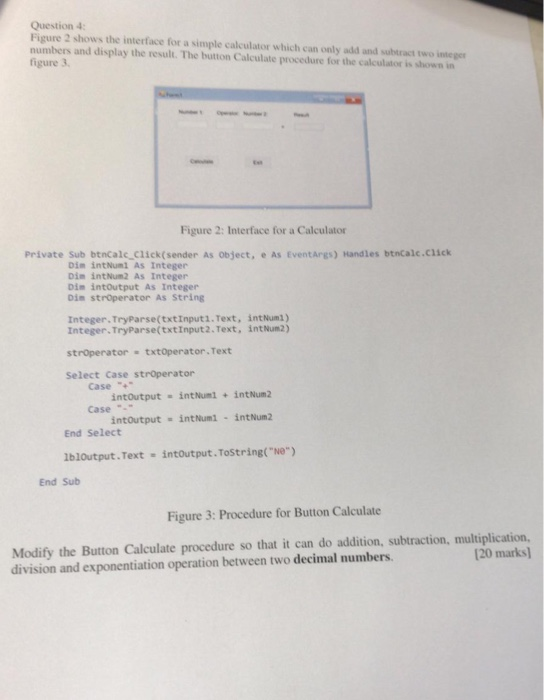
Question 4 Figure 2 shows the interface for a simple calculator which can only add and subtract two intege numbers and display the result. The button Calculate procedure for the calculator is shown in figure 3, Figure 2: Interface for a Calculator Private Sub btncalc Click(sender As object, e As EventArgs) Handles btncalc.click Dim intNuml As Integer Din intNum2 As Integer Din intOutput As Integer Din strperator As String Integer. TryParse(txtInput1. Text, Integer. TryParse(txtInput2. Text, intNum1) int Num2) stroperator txtoperator Text Select Case stroperator Case"+ intoutput intNumi+intNum2 intoutput int Num1 intNum2 Case . End Select lbloutput.Text intoutput.Tostring("Ne") End Sub Figure 3: Procedure for Button Calculate Modify the Button Calculate procedure so that it can do addition, subtraction, multiplication, 20 marks) division and exponentiation operation between two decimal numbers
Step by Step Solution
There are 3 Steps involved in it

Get step-by-step solutions from verified subject matter experts
 Study Help